





Updated October 2026. I’m Saizul Amin, a digital growth and web systems professional working on websites and SEO since 2017. I have rewritten this guide from scratch with practical steps, tested advice and sources, and I will keep it current. Last reviewed: October 2026.
WordPress powers a very large share of business websites for good reasons: it is flexible, widely supported and you own your site. It also fails in predictable ways: hacked sites, slow pages, plugin conflicts and no one maintaining it. This checklist covers what a business needs to run WordPress properly, drawn from sites I build, maintain and sometimes rescue.

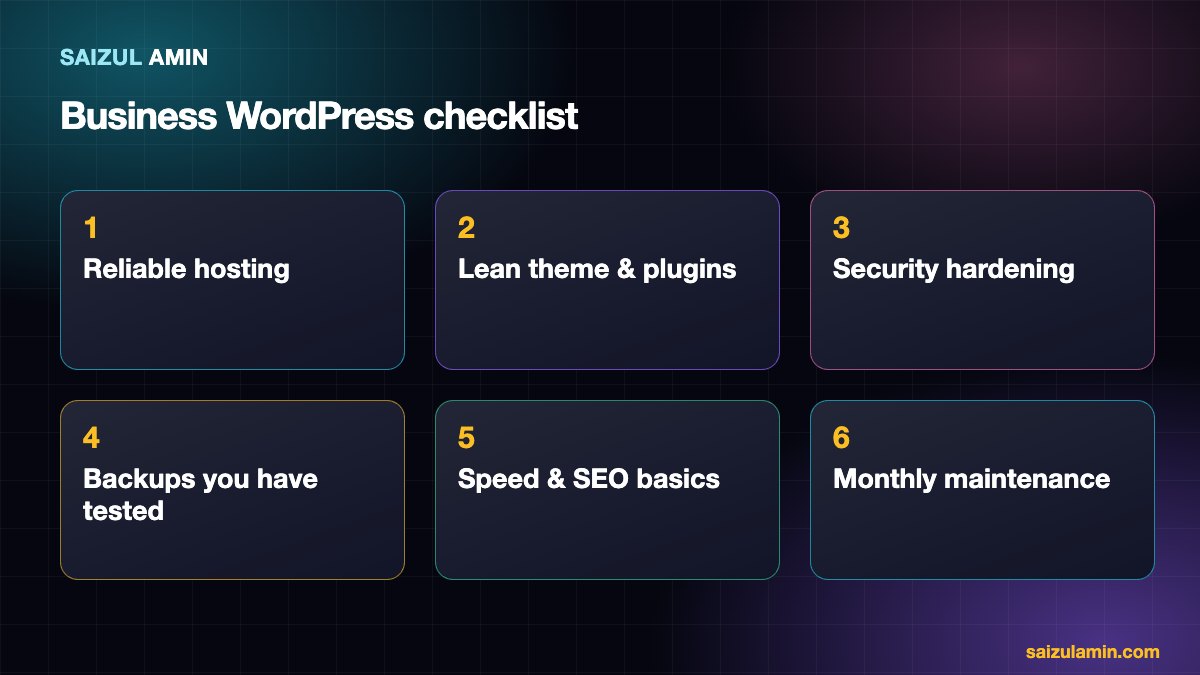
1. Hosting and server
- Choose hosting by reliability and support, not the lowest price. Business sites deserve resources that are not shared with hundreds of strangers.
- Use a current PHP version, HTTPS everywhere and a server close to your customers (or a CDN).
- Decide who is responsible for updates: you, your host or your developer. If the answer is “nobody”, you have a problem.
If you are considering a VPS, read my guide to migrating WordPress to a VPS without downtime.
2. A lean theme and few plugins
- Use a well-supported theme (a lightweight or block theme) rather than a heavy multipurpose one with dozens of bundled features.
- Every plugin is code you must update and trust. Keep only plugins with a clear purpose, active development and good reviews.
- Never use “nulled” or pirated themes and plugins. They are a leading way sites get infected.
- Delete (not just deactivate) plugins and themes you do not use.
I once took over a site where two unknown administrator accounts had been created months earlier and a pirated-content publishing plugin was running in the background. The site had been hacked through outdated, unmaintained components. Cleaning it meant removing the plugin, demoting the rogue accounts, rotating the security keys and checking every file against the official checksums. It is far easier to prevent that than to repair it.
3. Security hardening
- Updates: keep WordPress core, themes and plugins current; enable automatic security updates where sensible.
- Accounts: use strong unique passwords, two-factor authentication for administrators, and the least privilege (not everyone needs Administrator). Review the user list regularly for accounts you do not recognise.
- Login protection: limit login attempts and consider changing or protecting the login URL.
- File safety: correct file permissions, disallow file editing from the dashboard and block PHP execution in the uploads folder where possible.
- Firewall and monitoring: a web application firewall or a reputable security plugin, plus alerts for changes.
The official Hardening WordPress guide is a good reference.
4. Backups you have actually tested
- Keep automatic backups of files and database, stored off the server, with several restore points.
- Test a restore at least once. Many people discover during an emergency that their backups do not work.
- Take a manual backup before major updates.
See also the WordPress backup documentation.
5. Speed and SEO basics
- Use page caching, sized and compressed images, and self-hosted fonts. My full list is in WordPress speed optimization.
- Choose one canonical domain, set clean permalinks, submit a sitemap and connect Google Search Console.
- Write unique titles and descriptions, add meaningful alt text and keep a clear page structure. See my SEO roadmap.
- Include the pages customers and search engines expect: About, Services, Contact, Privacy Policy.
6. Monthly maintenance routine
| Task | How often |
|---|---|
| Apply updates (staging first for important sites) | Weekly or as released |
| Check backups and test a restore | Monthly / quarterly |
| Review users, plugins and security alerts | Monthly |
| Check speed and Search Console errors | Monthly |
| Test forms, checkout and email delivery | Monthly |
| Review content and broken links | Quarterly |
Don’t forget email delivery
Contact forms often fail silently because the server’s mail is rejected by providers such as Gmail. Use an authenticated sending method (SMTP service) and set up SPF, DKIM and DMARC for your domain, then test.
WordPress or something else?
WordPress is a strong choice when you need content management, SEO flexibility and growth options. A simple hand-coded site (see creating a website with HTML) may be enough for a tiny brochure site, and a hosted builder suits those who want zero maintenance.
Need a second pair of eyes?
If you would like help applying this to your own website, send me a message with your site address and goal. I will tell you honestly what I would do first.
Frequently asked questions
Is WordPress secure enough for business?
Yes, when it is kept updated, uses trustworthy components, has strong access controls and is backed up. Most hacks exploit neglected sites.
How much does it cost to maintain a WordPress site?
Costs include hosting, premium plugins or themes, and the time (yours or a professional’s) for updates, backups and fixes.
How many plugins is too many?
There is no magic number; quality matters more than count. Remove anything unnecessary.
Can you manage my WordPress site?
Yes, I handle performance, security and technical SEO for business sites. Use the contact page.
Sources and further reading
How this article was written
I wrote this guide from hands-on experience with websites, SEO and automation. Technical and policy details were checked against the official sources above in October 2026. Tools, policies and prices change; if you notice something out of date, email info@saizul.com and I will correct it. Examples reflect my own projects and will vary on yours.


Saizul Amin is a digital growth strategist and SEO consultant specialising in search engine optimisation, web development, AI-powered automation, and online income systems. With 8 years of hands-on experience helping businesses and individual creators grow their online presence, Saizul combines technical expertise with practical, results-driven strategy.
Experience & Background
Saizul started his digital career in 2017, initially working with Bioscope Limited to build and optimise websites for organic search traffic. Over the years, he has worked across industries including DGHS, NAVANA, UNICampus, UNIPathways, UniqueMark, developing a deep understanding of what it takes to rank, convert, and grow sustainably online.
His work spans the full digital stack — from technical SEO audits and content strategy to WordPress development, marketing automation, and AI tool integration for small businesses and startups.
What He Covers on This Blog
Every article on SaizulAmin.com is written from direct experience. Saizul does not publish theoretical content — every guide, tool recommendation, and strategy shared here has been tested and applied in real projects. Topics include:
- Search engine optimisation (on-page, technical, and content SEO)
- Digital marketing strategy and growth systems
- AI tools and automation for business productivity
- Web development, WordPress, and website building
- Making money online through freelancing and affiliate marketing
Why Trust This Content
All recommendations on this site reflect tools and strategies Saizul actively uses or has personally evaluated. Where affiliate relationships exist, they are clearly disclosed. Content is regularly reviewed and updated to reflect current best practices and algorithm changes.


