

Before writing more content, check whether search engines can actually crawl, understand and trust your site. This is the 25-point technical audit I run on WordPress sites, in the order that finds the biggest problems fastest. It uses free tools: Google Search Console, a crawler such as Screaming Frog (free tier) and Lighthouse.
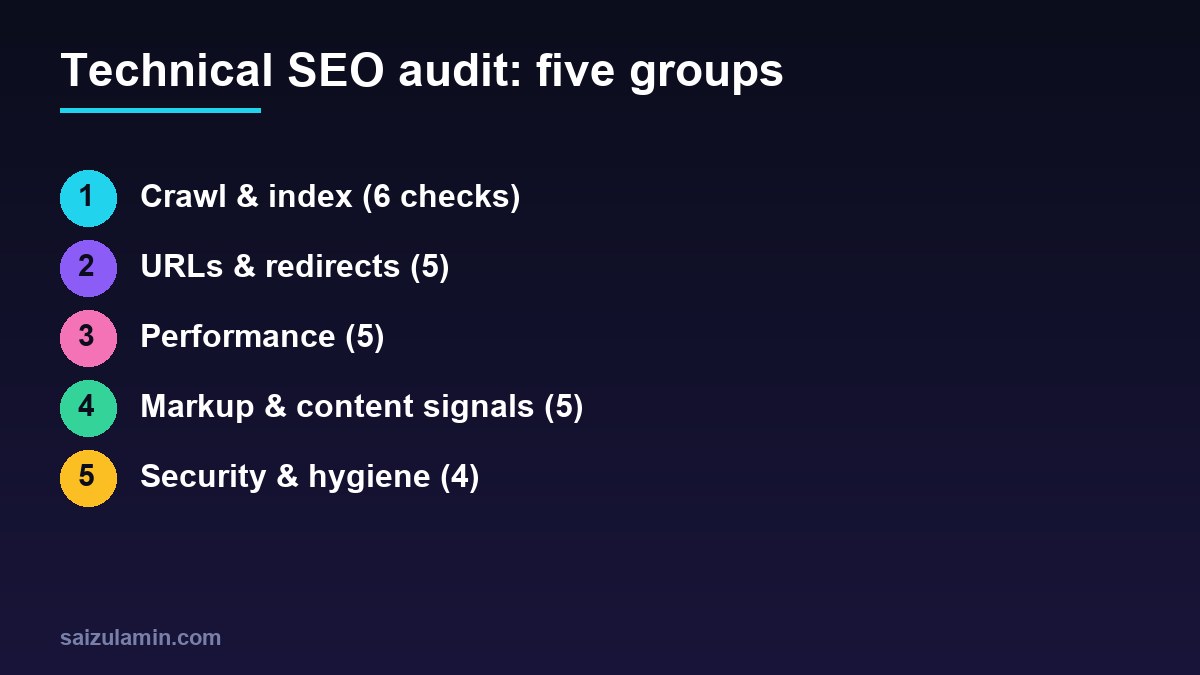
1. Crawl and index (6 checks)
- Search Console is verified for the exact canonical property (https, one host).
- Indexing status: compare pages submitted vs indexed; open “Not indexed” reasons.
- robots.txt does not block CSS, JS or important sections (see Google’s robots.txt guide).
- Sitemap exists, lists only indexable canonical URLs and is submitted.
- Noindex tags are only where intended; “Discourage search engines” is off.
- Site search, tag, author and date archives are handled deliberately (noindex or improved), not left as thin duplicates.
2. URLs and redirects (5)
- One canonical host: www and non-www, http and https all redirect with a single 301 hop.
- Canonical tags are present and correct (self-referencing).
- No redirect chains or loops; old URLs go straight to the final page.
- 404s and soft 404s: fix, redirect or remove internal links.
- Clean permalinks, no parameters generating duplicates.
3. Performance (5)
- Core Web Vitals pass in the field report (see Core Web Vitals explained).
- Page caching is working for logged-out visitors.
- Images: compressed, correctly sized, with dimensions; LCP image not lazy.
- Render-blocking CSS/JS and unused plugin assets removed.
- Third-party scripts delayed or removed.
4. Markup and content signals (5)
- Unique title tag and meta description on every indexable page.
- Single H1 with logical heading hierarchy.
- Structured data valid and honest: Organization, Article, Breadcrumb, and only the types the page deserves.
- Internal links: important pages are within three clicks, with descriptive anchors; no orphan pages.
- Duplicate and thin content consolidated or removed (cannibalisation check).
5. Security and hygiene (4)
- HTTPS everywhere, no mixed content, valid certificate.
- No malware or spam injections; check Security Issues in Search Console and unknown admin users or plugins.
- Software updated (core, theme, plugins) and unused plugins removed.
- Backups and uptime monitoring in place; contact and consent pages present.
Tools that make the audit fast
| Need | Tool |
|---|---|
| Indexing, queries, vitals | Google Search Console |
| Crawl, redirects, titles, canonicals | Screaming Frog (free up to 500 URLs) or similar |
| Speed and markup | Lighthouse, PageSpeed Insights |
| WordPress checks | wp-cli, security plugin logs, Site Health |
How to prioritise findings
- Fix first: anything blocking indexing or causing duplicates at scale.
- Fix next: redirects, canonicals and speed on key templates.
- Then: markup, internal links and cleanup.
After the audit, follow the SEO roadmap for the content and authority work.
Need help applying this to your site?
I work on technical SEO, performance and web systems for businesses and product teams. Send me your site address and goal and I will tell you what I would fix first.
FAQ
How often should I audit?
Fully once or twice a year, and quickly after any redesign, migration or plugin overhaul. Monitor Search Console monthly.
Can I do this myself?
Yes for most checks. Redirect logic, server configuration and migrations are where an experienced person saves time.
What breaks most often on WordPress?
Duplicate archives, redirect chains after migrations, bloated plugins and uncached pages.
Sources
- Google Search Central: SEO Starter Guide
- Google Search Console Help
- Google: robots.txt introduction
- web.dev: Core Web Vitals

Saizul Amin is a digital growth strategist and SEO consultant specialising in search engine optimisation, web development, AI-powered automation, and online income systems. With 8 years of hands-on experience helping businesses and individual creators grow their online presence, Saizul combines technical expertise with practical, results-driven strategy.
Experience & Background
Saizul started his digital career in 2017, initially working with Bioscope Limited to build and optimise websites for organic search traffic. Over the years, he has worked across industries including DGHS, NAVANA, UNICampus, UNIPathways, UniqueMark, developing a deep understanding of what it takes to rank, convert, and grow sustainably online.
His work spans the full digital stack — from technical SEO audits and content strategy to WordPress development, marketing automation, and AI tool integration for small businesses and startups.
What He Covers on This Blog
Every article on SaizulAmin.com is written from direct experience. Saizul does not publish theoretical content — every guide, tool recommendation, and strategy shared here has been tested and applied in real projects. Topics include:
- Search engine optimisation (on-page, technical, and content SEO)
- Digital marketing strategy and growth systems
- AI tools and automation for business productivity
- Web development, WordPress, and website building
- Making money online through freelancing and affiliate marketing
Why Trust This Content
All recommendations on this site reflect tools and strategies Saizul actively uses or has personally evaluated. Where affiliate relationships exist, they are clearly disclosed. Content is regularly reviewed and updated to reflect current best practices and algorithm changes.