





Updated October 2026. I’m Saizul Amin, a digital growth and web systems professional working on websites and SEO since 2017. I have rewritten this guide from scratch with practical steps, tested advice and sources, and I will keep it current. Last reviewed: October 2026.
Hiring managers and clients look at a developer’s portfolio for one reason: to decide whether you can solve their problem. Ten identical to-do apps do not answer that. A few well-chosen, well-presented projects do. This guide lists ten project ideas and, more importantly, how to make each one look professional.

What employers and clients actually look for
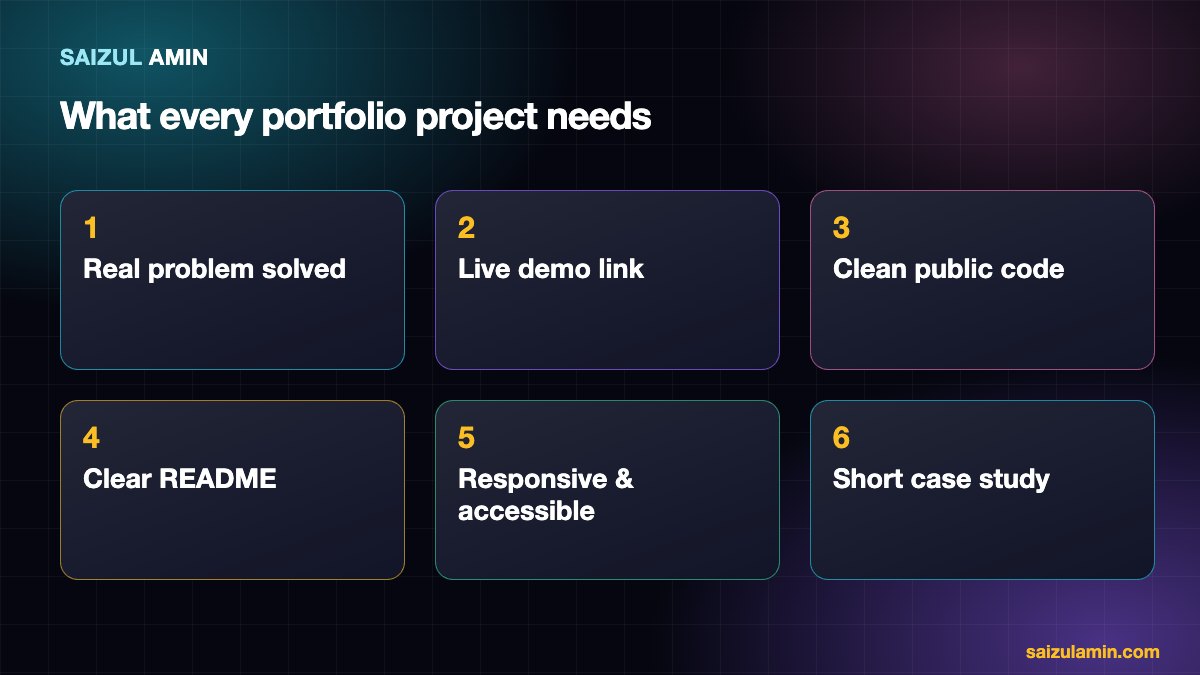
- A real problem solved, even a small one, not just a tutorial copy.
- A working live demo they can open in one click, plus the source code.
- Readable, organised code with sensible structure and commit history.
- A clear README explaining what it is, why you built it, the stack, how to run it and what you learned. See GitHub’s README guide.
- Responsive and accessible design. Keyboard navigation, contrast and alt text matter. See web.dev’s accessibility course.
- Evidence of finishing: deployment, error handling and tests, not just a happy path.
Ten project ideas
| # | Project | Skills it shows |
|---|---|---|
| 1 | A business website for a real local shop or clinic (with permission) | HTML/CSS, responsive design, SEO basics, working with a client |
| 2 | Personal portfolio site with case studies | Design, content, performance |
| 3 | Task or project tracker with accounts | Authentication, CRUD, database |
| 4 | Booking or appointment system | Dates and time zones, validation, email notifications |
| 5 | E-commerce store (products, cart, payments in test mode) | State management, payment integration, order flow |
| 6 | Dashboard that visualises a public dataset | APIs, charts, data handling |
| 7 | Blog or CMS with an admin editor | Rich text, roles and permissions, SEO |
| 8 | Chat or notification feature with real-time updates | WebSockets or server-sent events |
| 9 | A small automation or AI-assisted tool (for example summarising uploaded documents) | API usage, prompt design, error handling, cost control |
| 10 | An open-source contribution or a fix to a real project | Reading others’ code, collaboration, Git workflow |
Match projects to your level
- Beginner: projects 1, 2 and 6, built with HTML, CSS and JavaScript. See how to build a website with HTML and CSS.
- Intermediate: projects 3, 4 and 7 with a framework and a database.
- Advanced: projects 5, 8, 9 and 10, with tests, deployment and documentation.
How to present a project
- Title and one-line outcome: “Booking system that reduces double-bookings for a small clinic”.
- Screenshot or short video showing it working.
- Problem, solution, your role in a short paragraph each.
- Tech stack and key decisions (why this database, how you handled authentication).
- Links: live demo and source code.
- Result or lesson: performance numbers, what you would improve.
When I review portfolios, a three-paragraph case study with a real problem beats a long list of projects with no explanation. If you plan to freelance, see how to get your first client as a web developer.
Polish checklist before you publish
- No broken links, placeholder text or Lorem ipsum.
- Works on a phone and in at least two browsers.
- Lighthouse scores checked and obvious issues fixed.
- No secrets (API keys, passwords) in the repository.
- License included for open code, and permission obtained for any client work you show.
Common portfolio mistakes
- Showing only tutorial clones.
- No explanation: just a screenshot grid.
- Projects that do not run or whose demo is down.
- Too many projects; three to six strong ones is better.
Need a second pair of eyes?
If you would like help applying this to your own website, send me a message with your site address and goal. I will tell you honestly what I would do first.
Frequently asked questions
How many projects should a portfolio have?
Three to six excellent, well-explained projects are better than a dozen shallow ones.
Can I include tutorial projects?
Only if you significantly extend them with your own features and explain what you changed.
Do I need a custom domain?
It is not required, but a simple custom domain looks professional and costs little.
What stack should I show?
The one used in the jobs you want. See the web development roadmap.
Sources and further reading
How this article was written
I wrote this guide from hands-on experience with websites, SEO and automation. Technical and policy details were checked against the official sources above in October 2026. Tools, policies and prices change; if you notice something out of date, email info@saizul.com and I will correct it. Examples reflect my own projects and will vary on yours.


Saizul Amin is a digital growth strategist and SEO consultant specialising in search engine optimisation, web development, AI-powered automation, and online income systems. With 8 years of hands-on experience helping businesses and individual creators grow their online presence, Saizul combines technical expertise with practical, results-driven strategy.
Experience & Background
Saizul started his digital career in 2017, initially working with Bioscope Limited to build and optimise websites for organic search traffic. Over the years, he has worked across industries including DGHS, NAVANA, UNICampus, UNIPathways, UniqueMark, developing a deep understanding of what it takes to rank, convert, and grow sustainably online.
His work spans the full digital stack — from technical SEO audits and content strategy to WordPress development, marketing automation, and AI tool integration for small businesses and startups.
What He Covers on This Blog
Every article on SaizulAmin.com is written from direct experience. Saizul does not publish theoretical content — every guide, tool recommendation, and strategy shared here has been tested and applied in real projects. Topics include:
- Search engine optimisation (on-page, technical, and content SEO)
- Digital marketing strategy and growth systems
- AI tools and automation for business productivity
- Web development, WordPress, and website building
- Making money online through freelancing and affiliate marketing
Why Trust This Content
All recommendations on this site reflect tools and strategies Saizul actively uses or has personally evaluated. Where affiliate relationships exist, they are clearly disclosed. Content is regularly reviewed and updated to reflect current best practices and algorithm changes.


