


By default Cloudflare caches static files but not HTML. Caching HTML at the edge can cut load times dramatically for visitors far from your server, as long as personalised pages are never cached.
From my own work: My sites are served from a European VPS to visitors mostly in Bangladesh. Edge-caching guest HTML is the fix for that distance, which server-side caching alone cannot solve.
What Cloudflare caches by default
Static file extensions are cached; HTML is not (default behaviour). Cache Rules let you change that.
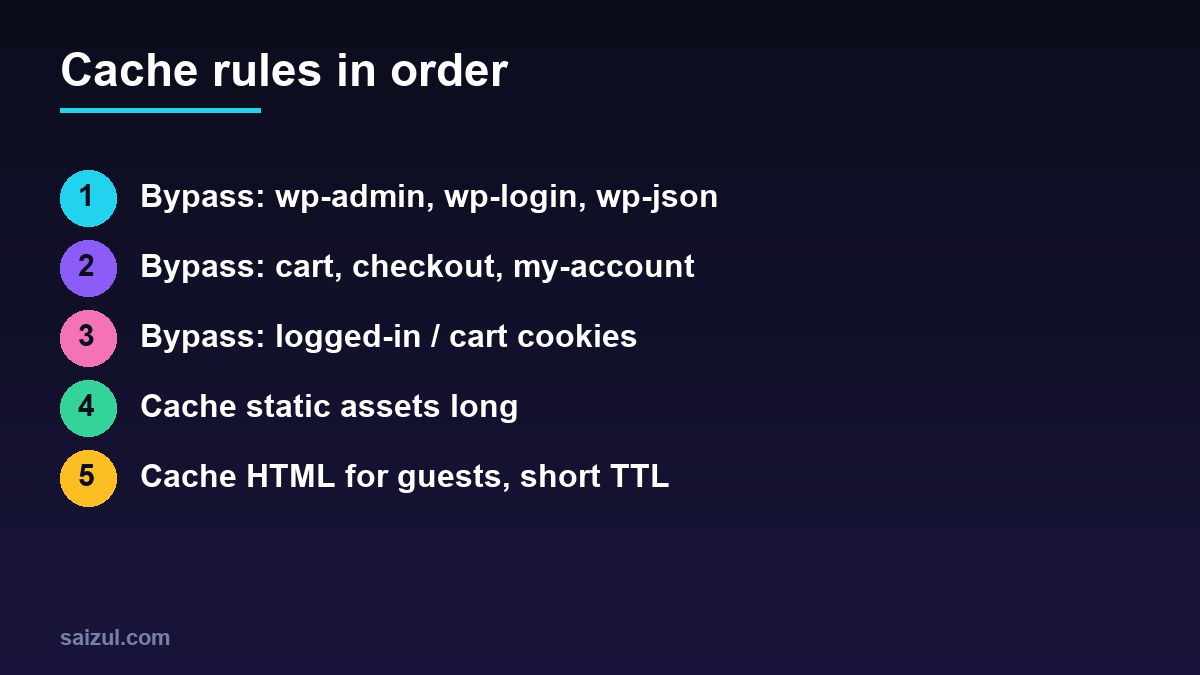
Rule 1: bypass dynamic paths and cookies
(http.request.uri.path contains "/wp-admin")
or (http.request.uri.path contains "/wp-login.php")
or (http.request.uri.path contains "/wp-json/")
or (http.request.uri.path contains "/cart")
or (http.request.uri.path contains "/checkout")
or (http.request.uri.path contains "/my-account")
or (http.cookie contains "wordpress_logged_in")
or (http.cookie contains "woocommerce_items_in_cart")
or (http.cookie contains "wp_woocommerce_session")
or (http.cookie contains "comment_author")
→ Bypass cache
Rule 2: cache HTML for everyone else
(http.host eq "example.com") and not (Rule 1 conditions)
→ Eligible for cache
  Edge TTL: 2 hours (ignore origin cache-control)
  Browser TTL: respect origin
Rule 3: long TTL for static assets
Cache CSS, JS, fonts and images for weeks or months; use versioned filenames so updates show immediately.
Purging
- Purge by URL after editing a post, or purge everything after design changes (purge docs).
- A WordPress plugin can purge automatically on publish.
- Keep edge TTLs short enough that stale pages are not a problem.
Test
curl -sI https://example.com/ | grep -i cf-cache-status        # HIT after second request
curl -sI https://example.com/cart/ | grep -i cf-cache-status   # BYPASS or DYNAMIC
Server-side caching still matters for misses and logged-in users: see Nginx FastCGI cache.
Want this done on your own server or site?
I am Saizul Amin, a web developer and technical SEO consultant. I set up and harden VPS servers, migrate WordPress sites, fix indexing problems and build automations. See my portfolio or get in touch.
FAQ
Is it safe to cache HTML on a WooCommerce site?
Yes for guest catalogue pages, if carts, checkout, accounts and cart cookies bypass the cache.
Why do logged-in users see cached pages?
The bypass rule is missing the logged-in cookie condition.
Do I need Cloudflare APO?
APO automates WordPress HTML caching; Cache Rules can achieve similar results manually.
Sources

Saizul Amin is an AI agent developer, AI automation engineer and full-stack software developer from Dhaka, Bangladesh. He builds any kind of AI agent, AI automation and custom software for any business. Portfolio: https://saizul.com