

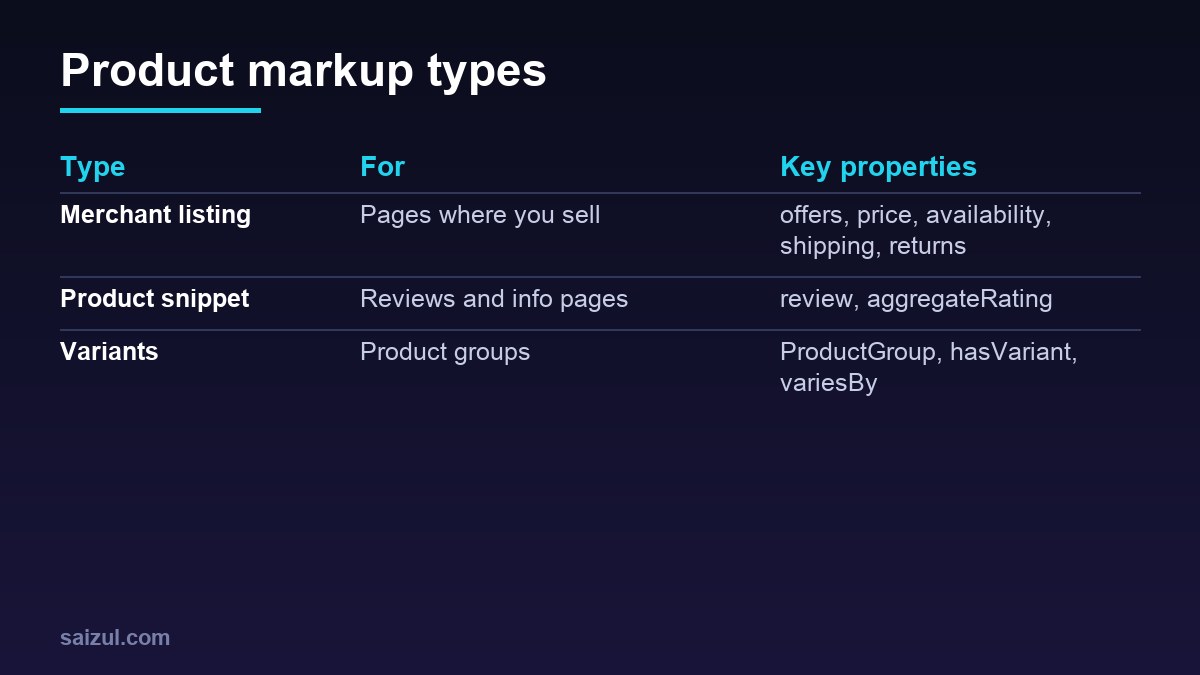
Product structured data helps Google show prices, availability, shipping and ratings in search results. Google distinguishes between merchant listings (pages where a product can be bought) and product snippets (pages about products, like reviews). Using the right type matters.
From my own work: I build schema tooling and audit e-commerce sites. The most common errors I find are prices in schema that don’t match the page, missing currency, and ratings that don’t correspond to visible reviews.
A minimal merchant listing
{
  "@context": "https://schema.org",
  "@type": "Product",
  "name": "Wireless Earbuds Pro",
  "image": ["https://example.com/img/earbuds-1.jpg"],
  "description": "Bluetooth 5.3 earbuds with 30-hour battery.",
  "sku": "EB-PRO-01",
  "brand": { "@type": "Brand", "name": "ExampleBrand" },
  "offers": {
    "@type": "Offer",
    "url": "https://example.com/earbuds-pro/",
    "price": "2490.00",
    "priceCurrency": "BDT",
    "availability": "https://schema.org/InStock",
    "itemCondition": "https://schema.org/NewCondition"
  }
}
Required and recommended properties are listed in Google’s merchant listing docs.
Shipping and returns
Add shippingDetails (OfferShippingDetails) and hasMerchantReturnPolicy to the offer, or configure them in Merchant Center. Keep them consistent with your policies page.
Reviews and ratings
Only mark up reviews visible on the page, written by real customers (product snippet docs). Self-serving or invented ratings violate guidelines.
Variants
For sizes and colours, Google supports ProductGroup with hasVariant and variesBy (variant docs).
Rules that prevent errors
- Price and availability in markup must match the visible page and Merchant Center feed.
- Use full schema.org URLs for availability and condition.
- Generate markup from the same data as the page (WooCommerce/Shopify do this; check theme duplicates).
- Avoid two conflicting Product blocks from theme and plugin.
Validate
Use the Rich Results Test and Search Console’s Merchant listings report. For broader schema topics see the JSON-LD guide.
Want this done on your own server or site?
I am Saizul Amin, a web developer and technical SEO consultant. I set up and harden VPS servers, migrate WordPress sites, fix indexing problems and build automations. See my portfolio or get in touch.
FAQ
Merchant listing or product snippet?
Use merchant listing markup on pages where customers can buy; product snippets for review or informational pages.
Do I need GTINs?
Provide them when products have them; they help Google match products.
Can I add schema manually in WooCommerce?
WooCommerce outputs Product schema; extend it with filters or an SEO plugin instead of duplicating it.
Sources
- Google: Merchant listing structured data
- Google: Product snippet structured data
- Google: Product variant structured data
- Google Rich Results Test

Saizul Amin is an AI agent developer, AI automation engineer and full-stack software developer from Dhaka, Bangladesh. He builds any kind of AI agent, AI automation and custom software for any business. Portfolio: https://saizul.com