

WooCommerce stores are dynamic: carts, sessions, stock and orders change every second, so you cannot simply cache everything. Fast stores come from tuning each layer. This is the order I work in.
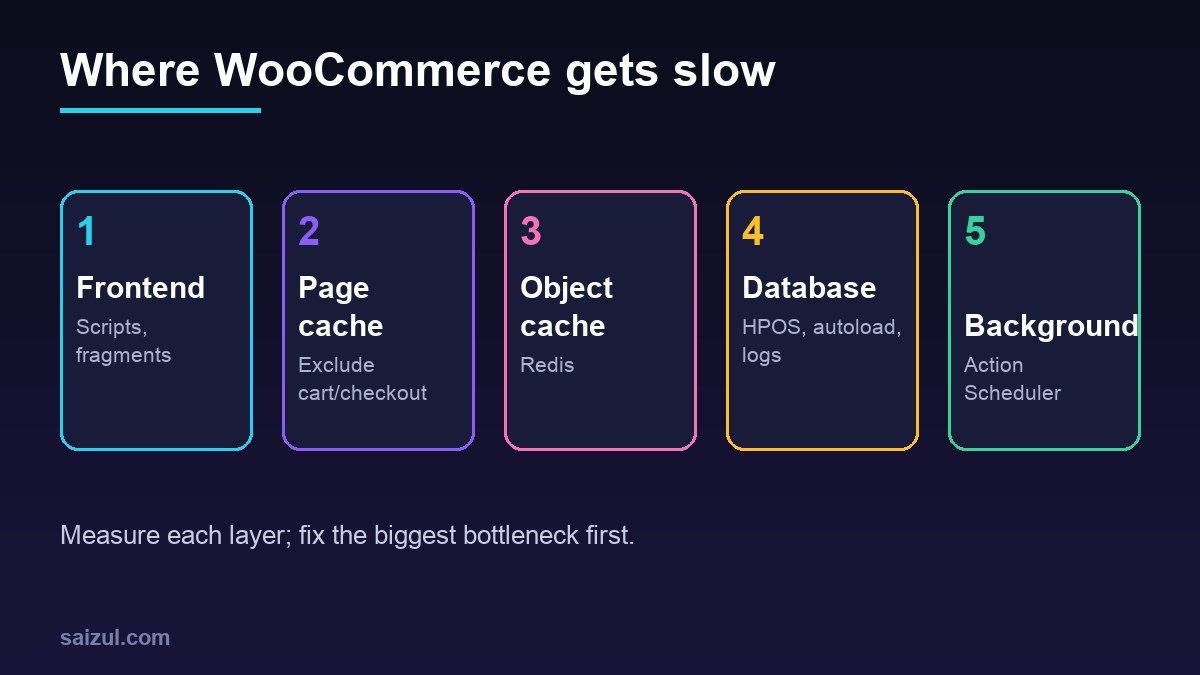
From my own work: In e-commerce work, the slowest stores I audit usually have a huge Action Scheduler table, megabytes of autoloaded options and cart fragments firing on every page, not a slow server.
1. Enable HPOS
High-Performance Order Storage moves orders out of wp_posts/wp_postmeta into dedicated tables. New stores use it by default; older stores should migrate after checking plugin compatibility on staging.
2. Page cache with correct exclusions
Cache catalogue pages, but exclude cart, checkout and my-account, and bypass cache for users with cart cookies (WooCommerce caching guidance).
3. Redis object cache
A persistent object cache cuts repeated database queries for sessions, options and product data.
wp redis status
wp cache flush
4. Cart fragments and frontend assets
The wc-cart-fragments script makes an AJAX request on page load to refresh the mini-cart. If your theme does not show a live mini-cart on every page, dequeue it outside shop pages and load WooCommerce scripts only where needed.
add_action( 'wp_enqueue_scripts', function () {
    if ( ! is_cart() && ! is_checkout() && ! is_woocommerce() ) {
        wp_dequeue_script( 'wc-cart-fragments' );
    }
}, 99 );
5. Action Scheduler cleanup
WooCommerce and many plugins queue background jobs in Action Scheduler. Millions of completed rows slow the admin.
wp action-scheduler clean --status=complete,failed,canceled --before='30 days ago'
wp db query "SELECT status, COUNT(*) FROM wp_actionscheduler_actions GROUP BY status;"
6. Autoloaded options
Options with autoload enabled load on every request (add_option). Keep the total small.
wp db query "SELECT option_name, LENGTH(option_value) AS bytes FROM wp_options
WHERE autoload IN ('yes','on','auto-on','auto') ORDER BY bytes DESC LIMIT 20;"
7. Database hygiene
- Delete expired sessions and transients (
wp transient delete --expired). - Limit post revisions; remove orphaned meta from deleted plugins.
- Watch products with hundreds of variations.
8. Measure
Test cart and checkout uncached, use Query Monitor on staging and track Core Web Vitals. Related: fixing slow WordPress TTFB and Redis vs Memcached.
Want this done on your own server or site?
I am Saizul Amin, a web developer and technical SEO consultant. I set up and harden VPS servers, migrate WordPress sites, fix indexing problems and build automations. See my portfolio or get in touch.
FAQ
Can I page-cache WooCommerce?
Yes for catalogue pages, but cart, checkout and account pages must bypass the cache.
Is HPOS safe to enable?
For new stores yes; for existing stores test plugin compatibility and the migration on staging first.
Should I remove cart fragments?
Only if your theme does not need a live mini-cart on every page.
Sources
- WooCommerce: High-Performance Order Storage
- WooCommerce: Configuring caching plugins
- Action Scheduler documentation
- WordPress: Options autoload

Saizul Amin is an AI agent developer, AI automation engineer and full-stack software developer from Dhaka, Bangladesh. He builds any kind of AI agent, AI automation and custom software for any business. Portfolio: https://saizul.com