

Migrations are the riskiest SEO projects: a domain change, a new CMS, HTTPS or a new server can wipe out traffic if URLs or content change without a plan. Use this checklist.
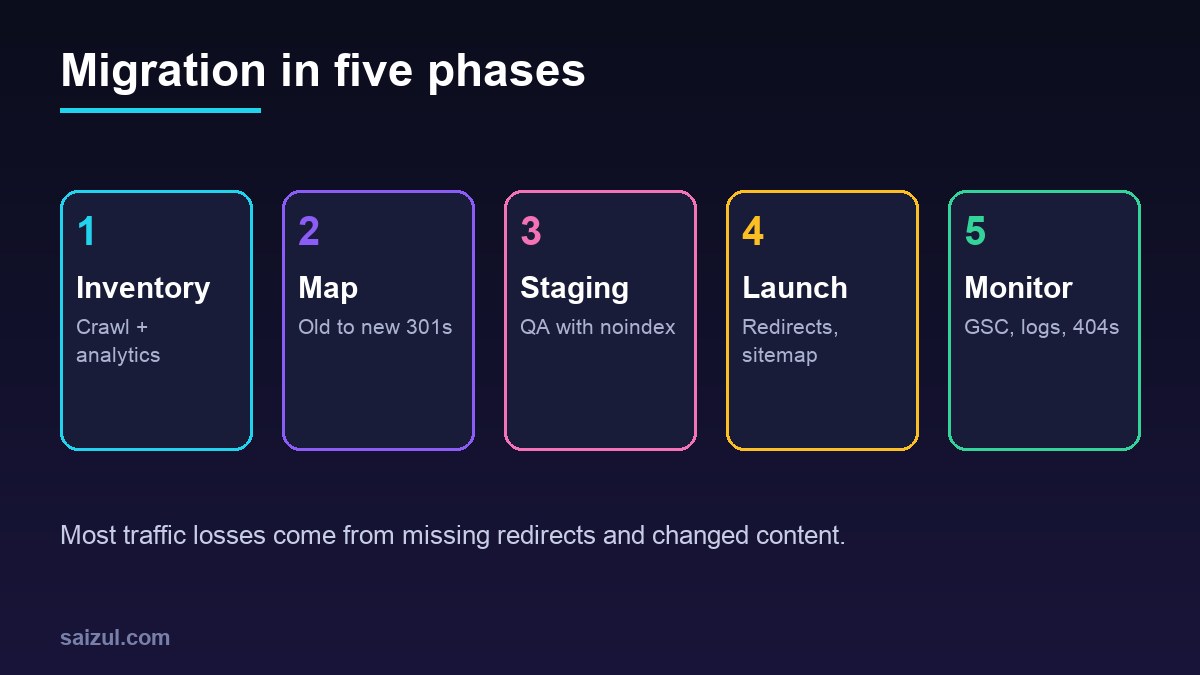
From my own work: I recently moved several WordPress sites from shared hosting to a VPS. Server moves without URL changes are low-risk when DNS is switched only after testing the new server with curl –resolve; URL changes need a full redirect map.
Before: inventory
- Crawl the old site and export all URLs, titles, canonicals and status codes.
- Export top landing pages from Search Console and analytics (last 12–16 months).
- List backlinks to important URLs.
- Benchmark rankings, traffic and Core Web Vitals.
Redirect map
Map every old URL with traffic or links to its closest new equivalent with a 301 (Google site move guide). Avoid chains and blanket homepage redirects. See 301 redirects guide.
Staging QA
- Block staging from indexing (password or noindex), but remember to remove it at launch.
- Check titles, meta, headings, canonicals, hreflang, structured data and internal links.
- Test redirect map against staging; crawl for 404s.
- Compare page speed.
Launch day
# before switching DNS, test the new server directly
curl -sI --resolve example.com:443:203.0.113.10 https://example.com/ | head -3
curl -sI https://example.com/old-url/ | grep -i location- Lower DNS TTL a day before; keep email records (MX, SPF, DKIM, DMARC) intact.
- Deploy redirects, remove noindex, submit new sitemaps.
- For domain changes, use the Change of Address tool.
- Server-only moves: follow site moves without URL changes.
After launch
- Monitor Search Console coverage, crawl stats and 404s daily for two weeks.
- Check server logs for Googlebot errors.
- Keep redirects for at least a year.
- Expect some fluctuation; investigate pages that drop and don’t recover.
Related: migrating WordPress to a VPS and DNS records explained.
Want this done on your own server or site?
I am Saizul Amin, a web developer and technical SEO consultant. I set up and harden VPS servers, migrate WordPress sites, fix indexing problems and build automations. See my portfolio or get in touch.
FAQ
How long does traffic take to recover after a migration?
Well-executed moves often stabilise within weeks; larger structural changes can take longer.
Should I change design and URLs at the same time?
It is safer to change as little as possible at once, so problems are easier to diagnose.
Do I need the Change of Address tool for HTTPS?
No, it is for domain changes; HTTPS moves rely on redirects and canonicals.
Sources
- Google: Site moves with URL changes
- Google: Site moves without URL changes
- Search Console Help: Change of Address tool

Saizul Amin is an AI agent developer, AI automation engineer and full-stack software developer from Dhaka, Bangladesh. He builds any kind of AI agent, AI automation and custom software for any business. Portfolio: https://saizul.com