


DNS is the internet’s address book: it turns a domain into the servers that handle your website and email. When a site is down after a migration or emails land in spam, the cause is very often one wrong DNS record. Here is what each record does.
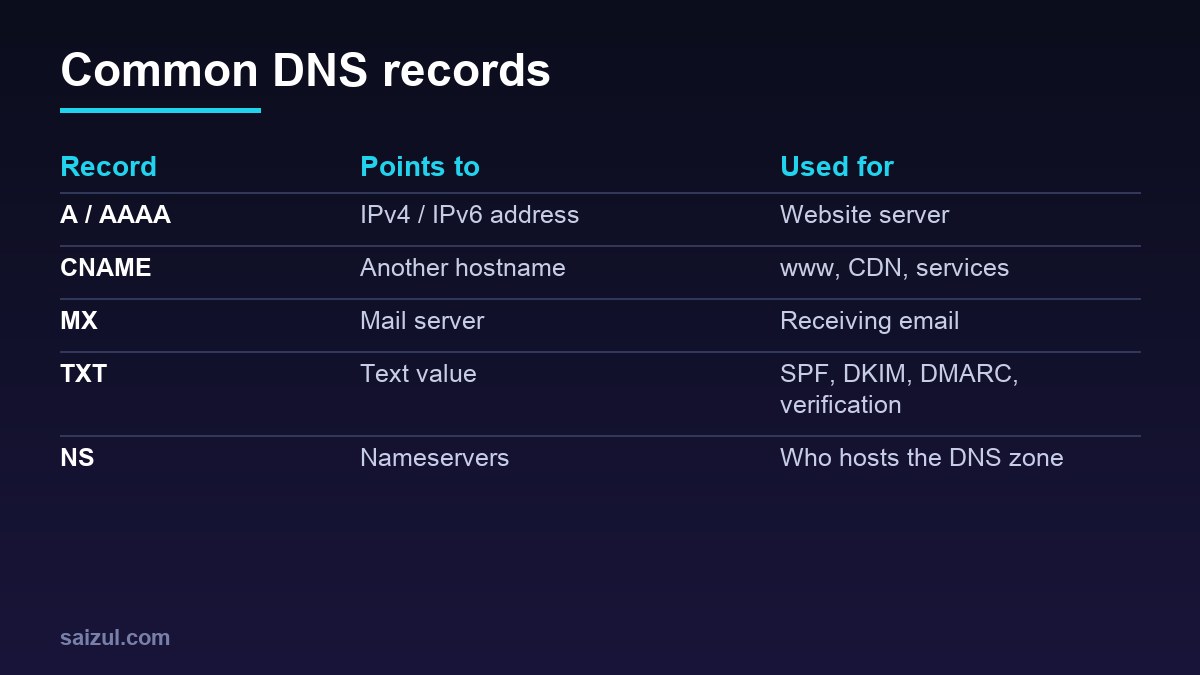
From my own work: When I migrate sites between hosts, I list every DNS record before changing anything. Email records (MX, SPF, DKIM, DMARC) are the ones most often lost, and the problem only shows when clients stop receiving mail.
How DNS works in one paragraph
Your registrar points the domain to nameservers (NS). Those nameservers hold the zone: a list of records. When someone visits your site, their resolver asks the nameservers for the right record and caches the answer for the record’s TTL. That caching is why changes can take time to appear. See Cloudflare’s DNS records reference.
Website records
| Record | Example | Notes |
|---|---|---|
| A | @ → 203.0.113.10 |
Root domain to IPv4 server |
| AAAA | @ → 2001:db8::10 |
IPv6; remove if server has no IPv6 |
| CNAME | www → example.com |
Alias; not allowed on root in standard DNS |
| NS | ns1.provider.com |
Set at the registrar |
Email records
- MX: which servers receive mail, with priority numbers (lower is preferred).
- SPF (TXT): which servers may send for your domain, e.g.
v=spf1 include:zoho.com ~all. Only one SPF record per domain (Google guide). - DKIM (TXT): a public key, at a selector like
zmail._domainkey, that lets receivers verify signed mail. - DMARC (TXT at _dmarc): tells receivers what to do when SPF/DKIM fail and where to send reports (DMARC overview). Start with
p=none, then move to quarantine.
Gmail and Yahoo require SPF, DKIM and DMARC for bulk senders (sender guidelines).
Other useful records
- TXT verification for Search Console, Facebook and other services.
- CAA to limit which certificate authorities can issue SSL for your domain.
- SRV for some services like VoIP.
Troubleshooting
dig +short example.com A
dig +short example.com MX
dig +short example.com TXT
dig +short _dmarc.example.com TXT
dig +short zmail._domainkey.example.com TXT- Site not loading after migration: A record still points to the old IP, or old AAAA record remains.
- Email not arriving: missing or wrong MX.
- Email in spam: SPF missing a sender, two SPF records, or DKIM not published.
- Changes not visible: wait for TTL; lower TTL a day before planned moves.
Planning a server move? Read how to migrate WordPress to a VPS.
Want this done on your own server or site?
I am Saizul Amin, a web developer and technical SEO consultant. I set up and harden VPS servers, migrate WordPress sites, fix indexing problems and build automations. See my portfolio or get in touch.
FAQ
How long do DNS changes take?
Usually minutes to a few hours, depending on TTL; nameserver changes can take up to 24-48 hours.
Can I have two SPF records?
No. Multiple SPF records cause failures; merge them into one.
What is a good DMARC policy to start?
Start with p=none to monitor, fix sources, then move to quarantine or reject.
Sources
- Cloudflare Learning: DNS records
- Google Workspace Admin Help: Set up SPF
- Google: Email sender guidelines
- DMARC.org: Overview
- RFC 1035: Domain names

Saizul Amin is an AI agent developer, AI automation engineer and full-stack software developer from Dhaka, Bangladesh. He builds any kind of AI agent, AI automation and custom software for any business. Portfolio: https://saizul.com