

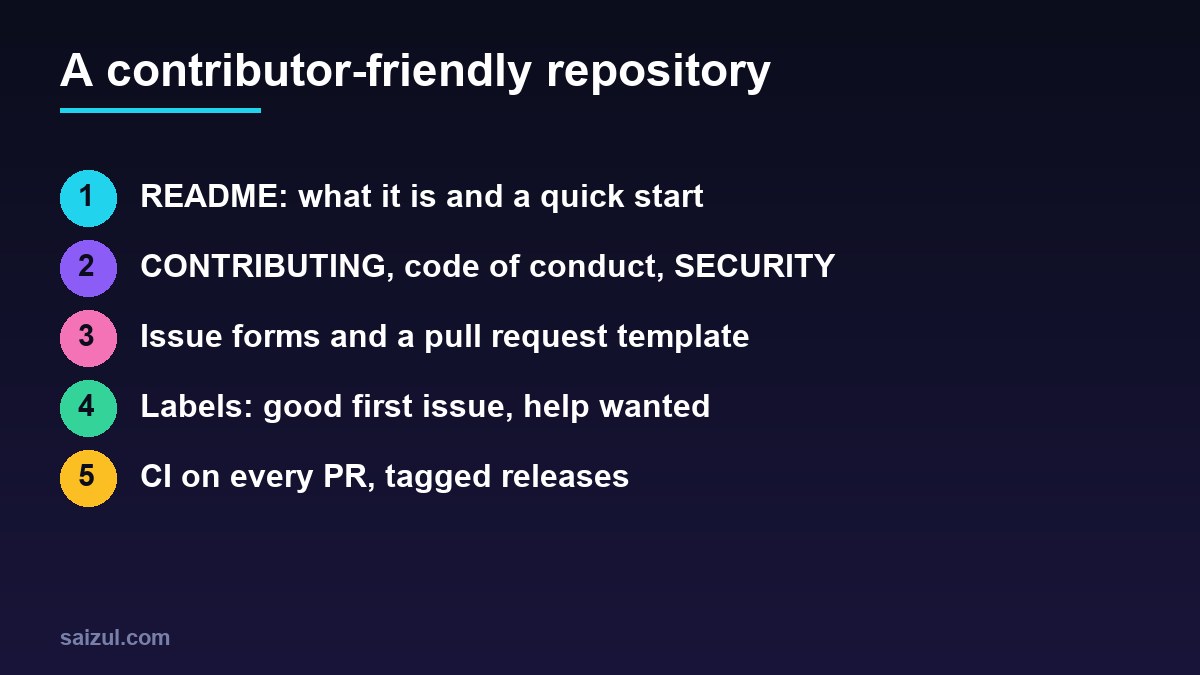
A contributor-friendly open source project answers a newcomer’s questions before they have to ask: what the project does, how to run it locally, how to report a bug, which issues are safe to start with, and what happens after they open a pull request. In practice that is a clear README, a CONTRIBUTING file with commands that work, a code of conduct, issue and pull request templates, a few well-used labels, CI on every pull request and predictable releases. This guide covers each piece with templates you can copy into a GitHub repository today.
From my own work: When I look at small projects that get stars but no pull requests, the cause is nearly always the first ten minutes. The setup steps in the README are out of date, the tests need a secret that forks do not have, and nobody has said which issues are open for outside help. Fixing those three changes more than any promotion.
The files a contributor-friendly open source project needs
GitHub recognises a set of community health files and shows which ones a public repository has under Insights, Community standards. A complete layout looks like this:
README.md
LICENSE
CONTRIBUTING.md
CODE_OF_CONDUCT.md
SECURITY.md
CHANGELOG.md
.github/
├── ISSUE_TEMPLATE/
│   ├── bug_report.yml
│   ├── feature_request.yml
│   └── config.yml
├── pull_request_template.md
├── CODEOWNERS
├── release.yml
└── workflows/ci.yml
Community health files can live in the repository root, in docs/ or in .github/. Choose a licence first: without one, nobody has legal permission to use or change your code, however public the repository is. The Open Source Guide on starting a project explains the common licences and what each file is for.
How to structure a README for contributors and users
The README is the landing page. Write it in the order a visitor’s questions arrive:
# project-name
One sentence: what it does and who it is for.

## Why
Two or three sentences on the problem it solves and what makes it different.
## Quick start
npm install project-name
npx project-name init
## Usage
The most common task, with a complete, copy-pasteable example.
## Configuration
A table of options with defaults.
## Contributing
Bug reports and pull requests are welcome. See CONTRIBUTING.md
for setup, tests and the review process.
## License
MIT, see LICENSE.Test the quick start on a clean machine or container every few releases; it is the part that rots fastest. Keep long reference material in a docs/ folder or a documentation site, and link to it rather than growing the README forever.
What to put in CONTRIBUTING.md
CONTRIBUTING is the manual for the development workflow. GitHub links to it when someone opens an issue or pull request. Make every step a command:
# Contributing

Thanks for helping. This file explains how to set up the project,
run the checks and get a pull request merged.

## Setup
    git clone https://github.com/YOUR-FORK/REPO.git
    cd REPO
    npm ci
    cp .env.example .env      # no real secrets needed for tests

## Checks (the same ones CI runs)
    npm run lint
    npm test

## Pull requests
- Open an issue first for large changes, so we can agree on the approach.
- One change per pull request; include tests for bug fixes.
- Describe what changed and how you tested it.
- A maintainer replies within a week. Ping the thread if we miss that.

## Good first issues
Look for the "good first issue" label. Comment on the issue
before you start so two people do not work on the same thing.
The promise of a response time is the most valuable line in the file. Contributors accept a slow “not right now” much better than silence.
Code of conduct and security policy
A code of conduct sets expectations for behaviour and, more importantly, tells people how to report a problem. Most projects adopt the Contributor Covenant and fill in a real contact address; GitHub offers it as a template when you add a CODE_OF_CONDUCT.md file. Only adopt one if you are willing to enforce it.
SECURITY.md tells people how to report vulnerabilities privately instead of in a public issue. On GitHub, enable private vulnerability reporting in the repository’s security settings and point to it:
# Security policy

## Supported versions
Security fixes are released for the latest minor version.

## Reporting a vulnerability
Please do not open a public issue. Use "Report a vulnerability"
on the Security tab of this repository. We aim to confirm receipt
within 3 working days and to agree a disclosure date with you.
Issue forms and a pull request template
Issue forms are YAML files in .github/ISSUE_TEMPLATE/ that turn the blank issue box into a structured form with required fields (Configuring issue templates). A bug form that asks for the version and steps to reproduce saves a round of questions on almost every report:
# .github/ISSUE_TEMPLATE/bug_report.yml
name: Bug report
description: Something does not work as documented
labels: ["bug", "needs triage"]
body:
  - type: textarea
    id: what-happened
    attributes:
      label: What happened?
      description: What you expected, and what happened instead.
    validations:
      required: true
  - type: textarea
    id: steps
    attributes:
      label: Steps to reproduce
      placeholder: "1. Run ...n2. Open ...n3. See error"
    validations:
      required: true
  - type: input
    id: version
    attributes:
      label: Version
      placeholder: "1.4.0"
    validations:
      required: true
  - type: dropdown
    id: os
    attributes:
      label: Operating system
      options: [Linux, macOS, Windows, Other]
# .github/ISSUE_TEMPLATE/config.yml
blank_issues_enabled: false
contact_links:
- name: Questions and ideas
url: https://github.com/OWNER/REPO/discussions
about: Ask usage questions here instead of opening an issue.With blank_issues_enabled: false, outside users must pick a form, while people with write access can still open blank issues. The pull request template is plain Markdown that pre-fills every new pull request description:
<!-- .github/pull_request_template.md -->
## What does this change?

Fixes #

## How was it tested?

## Checklist
- [ ] Tests added or updated
- [ ] Docs or README updated if behaviour changed
- [ ] `npm run lint` and `npm test` pass locally
A CODEOWNERS file, such as /docs/ @OWNER/docs-team, requests reviews from the right people automatically.
Labels: how to use good first issue
GitHub surfaces issues labelled good first issue to people looking for a place to start, including on the repository’s /contribute page (labels for contributions). New repositories include good first issue and help wanted by default; add a small set of your own for type and status:
gh label create "needs triage" --color fbca04 --description "Not yet reviewed by a maintainer"
gh label create "type: docs" --color 0075ca --description "Documentation only"
gh label list
The label only helps if the issue behind it is genuinely small and well described. A good first issue says what is wrong, which file or function to look at, what “done” means and how to test it. Keep five to ten of them open, and when a contributor finishes one, point them to a slightly bigger help wanted issue next.
CI checks that work for contributors
CI should run exactly the commands in CONTRIBUTING.md, on every pull request, including those from forks:
# .github/workflows/ci.yml
name: CI
on:
  pull_request:
  push:
    branches: [main]

permissions:
  contents: read

jobs:
  test:
    runs-on: ubuntu-latest
    strategy:
      matrix:
        node: [20, 22, 24]
    steps:
      - uses: actions/checkout@v4
      - uses: actions/setup-node@v4
        with:
          node-version: ${{ matrix.node }}
          cache: npm
      - run: npm ci
      - run: npm run lint
      - run: npm test
Workflows triggered by pull requests from forks do not receive repository secrets, so tests that need a real API key will fail for every outside contributor. Mock external services in tests and keep the secret-dependent checks in a separate workflow that runs after merge. Make the CI job a required status check on main with a branch ruleset, and keep it fast; a ten-minute wait on every push discourages small fixes. For a PHP and WordPress example with a version matrix, see the GitHub Actions CI guide for WordPress plugins.
Releases and changelogs
Predictable releases tell contributors when their work reaches users. Use semantic versioning, keep a CHANGELOG.md in the Keep a Changelog style or rely on generated notes, and create releases from tags:
git tag v1.5.0 && git push origin v1.5.0
gh release create v1.5.0 --generate-notes
Generated release notes list merged pull requests and new contributors. A .github/release.yml file groups them by label, so the labels you already use for triage also structure the changelog (generated release notes):
# .github/release.yml
changelog:
  exclude:
    labels: [ignore-for-release]
  categories:
    - title: Breaking changes
      labels: [breaking-change]
    - title: New features
      labels: [enhancement]
    - title: Bug fixes
      labels: [bug]
    - title: Other changes
      labels: ["*"]
Maintainer habits that keep contributors coming back
- Reply fast, even briefly. A first response within a few days matters more than a quick merge.
- Say no clearly and kindly. Explain why a change does not fit, and close it; stale pull requests hurt more than a polite no.
- Finish small pull requests yourself. If a fix is 90 percent there, push the last commit to the branch rather than asking for another round.
- Thank people in public. Release notes that name contributors are a reason to come back.
- Write decisions down. Roadmap issues and a short governance note stop the same debates from repeating.
Visible, well-run projects also build a reputation for the people behind them; the developer personal brand guide and the post on turning open source work into consulting cover that side.
Contributor-friendly repository checklist
- LICENSE chosen and present.
- README with a one-line summary, a tested quick start and a Contributing section.
- CONTRIBUTING.md with setup and check commands and a response-time promise.
- CODE_OF_CONDUCT.md with a real contact, and SECURITY.md with private reporting enabled.
- Issue forms for bugs and features; blank issues off; questions sent to Discussions.
- Pull request template and CODEOWNERS.
- Five to ten open, well-described good first issues.
- CI on every pull request that passes for forks without secrets, required on
main. - Tagged releases with generated notes grouped by label.
Want this done on your own server or site?
I am Saizul Amin, a web developer and technical SEO consultant. I set up and harden VPS servers, migrate WordPress sites, fix indexing problems and build automations. See my portfolio or get in touch.
FAQ
What files should every open source project have?
At minimum a README, a LICENSE and a CONTRIBUTING file. A code of conduct, SECURITY.md, issue templates and a pull request template make the project much easier to contribute to.
What makes a good first issue?
A small, well-scoped task with a clear description, a pointer to the relevant files, a definition of done and a way to test it. It should not need deep knowledge of the codebase.
Where do I put CONTRIBUTING.md on GitHub?
In the repository root, the docs folder or the .github folder. GitHub detects it in any of these places and links to it when people open issues and pull requests.
How do I create issue templates on GitHub?
Add YAML issue forms or Markdown templates to .github/ISSUE_TEMPLATE in the default branch. A config.yml in the same folder can disable blank issues and add contact links.
Do I need a code of conduct for a small project?
It is strongly recommended. It sets expectations and gives people a way to report problems. Most projects adopt the Contributor Covenant and add a real contact address.
Why does CI fail on pull requests from forks?
Workflows triggered from forks do not receive repository secrets. Design tests so they run without secrets, for example by mocking external APIs, and run secret-dependent checks after merge.
Sources
- Open Source Guides: Starting an open source project
- Open Source Guides: Building welcoming communities
- GitHub Docs: Configuring issue templates for your repository
- GitHub Docs: Encouraging helpful contributions with labels
- GitHub Docs: Automatically generated release notes

Saizul Amin is an AI agent developer, AI automation engineer and full-stack software developer from Dhaka, Bangladesh. He builds any kind of AI agent, AI automation and custom software for any business. Portfolio: https://saizul.com