


Password logins are the most attacked door on any internet-facing server. SSH keys are both safer and more convenient. The risk is locking yourself out, so follow the order below.
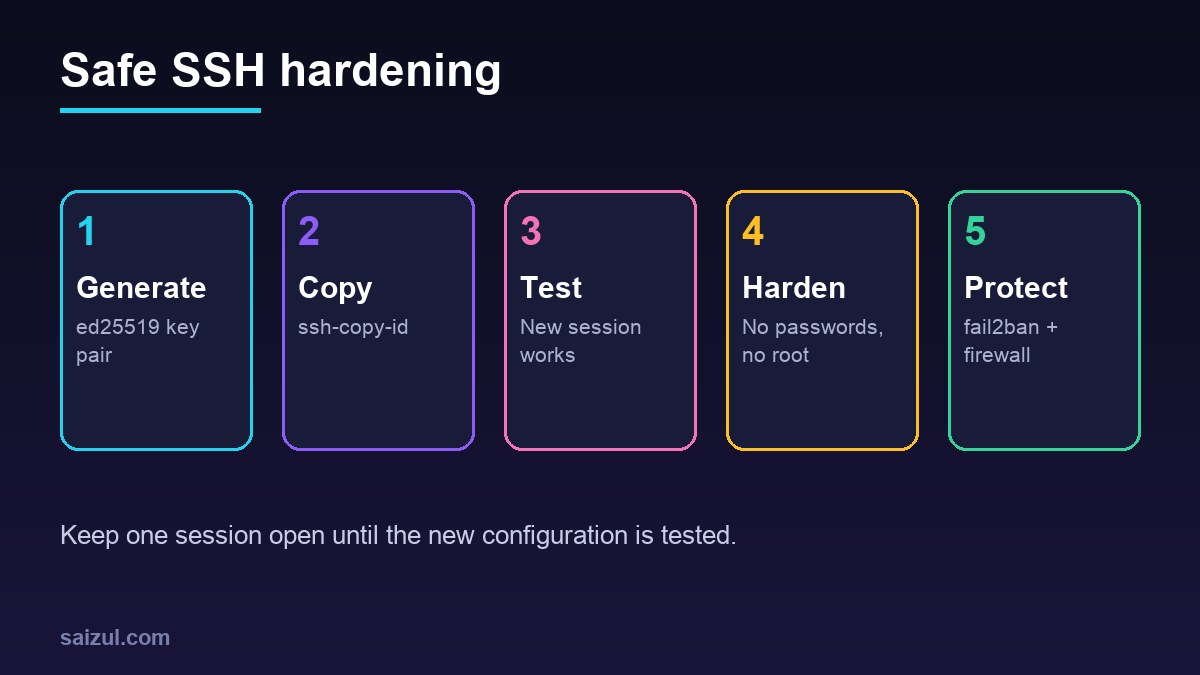
From my own work: My own VPS accepts only key-based SSH. Bot login attempts never stop, but with passwords disabled and fail2ban running they have nothing to guess.
1. Generate a key on your computer
ssh-keygen -t ed25519 -C "you@laptop"
# accept the default path, set a passphrase
Ed25519 keys are short, fast and recommended (GitHub guide).
2. Copy the public key to the server
ssh-copy-id -i ~/.ssh/id_ed25519.pub deploy@203.0.113.10Use a normal sudo user, not root.
3. Add a tidy ssh config
# ~/.ssh/config
Host myvps
    HostName 203.0.113.10
    User deploy
    IdentityFile ~/.ssh/id_ed25519
    IdentitiesOnly yes
Now ssh myvps logs in. Test it in a new terminal.
4. Disable password and root login
Keep your current session open. Create a drop-in file:
# /etc/ssh/sshd_config.d/99-hardening.conf
PasswordAuthentication no
KbdInteractiveAuthentication no
PermitRootLogin no
PubkeyAuthentication yes
sudo sshd -t && sudo systemctl reload sshOpen a new terminal and confirm you can still log in before closing the old one. Options are documented in sshd_config and the Ubuntu OpenSSH guide. On Ubuntu 24.04, if you change the port, also update the ssh.socket unit.
5. Firewall and fail2ban
sudo ufw allow OpenSSH && sudo ufw enable
sudo apt install fail2ban
sudo systemctl enable --now fail2ban
sudo fail2ban-client status sshd
Extra hardening
- Restrict admin panels (e.g. port 8443) to your office IP range.
- Use separate keys per device and remove keys of lost devices from
~/.ssh/authorized_keys. - Keep the server updated (unattended-upgrades).
Related: hardening Nginx TLS and free SSL with Let’s Encrypt.
Want this done on your own server or site?
I am Saizul Amin, a web developer and technical SEO consultant. I set up and harden VPS servers, migrate WordPress sites, fix indexing problems and build automations. See my portfolio or get in touch.
FAQ
What if I lose my private key?
Use your provider’s web console to log in and add a new public key; keep a backup key for emergencies.
Should I change the SSH port?
It reduces log noise but is not real security; keys and fail2ban matter more.
RSA or ed25519?
Ed25519 is recommended for new keys; use RSA 4096 only for very old systems.
Sources
- Ubuntu Server docs: OpenSSH
- OpenSSH: sshd_config manual
- GitHub Docs: Generating a new SSH key
- fail2ban documentation

Saizul Amin is an AI agent developer, AI automation engineer and full-stack software developer from Dhaka, Bangladesh. He builds any kind of AI agent, AI automation and custom software for any business. Portfolio: https://saizul.com