


LLM tool schema design decides whether an agent calls the right function with the right arguments, or guesses. A language model never sees your implementation, only a tool name, a description and a JSON Schema for the parameters. This guide covers the practices that hold across function calling APIs and Model Context Protocol (MCP) servers: scoping tools, naming and describing them, constraining parameters with JSON Schema, shaping results and errors, using MCP annotations, validating every call in code, and linting tool definitions in CI.
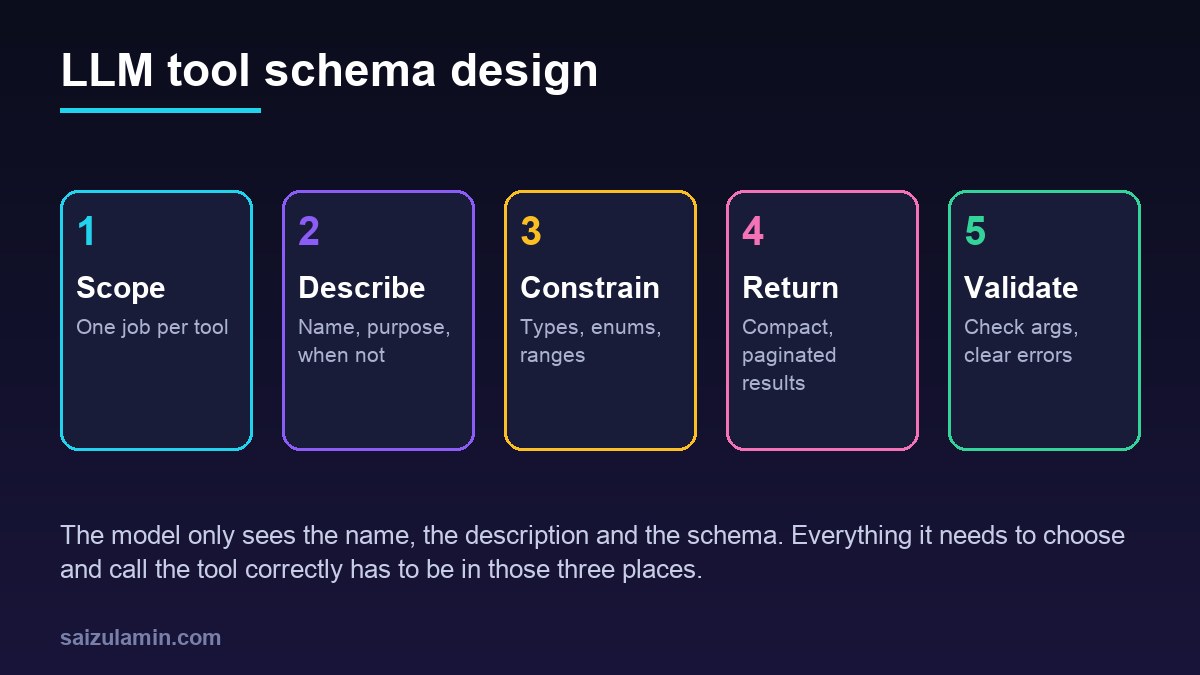
From my own work: In agent projects I have worked on, most tool-calling bugs were not model failures. They were schema failures: a free-text date parameter that received three different formats, a status field without an enum, or a tool that returned an empty list on error so the model confidently reported that nothing was found.
What a tool definition contains
Every major function calling API and the MCP specification describe a tool the same way: a unique name, a natural-language description and a JSON Schema for the input. MCP adds an optional title for display, an optional outputSchema for structured results and optional annotations describing behaviour, and specifies that the input schema defaults to JSON Schema 2020-12 when no $schema is given (MCP specification: tools). Field names differ slightly between providers (parameters, input_schema, inputSchema), but a well-designed definition ports between them with little change.
Here is a definition that follows every practice in this guide. The rest of the article explains each choice.
SEARCH_ORDERS = {
    "name": "search_orders",
    "description": (
        "Search the store's orders by customer email, status or date range and return "
        "a short summary of each match, newest first. Use this to find orders before "
        "acting on them. Does not return payment details. For a single known order "
        "number, call get_order instead."
    ),
    "inputSchema": {
        "type": "object",
        "properties": {
            "customer_email": {
                "type": "string",
                "format": "email",
                "description": "Exact customer email address, for example jane@example.com.",
            },
            "status": {
                "type": "string",
                "enum": ["pending", "paid", "shipped", "delivered", "refunded", "cancelled"],
                "description": "Only return orders in this status. Omit to include all statuses.",
            },
            "created_after": {
                "type": "string",
                "format": "date",
                "description": "Only orders created on or after this date, ISO 8601 (YYYY-MM-DD).",
            },
            "created_before": {
                "type": "string",
                "format": "date",
                "description": "Only orders created before this date, ISO 8601 (YYYY-MM-DD).",
            },
            "limit": {
                "type": "integer",
                "minimum": 1,
                "maximum": 50,
                "default": 10,
                "description": "Maximum number of orders to return. Default 10.",
            },
            "cursor": {
                "type": "string",
                "description": "Opaque value from next_cursor in a previous result, to get the next page.",
            },
        },
        "additionalProperties": False,
    },
    "annotations": {"readOnlyHint": True, "openWorldHint": False},
}
Scope: one job per tool, and not too many tools
- One clear job per tool.
search_orders,get_orderandrefund_orderare easier to choose between than onemanage_orderswith anactionparameter that changes what every other parameter means. - Separate reads from writes. A read-only tool can be called freely; a tool that changes data needs confirmation rules, idempotency and audit logging. Mixing them in one tool forces the strictest rules on everything.
- Model the task, not your API. Wrapping every REST endpoint one-to-one produces dozens of tools and long call chains for simple questions.
- Keep the active set small. Every tool definition costs context and adds a choice the model can get wrong. Google’s function calling guide recommends keeping the active set to 10 to 20 tools at most (Google: function calling best practices); if you need more, load tool groups by task or route to a sub-agent.
Names and descriptions the model can choose from
Use snake_case verb-noun names such as search_orders, create_invoice or get_weather_forecast. MCP recommends names of 1 to 128 characters using only letters, digits, underscore, hyphen and dot, with no spaces (MCP: tool names), and some function calling APIs are stricter, so plain snake_case under 64 characters is the safe choice. Prefix names when several servers are combined, such as shop_search_orders.
A good description answers four questions in two to five sentences: what the tool does, when to use it, when not to use it (and what to use instead), and anything surprising about the result. The model reads the description at the moment it decides which tool to call, so put disambiguation there rather than in a long system prompt.
| Weak | Better | Why |
|---|---|---|
orders: “Order tool” |
search_orders: “Search orders by customer email, status or date range… For a single known order number, call get_order instead.” |
Verb name, scope, and a pointer to the alternative |
date: string |
created_after: string, format: date, “ISO 8601 (YYYY-MM-DD)” |
Meaning, direction and format are explicit |
status: string |
status: enum of six values |
The model cannot invent Paid or complete |
timeout: number |
timeout_seconds: integer, 1 to 300 |
Units in the name, range in the schema |
Constrain parameters with JSON Schema
The schema is both documentation for the model and the contract you validate against. Use the keywords that remove ambiguity (JSON Schema: object):
enumfor every closed set: statuses, sort orders, units, regions. It is the single most effective way to stop invented values.format(date,date-time,email,uri,uuid) andpatternfor structured strings, plus an example in the description.minimum,maximum,maxLength,maxItemsso a model cannot ask for 10,000 rows.additionalProperties: falseon every object, so misspelt or invented parameters fail loudly instead of being ignored.requiredonly for what the tool cannot work without; give optional parameters adefault.- Flat over nested. Deeply nested objects are filled less reliably than flat, named parameters.
- A plain object at the top level. Some providers reject or ignore
anyOf,oneOfandallOfat the root, and even where they work they produce unhelpful errors. Enforce rules such as “at least one filter” in code with a clear message.
Some APIs offer a strict mode that forces arguments to match the schema. Such modes usually support only a subset of JSON Schema, so check the supported keywords, and keep validating server-side either way.
Return results the model can use
- Compact and relevant. Return the fields the model needs, with units and ISO 8601 timestamps, not the whole database row.
- Stable identifiers. Include IDs the model can pass to the next tool, such as
order_id, alongside human-readable fields. - Pagination. Return
next_cursorand atotalorhas_moreflag, so the model knows whether it saw everything. - Structured output where supported. MCP lets a tool declare an
outputSchemaand returnstructuredContent; for compatibility it should also return the serialised JSON as text content.
{
  "orders": [
    {"order_id": "ord_8F2K", "status": "shipped", "created_at": "2026-11-20T14:05:00+00:00",
     "total": "49.90", "currency": "EUR", "items": 2}
  ],
  "has_more": true,
  "next_cursor": "eyJpZCI6Im9yZF84RjJLIn0"
}
Errors the model can recover from
MCP separates protocol errors (unknown tool, malformed request) from tool execution errors, which are returned as a normal result with isError: true and, in the specification’s words, contain actionable feedback that the model can use to self-correct (MCP: error handling). The same idea applies to any function calling loop: never return an empty list for a failure, and never return a stack trace. Say what was wrong and what to do instead. The structure of the RFC 9457 problem details format, a short title, a detail and the offending field, works well as the text of a tool error.
| Situation | Bad result | Good result |
|---|---|---|
| Invalid argument | [] |
“status: ‘Paid’ is not one of pending, paid, shipped… Use lowercase values.” |
| Not found | null |
“No order ord_123. Search with search_orders using the customer email.” |
| Permission | HTTP 403 body | “Refunds over 500 EUR need human approval. Ask the user to confirm.” |
Validate every call in code
Models usually follow the schema, but “usually” is not a security boundary. Validate every call before executing it. In Python, the jsonschema library validates against the same schema you send to the model, including formats when you pass a format checker (python-jsonschema: validation):
from jsonschema import Draft202012Validator, FormatChecker

from tools import SEARCH_ORDERS

validator = Draft202012Validator(SEARCH_ORDERS["inputSchema"], format_checker=FormatChecker())

def validate_args(args: dict) -> list[str]:
    """Return readable problems with a tool call, or an empty list if it is valid."""
    problems = []
    for error in sorted(validator.iter_errors(args), key=lambda e: list(e.path)):
        where = "/".join(str(p) for p in error.path) or "arguments"
        problems.append(f"{where}: {error.message}")
    # cross-field rule, enforced in code with a message the model can act on
    if not problems and not {"customer_email", "status", "created_after"} & args.keys():
        problems.append("give at least one of customer_email, status or created_after")
    return problems

def call_tool(name: str, args: dict) -> dict:
    problems = validate_args(args)
    if problems:
        # A tool execution error the model can read and correct, not a protocol error
        return {
            "isError": True,
            "content": [{"type": "text", "text": "Invalid arguments: " + "; ".join(problems)
                         + ". Fix the arguments and call search_orders again."}],
        }
    ...  # run the real query here

if __name__ == "__main__":
    print(validate_args({"status": "paid", "limit": 10}))
    print(validate_args({"status": "Paid", "limit": 500, "sort": "date"}))
    print(validate_args({"limit": 5}))
If you prefer to define tools as Python classes, Pydantic generates the JSON Schema and validates the arguments from one definition; a model’s model_json_schema() gives the schema and model_validate() checks a call, and extra="forbid" becomes additionalProperties: false (Pydantic: JSON Schema). Optional fields typed X | None become anyOf with null, so check that your provider accepts the generated schema.
Annotations, side effects and safety
MCP defines behaviour hints in tool annotations: readOnlyHint, destructiveHint, idempotentHint and openWorldHint. Clients can use them to decide when to ask the user before a call. The specification is explicit that clients must treat annotations as untrusted unless they come from a trusted server, so they inform the user interface; they do not enforce anything (MCP: tools). Real protection lives in your implementation:
- Confirm destructive actions with a preview and a second call, or a human.
- Idempotency keys for writes. Models retry. Accept an
idempotency_keyon create and payment tools so a retry does not charge twice; the pattern is the same as in idempotent API design. - Authorise in code, per user. The tool should only see data the current user may see, no matter what arguments the model sends.
- Treat tool output as untrusted. Fetched pages or emails can contain instructions aimed at the model.
Lint tool definitions in CI
Tool definitions are an interface, and interfaces drift. A small lint script catches the mistakes above before they reach a model, the same way OpenAPI breaking-change checks protect a REST API:
"""Lint tool definitions before they reach a model: python3 lint_tools.py"""
import re
import sys

from jsonschema import Draft202012Validator

from tools import SEARCH_ORDERS

TOOLS = [SEARCH_ORDERS]          # import every tool you expose
NAME_RE = re.compile(r"^[a-z][a-z0-9_]{2,63}$")
MAX_TOOLS = 20

def lint(tool):
    problems, schema = [], tool.get("inputSchema", {})
    if not NAME_RE.match(tool.get("name", "")):
        problems.append("name should be snake_case verb_noun, 3-64 characters")
    if len(tool.get("description", "")) < 60:
        problems.append("description too short to say what, when and when not")
    try:
        Draft202012Validator.check_schema(schema)
    except Exception as exc:
        problems.append(f"invalid JSON Schema: {exc}")
    if schema.get("type") != "object":
        problems.append("top-level schema must be an object")
    if schema.get("additionalProperties") is not False:
        problems.append("set additionalProperties: false")
    for key in ("anyOf", "oneOf", "allOf"):
        if key in schema:
            problems.append(f"top-level {key}: enforce cross-field rules in code instead")
    for prop, spec in (schema.get("properties") or {}).items():
        if not spec.get("description"):
            problems.append(f"property '{prop}' has no description")
        if re.search(r"(date|status|type|unit)$", prop) and not {"enum", "format", "pattern"} & spec.keys():
            problems.append(f"property '{prop}' needs an enum, format or pattern")
    return problems

failed = False
if len(TOOLS) > MAX_TOOLS:
    print(f"{len(TOOLS)} tools exposed; consider fewer or grouping by task")
names = [t["name"] for t in TOOLS]
for dup in {n for n in names if names.count(n) > 1}:
    print(f"duplicate tool name: {dup}"); failed = True
for tool in TOOLS:
    for problem in lint(tool):
        print(f"{tool['name']}: {problem}"); failed = True
print("tool definitions OK" if not failed else "fix the problems above")
sys.exit(1 if failed else 0)
Pair the lint with a small evaluation set of realistic requests and the tool calls you expect, and rerun it whenever a name, description or schema changes. Description edits are behaviour changes.
The same discipline applies to agent instructions packaged as skills, covered in the guide to writing agent skills, and to tools you expose to local models, as in building AI agents with local LLMs, where smaller models are even less forgiving of ambiguous schemas.
LLM tool schema design checklist
- One job per tool; reads and writes separated; a small active set.
snake_caseverb-noun names; descriptions say what, when and when not.- Enums, formats and ranges;
additionalProperties: false; flat schemas. - Compact results with IDs, units and pagination.
- Errors returned as results that explain the fix.
- Every call validated in code; destructive actions confirmed; writes idempotent.
- Lint and an evaluation set run in CI.
Want this done on your own server or site?
I am Saizul Amin, a web developer and technical SEO consultant. I set up and harden VPS servers, migrate WordPress sites, fix indexing problems and build automations. See my portfolio or get in touch.
FAQ
What is an LLM tool schema?
It is the definition a language model receives for a function it can call: a name, a natural-language description and a JSON Schema describing the parameters. The model uses only these to decide whether to call the tool and how to fill in the arguments.
How many tools should an AI agent have?
As few as the task needs. Every definition consumes context and adds a choice the model can get wrong. Google recommends keeping the active set to 10 to 20 tools; beyond that, load tools by task or split the work across sub-agents.
How should a tool report errors to the model?
Return the error as a normal tool result marked as an error, with a short explanation of what was wrong and what to do next, such as the allowed values or the tool to call instead. Avoid empty results and stack traces.
Do I still need to validate arguments if the model follows the schema?
Yes. Schema adherence is not guaranteed in every mode or provider, and tool arguments are untrusted input. Validate every call against the schema, enforce authorisation and cross-field rules in code, and confirm destructive actions.
Sources
- Model Context Protocol specification: Tools
- JSON Schema: Object reference
- Google AI for Developers: Function calling
- python-jsonschema: Schema validation
- Pydantic docs: JSON Schema

Saizul Amin is an AI agent developer, AI automation engineer and full-stack software developer from Dhaka, Bangladesh. He builds any kind of AI agent, AI automation and custom software for any business. Portfolio: https://saizul.com