


A DMARC aggregate report is the daily XML file that mailbox providers send to the address in your rua tag, listing every IP address that sent mail using your domain and whether SPF and DKIM passed and aligned. It is the only way to see mail you did not send yourself: the newsletter tool someone signed up for, the CRM that sends invoices, the old server still relaying contact forms, and the spoofers. Many domains publish p=none and never open the reports, so they never reach enforcement. This guide covers DMARC aggregate report analysis end to end: collecting reports properly, what each XML field means under RFC 9990, Python scripts that download, parse and summarise reports by sender, how to classify what you find, and a safe path to p=reject.
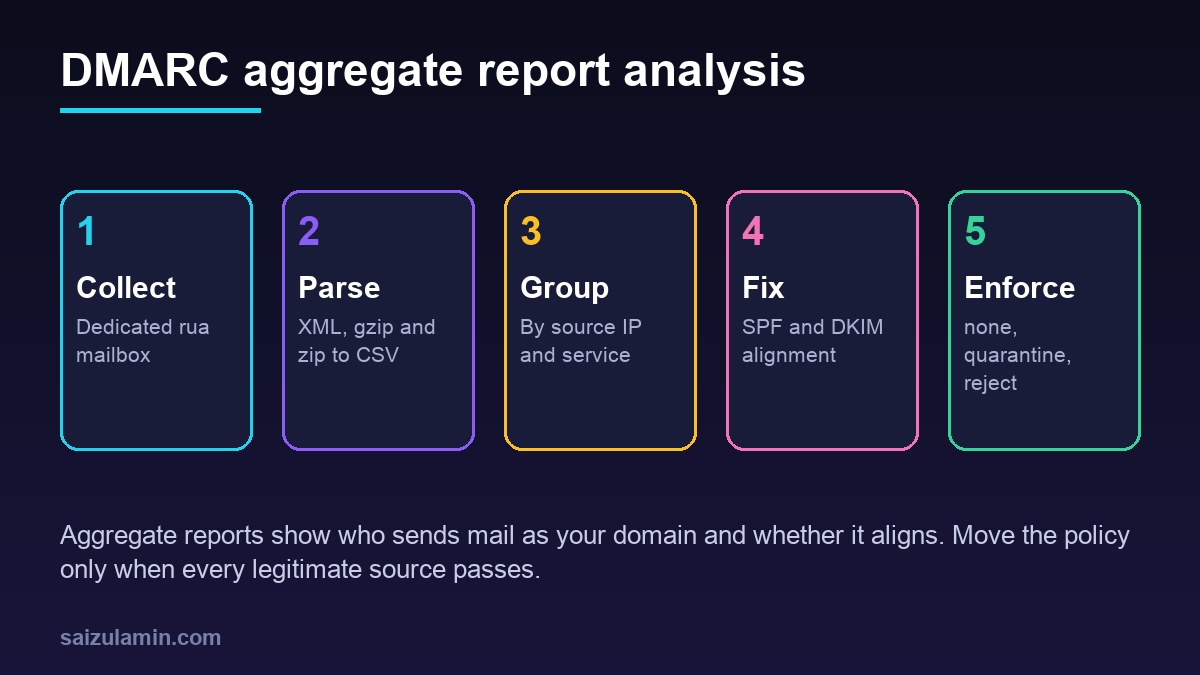
From my own work: When I audit a domain before tightening DMARC, the reports almost always show at least one legitimate sender nobody remembered, typically a billing or helpdesk tool sending with the company domain but without DKIM for it. Moving to reject without reading the reports would have silently blocked those messages.
Collect DMARC aggregate reports in one place
Reports go to the addresses in the rua tag of your DMARC record. Use a dedicated mailbox or group, because a busy domain receives a report from every provider it sends to, every day, and Google recommends a separate mailbox for exactly that reason (Google: about DMARC reports).
_dmarc.example.com.  3600  IN  TXT  "v=DMARC1; p=none; rua=mailto:dmarc@example.com; adkim=r; aspf=r"

# check what is published
dig +short TXT _dmarc.example.com
If the report address is on a different domain, for example a central reports.example.net mailbox for several client domains, the receiving domain must publish an authorisation record, or providers will not send the reports:
; at the domain that RECEIVES the reports
example.com._report._dmarc.reports.example.net.  3600  IN  TXT  "v=DMARC1"

dig +short TXT example.com._report._dmarc.reports.example.net
If SPF, DKIM and the base DMARC record are not in place yet, start with the SPF, DKIM and DMARC setup guide; the record syntax is also covered in DNS records explained.
How to read a DMARC aggregate report
DMARC aggregate reporting is now specified in RFC 9990, published in May 2026 together with RFC 9989, which replaces RFC 7489 as the DMARC standard (RFC 9990). New reports carry the XML namespace urn:ietf:params:xml:ns:dmarc-2.0; many senders still produce the older format without a namespace, so any parser has to accept both. Reports normally arrive gzip-compressed, with a filename built from the receiver, your domain and the reporting period, such as mail.receiver.example!example.com!1764028800!1764115199.xml.gz. A trimmed report looks like this:
<feedback xmlns="urn:ietf:params:xml:ns:dmarc-2.0">
  <report_metadata>
    <org_name>mail.receiver.example</org_name>
    <report_id>1234567890</report_id>
    <date_range><begin>1764028800</begin><end>1764115199</end></date_range>
  </report_metadata>
  <policy_published>
    <domain>example.com</domain>
    <p>none</p><sp>none</sp><adkim>r</adkim><aspf>r</aspf><testing>n</testing>
  </policy_published>
  <record>
    <row>
      <source_ip>198.51.100.25</source_ip>
      <count>42</count>
      <policy_evaluated>
        <disposition>none</disposition>
        <dkim>pass</dkim>
        <spf>fail</spf>
      </policy_evaluated>
    </row>
    <identifiers>
      <header_from>example.com</header_from>
      <envelope_from>bounce.mailer.example.net</envelope_from>
    </identifiers>
    <auth_results>
      <dkim><domain>example.com</domain><selector>s1</selector><result>pass</result></dkim>
      <spf><domain>bounce.mailer.example.net</domain><result>pass</result></spf>
    </auth_results>
  </record>
</feedback>| Field | Meaning | What to look for |
|---|---|---|
org_name, date_range |
Who sent the report and the period it covers (Unix timestamps, UTC) | Gaps: a large provider that stops reporting usually means your rua broke |
policy_published |
The DMARC record the receiver found | Confirms your DNS change propagated |
source_ip, count |
The sending server and how many messages it sent | Unknown IPs with high volume |
policy_evaluated/dkim and /spf |
Aligned results: passed and matched the From domain | DMARC passes if either is pass |
disposition |
What the receiver did: none, quarantine or reject | Mail being quarantined before you intended |
header_from |
The domain in the visible From address | Subdomains you did not expect |
auth_results |
Raw SPF and DKIM results with the domain each one checked | A DKIM pass for mailer.example.net is not aligned with example.com |
The most important distinction is between auth_results and policy_evaluated. In the sample, SPF passed for the sending service’s bounce domain, but that domain does not match example.com, so SPF is not aligned. DKIM passed with d=example.com, so DKIM is aligned and the message passes DMARC. That is the normal, healthy result for a third-party email service.
Parse DMARC reports with Python
Three short scripts cover the whole pipeline with the standard library plus defusedxml: fetch attachments from the mailbox, parse every report into one CSV, and summarise by sending source. Treat report files as untrusted input. RFC 9990 itself warns about compression and XML bombs, which is why the parser caps the decompressed size and uses defusedxml.
python3 -m venv ~/dmarc && . ~/dmarc/bin/activate
pip install defusedxml

export DMARC_IMAP_HOST=mail.example.com DMARC_IMAP_USER=dmarc@example.com
read -rs DMARC_IMAP_PASSWORD && export DMARC_IMAP_PASSWORD
1. Download report attachments (dmarc_fetch.py). It reads unseen messages, saves .xml, .gz and .zip attachments with sanitised filenames, and marks the messages as read:
#!/usr/bin/env python3
"""Download DMARC aggregate report attachments from an IMAP mailbox."""
import email, imaplib, os, re
from email.policy import default
from pathlib import Path

HOST = os.environ["DMARC_IMAP_HOST"]          # e.g. mail.example.com
USER = os.environ["DMARC_IMAP_USER"]          # e.g. dmarc@example.com
PASSWORD = os.environ["DMARC_IMAP_PASSWORD"]
OUT = Path(os.environ.get("DMARC_DIR", "reports"))
OUT.mkdir(parents=True, exist_ok=True)

SAFE = re.compile(r"[^A-Za-z0-9._!-]")
WANTED = (".xml", ".xml.gz", ".gz", ".zip")

with imaplib.IMAP4_SSL(HOST) as imap:
    imap.login(USER, PASSWORD)
    imap.select("INBOX")
    _, data = imap.search(None, "UNSEEN")
    for num in data[0].split():
        _, msg_data = imap.fetch(num, "(RFC822)")
        msg = email.message_from_bytes(msg_data[0][1], policy=default)
        saved = 0
        for part in msg.iter_attachments():
            name = part.get_filename() or ""
            if not name.lower().endswith(WANTED):
                continue
            target = OUT / SAFE.sub("_", name)[:200]
            target.write_bytes(part.get_payload(decode=True))
            saved += 1
        if saved == 0 and msg.get_content_type() in ("application/gzip", "application/zip"):
            name = msg.get_filename() or f"report-{num.decode()}.gz"   # some senders attach as the body
            (OUT / SAFE.sub("_", name)[:200]).write_bytes(msg.get_payload(decode=True))
            saved = 1
        imap.store(num, "+FLAGS", "\Seen")
        print(f"message {num.decode()}: saved {saved} file(s)")
2. Parse every report into a CSV (dmarc_parse.py). It detects gzip and zip by their magic bytes, strips the RFC 9990 namespace so old and new reports parse the same way, skips duplicate reports and keeps going when one file is broken:
#!/usr/bin/env python3
"""Parse DMARC aggregate reports (.xml, .xml.gz, .zip) into one CSV."""
import csv, gzip, io, sys, zipfile
from datetime import datetime, timezone
from pathlib import Path

try:
    from defusedxml.ElementTree import fromstring   # pip install defusedxml
except ImportError:
    from xml.etree.ElementTree import fromstring    # only for trusted files

MAX_XML = 50 * 1024 * 1024   # refuse anything that inflates past 50 MB

def read_xml(path: Path) -> bytes:
    data = path.read_bytes()
    if data[:2] == b"x1fx8b":                       # gzip
        with gzip.open(io.BytesIO(data)) as f:
            return f.read(MAX_XML + 1)
    if data[:2] == b"PK":                             # zip
        with zipfile.ZipFile(io.BytesIO(data)) as z:
            name = next(n for n in z.namelist() if n.lower().endswith(".xml"))
            if z.getinfo(name).file_size > MAX_XML:
                raise ValueError("report too large")
            return z.read(name)
    return data

def strip_ns(root):
    for el in root.iter():                            # RFC 9990 reports use a namespace
        if isinstance(el.tag, str) and "}" in el.tag:
            el.tag = el.tag.split("}", 1)[1]
    return root

def text(el, path, default=""):
    found = el.find(path)
    return (found.text or "").strip() if found is not None else default

def ts(value):
    return datetime.fromtimestamp(int(value), tz=timezone.utc).strftime("%Y-%m-%d") if value else ""

def rows(path: Path):
    xml = read_xml(path)
    if len(xml) > MAX_XML:
        raise ValueError("report too large")
    root = strip_ns(fromstring(xml))
    meta = {
        "org": text(root, "report_metadata/org_name"),
        "report_id": text(root, "report_metadata/report_id"),
        "begin": ts(text(root, "report_metadata/date_range/begin")),
        "end": ts(text(root, "report_metadata/date_range/end")),
        "policy_domain": text(root, "policy_published/domain"),
        "policy_p": text(root, "policy_published/p"),
    }
    for rec in root.findall("record"):
        dkim = [f'{text(d, "domain")}:{text(d, "result")}' for d in rec.findall("auth_results/dkim")]
        spf = [f'{text(s, "domain")}:{text(s, "result")}' for s in rec.findall("auth_results/spf")]
        yield {
            **meta,
            "source_ip": text(rec, "row/source_ip"),
            "count": int(text(rec, "row/count", "0") or 0),
            "disposition": text(rec, "row/policy_evaluated/disposition"),
            "dkim_aligned": text(rec, "row/policy_evaluated/dkim"),
            "spf_aligned": text(rec, "row/policy_evaluated/spf"),
            "header_from": text(rec, "identifiers/header_from"),
            "envelope_from": text(rec, "identifiers/envelope_from"),
            "dkim_results": " ".join(dkim),
            "spf_results": " ".join(spf),
        }

def main(folder: str, out: str = "dmarc.csv"):
    fields = ["org", "report_id", "begin", "end", "policy_domain", "policy_p", "source_ip",
              "count", "disposition", "dkim_aligned", "spf_aligned", "header_from",
              "envelope_from", "dkim_results", "spf_results"]
    n, seen = 0, set()
    with open(out, "w", newline="") as f:
        w = csv.DictWriter(f, fieldnames=fields)
        w.writeheader()
        for path in sorted(Path(folder).glob("*")):
            if not path.is_file():
                continue
            try:
                records = list(rows(path))
                if not records:
                    continue
                key = (records[0]["org"], records[0]["report_id"])
                if key in seen:                       # same report delivered twice
                    continue
                seen.add(key)
                w.writerows(records); n += len(records)
            except Exception as exc:                  # one bad file must not stop the run
                print(f"skip {path.name}: {exc}", file=sys.stderr)
    print(f"wrote {n} rows to {out}")

if __name__ == "__main__":
    main(*sys.argv[1:])
3. Summarise by sending source (dmarc_summary.py). One line per IP, sorted by volume, with the share of messages that passed DMARC, aligned DKIM and aligned SPF, plus the reverse DNS name, which usually identifies the service:
#!/usr/bin/env python3
"""Summarise dmarc.csv by sending source: volume, alignment and reverse DNS."""
import csv, socket, sys
from collections import defaultdict

def ptr(ip):
    try:
        return socket.gethostbyaddr(ip)[0]
    except OSError:
        return "-"

stats = defaultdict(lambda: {"total": 0, "dmarc_pass": 0, "dkim": 0, "spf": 0, "orgs": set()})
for r in csv.DictReader(open(sys.argv[1] if len(sys.argv) > 1 else "dmarc.csv")):
    s = stats[r["source_ip"]]
    n = int(r["count"])
    s["total"] += n
    s["dkim"] += n if r["dkim_aligned"] == "pass" else 0
    s["spf"] += n if r["spf_aligned"] == "pass" else 0
    s["dmarc_pass"] += n if "pass" in (r["dkim_aligned"], r["spf_aligned"]) else 0
    s["orgs"].add(r["org"])

print(f'{"source_ip":<40} {"msgs":>7} {"dmarc%":>7} {"dkim%":>6} {"spf%":>6}  ptr')
for ip, s in sorted(stats.items(), key=lambda kv: -kv[1]["total"])[:40]:
    pct = lambda k: 100 * s[k] / s["total"] if s["total"] else 0
    print(f'{ip:<40} {s["total"]:>7} {pct("dmarc_pass"):>6.1f}% {pct("dkim"):>5.0f}% {pct("spf"):>5.0f}%  {ptr(ip)}')
python3 dmarc_fetch.py
python3 dmarc_parse.py reports dmarc.csv
python3 dmarc_summary.py dmarc.csv | head -20Run the three commands daily with a systemd timer, as shown in systemd timers vs cron, and keep the CSV files: comparing this week with last week is how you spot a new sender.
Classify every sending source
Every row in the summary falls into one of a few groups. Work from the highest volume down:
| Pattern | Likely cause | Action |
|---|---|---|
| DKIM aligned pass, SPF aligned pass | Your own mail server or a fully configured service | Nothing to fix |
| DKIM aligned pass, SPF not aligned | Third-party service using its own bounce domain | Fine for DMARC; optionally set a custom return-path subdomain |
| SPF aligned pass, DKIM fail or missing | Service authorised in SPF but not signing with your domain | Enable DKIM for your domain in that service; SPF breaks on forwarding |
| Both fail, IP belongs to a service you use | Service not set up for your domain at all | Add its DKIM keys and SPF include, or move it to a subdomain |
Both fail, IP of a mailing list or forwarder, DKIM result shows your domain but fail |
Forwarding or list software modified the message | Usually not fixable by you; ARC-aware receivers may still deliver |
| Both fail, unknown IPs, many countries, small counts each | Spoofing | This is what enforcement blocks |
Reverse DNS names and the DKIM domain in auth_results identify most services quickly. For your own servers and WordPress sites, make sure they send through an authenticated provider rather than the local mail function; the WordPress SMTP setup guide shows how to get DKIM alignment from a website.
Off-the-shelf option: parsedmarc
If you want dashboards rather than CSV files, parsedmarc is an open-source parser that reads reports from files or an IMAP mailbox and can write to JSON, CSV, Elasticsearch, OpenSearch or Splunk, with ready-made Kibana and Grafana dashboards (parsedmarc documentation):
pip install parsedmarc
parsedmarc -o ./parsed reports/       # writes aggregate.json and aggregate.csv
For a handful of domains the scripts above are enough; for dozens, a dashboard or hosted service saves time.
Move from p=none to p=reject safely
RFC 9989 changed one tool many guides still recommend: the pct tag is removed. Its replacement for gradual rollout is t=y, a test-mode flag that asks receivers to apply one level less than the published policy, so p=quarantine; t=y behaves like none and p=reject; t=y like quarantine (RFC 9989). Receivers that still implement RFC 7489 may ignore t and honour pct, so during the transition some domains publish both. A practical sequence:
- p=none with
ruafor at least two to four weeks, until every legitimate source in the summary passes DMARC. - p=quarantine; t=y for a week or two, watching for new failing legitimate sources.
- p=quarantine, then check
dispositioncounts for anything legitimate being quarantined. - p=reject once quarantine shows only spoofing. Add
sp=rejectfor subdomains andnp=rejectfor non-existent subdomains if nothing legitimate uses them.
; final state for a domain whose senders all align
_dmarc.example.com.  3600  IN  TXT  "v=DMARC1; p=reject; sp=reject; np=reject; rua=mailto:dmarc@example.com"

; a domain that sends no mail at all
_dmarc.parked-example.com.  3600  IN  TXT  "v=DMARC1; p=reject; sp=reject; rua=mailto:dmarc@example.com"
parked-example.com.         3600  IN  TXT  "v=spf1 -all"
Keep reading reports after you reach reject: a new or broken sender shows up there days before anyone reports missing email.
DMARC aggregate report analysis checklist
- Dedicated
ruamailbox; external destination record if it is on another domain. - Reports fetched and parsed daily; duplicates and broken files handled.
- Parser accepts namespaced RFC 9990 and older reports, with size limits and
defusedxml. - Every high-volume source identified by reverse DNS or DKIM domain.
- Each legitimate service signs with DKIM for your domain.
- Policy moved through quarantine to reject only when legitimate mail all aligns.
- Reports still reviewed weekly after enforcement.
Want this done on your own server or site?
I am Saizul Amin, a web developer and technical SEO consultant. I set up and harden VPS servers, migrate WordPress sites, fix indexing problems and build automations. See my portfolio or get in touch.
FAQ
What is a DMARC aggregate report?
It is an XML file, usually gzip-compressed, that a mailbox provider sends to the address in your DMARC rua tag. It lists each sending IP address, the number of messages, the SPF and DKIM results, whether they aligned with your From domain, and what the receiver did with the mail.
How often are DMARC aggregate reports sent?
Most large providers send one report per day for each domain they received mail from. A domain that sends to many providers can receive dozens or hundreds of reports a day.
Why does SPF fail in my DMARC report when my provider is in my SPF record?
Usually because SPF is checked against the envelope sender, which belongs to the provider, not your domain. SPF then passes but is not aligned. DMARC still passes if DKIM is signed with your domain.
Is the pct tag still valid in DMARC?
RFC 9989 removed pct and introduced the t tag for testing a policy. Receivers that still follow RFC 7489 may honour pct, so during the transition some domains publish both, but new records should use t=y for staged rollouts.
Do I need a paid DMARC service?
No. For a few domains, a dedicated mailbox and a small parser or parsedmarc is enough. Paid services help when you manage many domains or need dashboards and alerts without running your own tooling.
Sources
- RFC 9990: DMARC Aggregate Reporting
- RFC 9989: Domain-based Message Authentication, Reporting, and Conformance (DMARC)
- Google Workspace Help: About DMARC reports
- Google Workspace Help: Set up DMARC
- parsedmarc documentation

Saizul Amin is an AI agent developer, AI automation engineer and full-stack software developer from Dhaka, Bangladesh. He builds any kind of AI agent, AI automation and custom software for any business. Portfolio: https://saizul.com