

“Crawled – currently not indexed” means Googlebot fetched the page but decided not to add it to the index, at least for now. It is not a penalty and not a technical error. It is usually a signal about value, duplication or importance.
From my own work: On sites I audit, most of these URLs turn out to be tag pages, thin archive pages, near-duplicate posts or pages with no internal links. Fixing the important ones and removing the rest usually clears the report over a few weeks.
What the status means
In the Page indexing report, Google says the page was crawled but not indexed and may or may not be indexed in future. No resubmission is needed for Google to reconsider it, but improving the page makes that more likely.
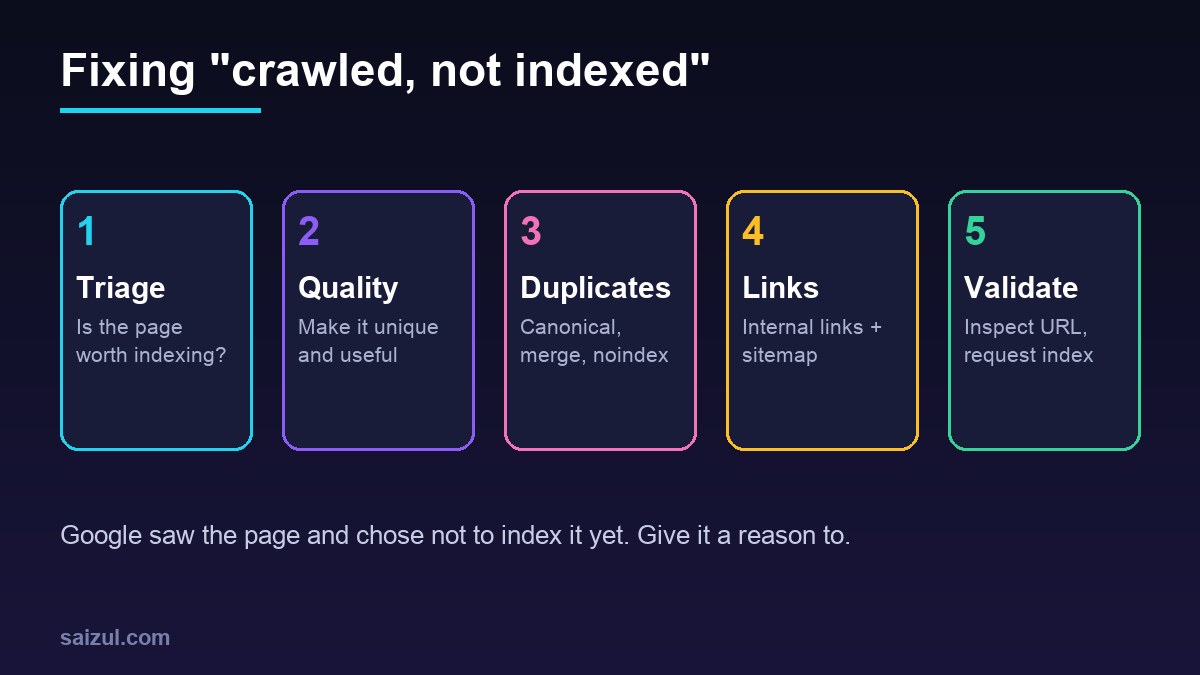
1. Triage the URLs
Export the list and sort into three groups:
| Group | Examples | Action |
|---|---|---|
| Should not be indexed | Tag pages, search results, feeds, parameter URLs, attachment pages | Noindex or block; ignore in report |
| Duplicate or thin | Two posts on the same topic, short pages | Merge and redirect, or expand |
| Important | Service pages, strong articles | Improve, link, request indexing |
2. Improve quality and uniqueness
Compare the page with what already ranks. Add first-hand experience, original examples, data, screenshots and a clear answer near the top, following Google’s helpful content guidance. Pages that rephrase others rarely get indexed on newer sites.
3. Handle duplicates
Set the right canonical, merge overlapping posts with 301 redirects and avoid indexable parameter versions (consolidating duplicates).
4. Strengthen internal links
Link to the page from relevant, already-indexed pages with descriptive anchor text, and make sure it is in your XML sitemap. Orphan pages are a common cause. See internal linking with topic clusters.
5. Rule out technical issues
- Use the URL Inspection tool → View crawled page to confirm Google sees the full content.
- Check that JavaScript-rendered content appears in the rendered HTML.
- Check server speed and errors (slow TTFB fixes).
6. Request indexing and wait
After real improvements, inspect the URL and click Request indexing. Then use Validate fix in the report. Re-evaluation can take days to weeks.
Want this done on your own server or site?
I am Saizul Amin, a web developer and technical SEO consultant. I set up and harden VPS servers, migrate WordPress sites, fix indexing problems and build automations. See my portfolio or get in touch.
FAQ
Is “crawled – currently not indexed” a penalty?
No. It means Google chose not to index the page yet, usually due to perceived value or duplication.
Should I keep requesting indexing?
Request once after a meaningful improvement; repeated requests without changes don’t help.
Can I ignore some of these URLs?
Yes. Pages that shouldn’t be in search, such as tags or feeds, can safely stay unindexed.
Sources
- Google Search Console Help: Page indexing report
- Google Search Central: Creating helpful content
- Google Search Central: Consolidate duplicate URLs
- Google Search Console Help: URL Inspection tool

Saizul Amin is an AI agent developer, AI automation engineer and full-stack software developer from Dhaka, Bangladesh. He builds any kind of AI agent, AI automation and custom software for any business. Portfolio: https://saizul.com