

WP-CLI lets you manage WordPress without opening the dashboard. On servers it is faster, scriptable and works even when wp-admin is broken. These are the commands I use most, grouped by task.
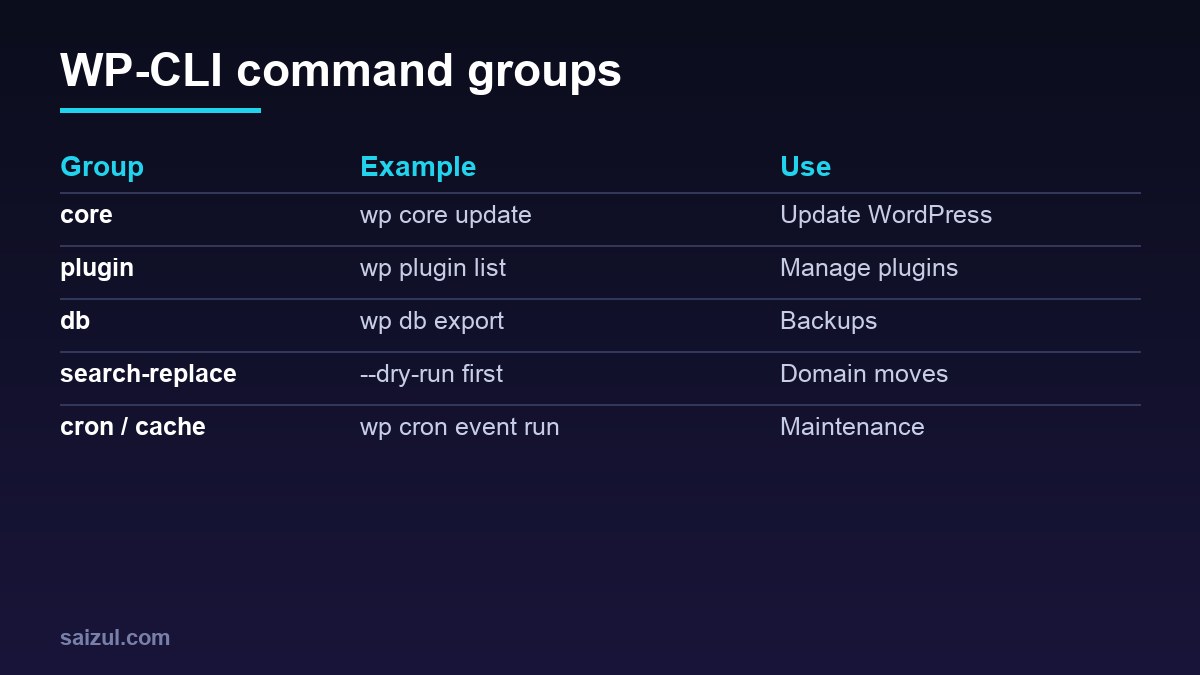
From my own work: I manage several WordPress sites on one VPS entirely with WP-CLI: publishing scheduled posts, clearing caches, updating plugins and moving domains. The habit that saved me most: always run as the site’s system user and always dry-run search-replace.
Basics and safety
sudo -u siteuser -i -- wp --info          # run as the site owner, not root
wp --path=/var/www/site core version
wp db export backup-$(date +%F).sql        # backup before changes
wp maintenance-mode activate | deactivate
wp --skip-plugins --skip-themes plugin list   # rescue a broken site
Core and updates
wp core check-update
wp core update && wp core update-db
wp plugin update --all --dry-run
wp plugin update --all
wp theme update --all
wp language core update
Plugins and themes
wp plugin list --status=active
wp plugin install redis-cache --activate
wp plugin deactivate woocommerce
wp plugin delete hello
wp theme activate hello-elementor
Users
wp user list --role=administrator
wp user create editor1 editor@example.com --role=editor
wp user update 5 --user_pass="$(openssl rand -base64 18)"
wp user delete 12 --reassign=1
Search-replace (domain moves)
wp search-replace 'http://old.com' 'https://new.com' --all-tables --dry-run
wp search-replace 'http://old.com' 'https://new.com' --all-tables --precise
wp cache flush
It handles serialized data safely (docs). Never edit serialized data with raw SQL.
Content, options and meta
wp post list --post_type=post --post_status=future --fields=ID,post_title,post_date
wp post update 123 --post_status=publish
wp option get siteurl
wp post meta get 2341 _elementor_data | head -c 300
wp elementor flush-css                       # Elementor
wp rewrite flush
Cron, cache and transients
wp cron event list
wp cron event run --due-now
wp transient delete --expired
wp cache flush
wp redis status                              # Redis Object Cache plugin
Production tips
- Disable WP-Cron on busy sites and run
wp cron event run --due-nowfrom system cron every 5 minutes. - Use
--skip-plugins --skip-themesfor read-only commands; it is faster and safer. - Log scripted changes and keep backups off the server.
Full reference: WP-CLI commands. Related: database optimisation.
Want this done on your own server or site?
I am Saizul Amin, a web developer and technical SEO consultant. I set up and harden VPS servers, migrate WordPress sites, fix indexing problems and build automations. See my portfolio or get in touch.
FAQ
Is WP-CLI safe on production?
Yes, if you run it as the site user, take backups and use dry-run options where available.
Can WP-CLI fix the white screen of death?
Often: run with –skip-plugins –skip-themes to deactivate the culprit.
Does WP-CLI work on shared hosting?
Many hosts preinstall it; otherwise you need SSH access to install it.
Sources

Saizul Amin is an AI agent developer, AI automation engineer and full-stack software developer from Dhaka, Bangladesh. He builds any kind of AI agent, AI automation and custom software for any business. Portfolio: https://saizul.com