


FastCGI cache stores full HTML responses in Nginx so most visitors never hit PHP. It is one of the fastest page caches available for WordPress, as long as you get the bypass rules right.
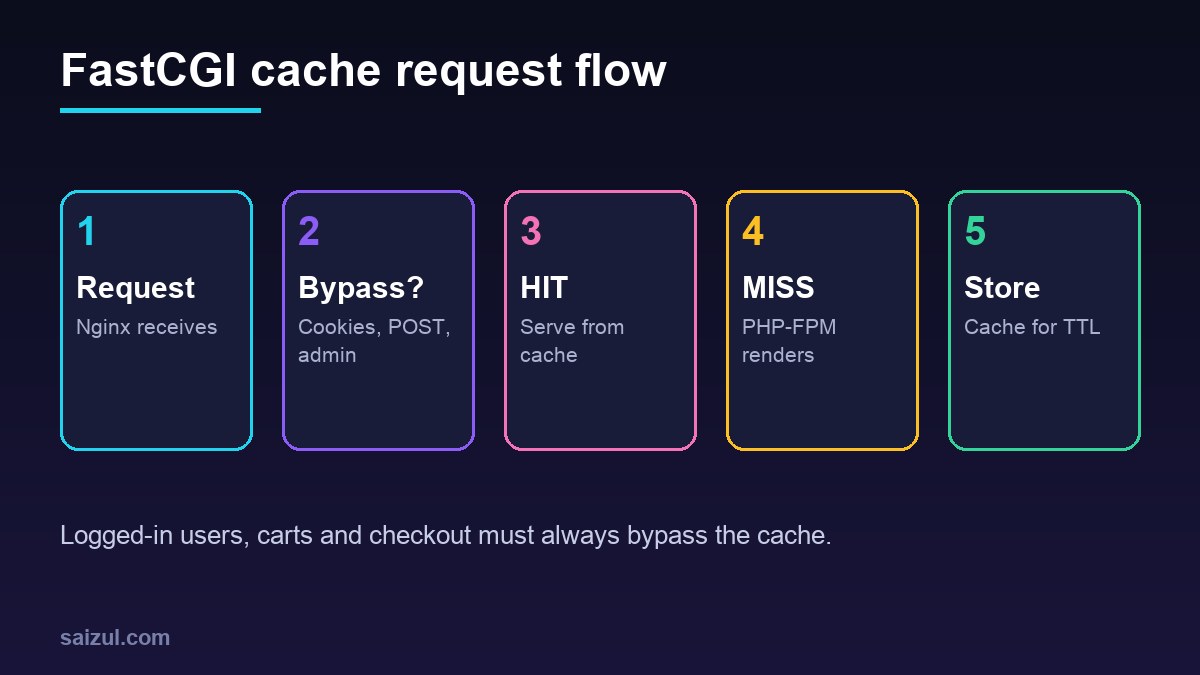
From my own work: On my own VPS, server-side page caching turns multi-second uncached WordPress responses into sub-100 ms hits for anonymous visitors. The bugs I’ve seen come from caching pages for logged-in users or carts.
1. Define the cache zone (http block)
fastcgi_cache_path /var/cache/nginx/wp levels=1:2 keys_zone=WP:100m
                   inactive=60m max_size=1g use_temp_path=off;
fastcgi_cache_key "$scheme$request_method$host$request_uri";
2. Bypass rules (server block)
set $skip 0;
if ($request_method = POST) { set $skip 1; }
if ($query_string != "")    { set $skip 1; }
if ($request_uri ~* "/wp-admin/|/wp-json/|/xmlrpc.php|wp-.*.php|/cart/|/checkout/|/my-account/") { set $skip 1; }
if ($http_cookie ~* "comment_author|wordpress_[a-f0-9]+|wp-postpass|wordpress_logged_in|woocommerce_items_in_cart|wp_woocommerce_session") { set $skip 1; }
3. Enable it for PHP
location ~ .php$ {
    include fastcgi_params;
    fastcgi_pass unix:/run/php/php8.3-fpm.sock;
    fastcgi_cache WP;
    fastcgi_cache_valid 200 301 302 60m;
    fastcgi_cache_bypass $skip;
    fastcgi_no_cache $skip;
    fastcgi_cache_use_stale error timeout updating http_500;
    fastcgi_cache_lock on;
    add_header X-Cache $upstream_cache_status;
}
Directives are documented in the fastcgi module. Adapt the socket path to your PHP version.
4. Test
curl -sI https://example.com/ | grep -i x-cache   # MISS, then HIT
curl -sI https://example.com/cart/ | grep -i x-cache  # BYPASS
5. Purging
- Use a purge plugin (e.g. Nginx Helper) with the purge module, or delete the cache directory on deploys.
- Keep TTLs moderate so content updates appear without manual purges.
- Purge after theme or menu changes.
FastCGI cache or a plugin cache?
Server cache is faster and survives PHP slowness; plugin caches are easier to manage on shared hosting. Don’t run both for the same pages. More on WooCommerce: WooCommerce performance.
Want this done on your own server or site?
I am Saizul Amin, a web developer and technical SEO consultant. I set up and harden VPS servers, migrate WordPress sites, fix indexing problems and build automations. See my portfolio or get in touch.
FAQ
Does FastCGI cache work with WooCommerce?
Yes, with bypass rules for cart, checkout, account pages and WooCommerce cookies.
Why is everything MISS?
Usually cookies or query strings trigger the bypass, or the cache key/zone isn’t applied to the PHP location.
Do I still need Redis?
Yes for dynamic and logged-in requests; page cache and object cache solve different problems.
Sources

Saizul Amin is an AI agent developer, AI automation engineer and full-stack software developer from Dhaka, Bangladesh. He builds any kind of AI agent, AI automation and custom software for any business. Portfolio: https://saizul.com