

Security scanners love to report that /wp-json/ is open, and the common reaction is a plugin or snippet that switches the REST API off for everyone who is not logged in. A week later the contact form stops sending, the WooCommerce cart block shows an error, and embeds of your posts break on other sites. The REST API is how modern WordPress works, not an optional extra. This guide separates what is actually sensitive from what is meant to be public, and locks down the first without breaking the second, on a WordPress site behind Nginx.
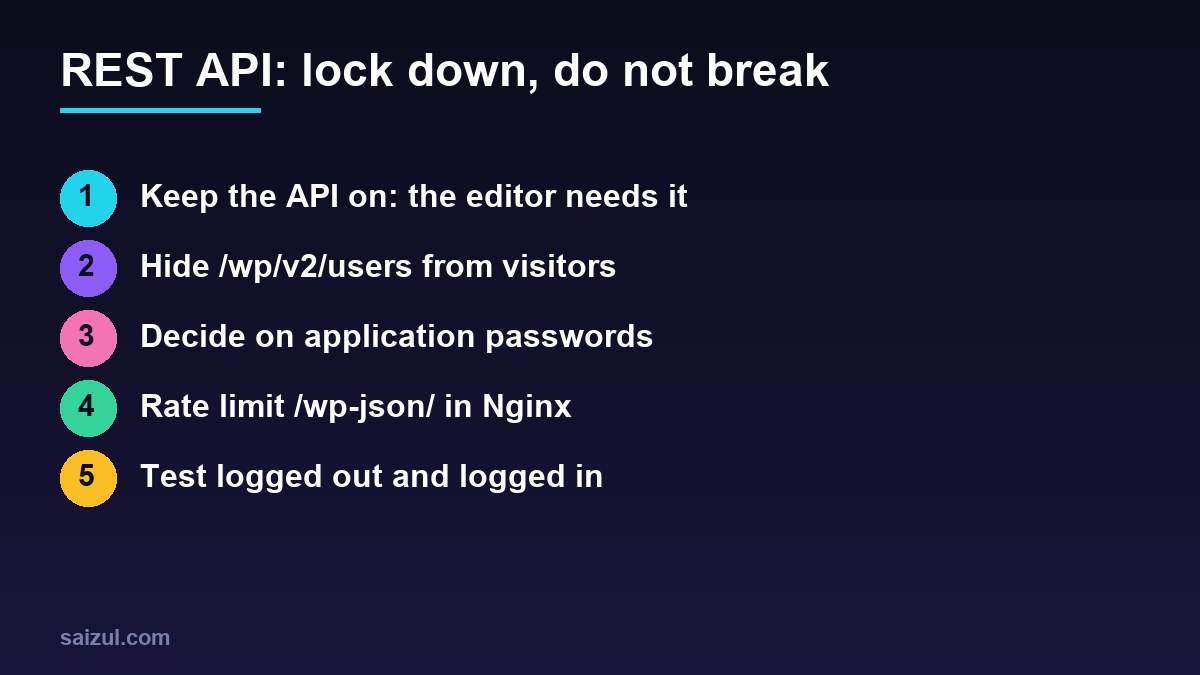
From my own work: On my own sites the REST API stays on, user listings are hidden from visitors, and application passwords are switched off where nothing uses them. When a client tells me a form or checkout broke after a security cleanup, a blanket REST API block is the first thing I look for.
What is public, and why that is fine
Without authentication, the REST API returns what the site already shows: published posts, pages, categories, tags, media and comments. Everything that changes data or reads private content needs a user with the right capability, the same as wp-admin. Disabling the API is therefore not recommended; WordPress’s own handbook says it breaks admin features and suggests requiring authentication instead (REST API FAQ).
Even that advice has a cost. Requiring login for every request also blocks things that run for visitors:
- Contact form plugins that submit through the API, such as Contact Form 7.
- WooCommerce cart and checkout blocks, which use the Store API.
- oEmbed, which lets other sites and apps embed your posts.
- Search, filtering and load-more features in many themes and page builders.
- Headless front ends and apps that read public content.
Use the “login required” filter only on sites that have no public visitors at all, such as an intranet or a headless back end that authenticates every call.
The real issue: the users endpoint
/wp-json/wp/v2/users lists users with their id, name, slug and avatar (Users reference). For visitors, WordPress limits it to users who have published posts, but that is exactly the administrator account on many small sites, and the slug is often the login name. It gives brute-force tools half of what they need. Hide it from visitors and keep it for logged-in users, because the block editor uses it for the author list:
<?php
// wp-content/mu-plugins/rest-hardening.php
add_filter( 'rest_endpoints', function ( $endpoints ) {
    if ( is_user_logged_in() ) {
        return $endpoints;
    }
    unset( $endpoints['/wp/v2/users'] );
    unset( $endpoints['/wp/v2/users/(?P<id>[d]+)'] );
    return $endpoints;
} );
Removing the routes, instead of matching URLs, also covers the ?rest_route=/wp/v2/users form and changes in letter case, which simple Nginx rules miss. Visitors get a 404 rest_no_route error. Cookie-authenticated requests from wp-admin include a nonce, so they still count as logged in (REST API authentication).
Be realistic about what this achieves. If your theme links author archives, the slug is in those URLs anyway, and /?author=1 redirects to the same archive. The lasting fix is that the login name is not the public name, every administrator uses a strong password and a second factor, and login attempts are limited, as in Nginx rate limiting for WordPress and Fail2ban for WordPress.
Application passwords
Since WordPress 5.6, users can create application passwords on their profile page and use them with HTTP Basic authentication over HTTPS. They are the right tool for integrations, deployment scripts and the mobile app, and each one can be revoked on its own. They also mean that a REST request with a username and password can do anything that user can do, without the login form, its rate limit or its second factor. If nothing on the site uses them, switch them off in the same mu-plugin:
add_filter( 'wp_is_application_passwords_available', '__return_false' );

# check for existing ones before you switch them off
wp user application-password list 1 --fields=uuid,name,created,last_used
If you need them, keep them on and audit them: one password per integration, named after it, created on a user with the lowest role that works, and revoked when the integration ends. The last_used and last_ip fields show whether a password is still in use. For machine-to-machine calls that need more than that, signed requests are covered in securing the WordPress REST API with HMAC signatures.
Custom endpoints: the permission callback
Most real REST API vulnerabilities are not in core but in plugin and theme endpoints that skip the permission check. Every register_rest_route() call needs a permission_callback; WordPress logs a notice when it is missing. __return_true is correct for truly public data and wrong for anything else:
register_rest_route( 'myplugin/v1', '/export', array(
    'methods'             => 'GET',
    'callback'            => 'myplugin_export',
    'permission_callback' => function () {
        return current_user_can( 'manage_options' );
    },
) );

# list every route and spot unfamiliar namespaces
curl -s https://example.com/wp-json/ | jq -r '.routes | keys[]' | less
Go through the namespaces in that list. Each belongs to a plugin; if you do not recognise one, find out which plugin added it and whether it is up to date. Unused plugins with REST routes are attack surface you can delete.
Rate limits and the edge
Public endpoints such as search can be expensive. Add a generous per-IP limit to the API in Nginx, using a zone defined in conf.d as in the rate limiting guide:
# http level: limit_req_zone $binary_remote_addr zone=wp_api:10m rate=60r/m;

location ^~ /wp-json/ {
    limit_req zone=wp_api burst=30 nodelay;
    try_files $uri $uri/ /index.php?$args;
}
Sixty requests a minute with a burst of thirty is far above what the editor or a visitor needs, and well below a scraper. Requests with ?rest_route= bypass this location, so keep the rule as a load limit, not as access control; the mu-plugin is the access control. At the edge, a Cloudflare rule can challenge unusual traffic to /wp-json/ while allowing logged-in users, as in Cloudflare WAF custom rules for WordPress.
Test as a visitor and as an editor
# logged out
curl -s -o /dev/null -w '%{http_code}n' https://example.com/wp-json/wp/v2/users           # 404
curl -s -o /dev/null -w '%{http_code}n' 'https://example.com/?rest_route=/wp/v2/users'    # 404
curl -s -o /dev/null -w '%{http_code}n' https://example.com/wp-json/wp/v2/posts           # 200
curl -s -o /dev/null -w '%{http_code}n' 'https://example.com/wp-json/oembed/1.0/embed?url=https://example.com/hello-world/'  # 200
Then log in and open a post in the block editor, change the author, save a draft and upload an image. Submit every form on the site as a logged-out visitor, and on a shop, add a product to the cart and reach checkout. Open Site Health, which checks that the REST API responds. If something fails, the browser’s network tab shows which /wp-json/ request returned 401, 403 or 404. Keep the rest of the setup tight with wp-config.php hardening.
Want this done on your own server or site?
I am Saizul Amin, a web developer and technical SEO consultant. I set up and harden VPS servers, migrate WordPress sites, fix indexing problems and build automations. See my portfolio or get in touch.
FAQ
Should I disable the WordPress REST API?
No. The block editor, many forms, WooCommerce blocks and embeds depend on it. Hide the sensitive parts, mainly the users endpoint, and require authentication only on sites without public visitors.
How do I stop user enumeration through the REST API?
Remove the /wp/v2/users routes for logged-out visitors with the rest_endpoints filter. Also use login names that differ from public names, strong passwords and two-factor login.
Are WordPress application passwords safe?
Yes, when they are used for specific integrations over HTTPS and revoked when no longer needed. If nothing uses them, switch them off with the wp_is_application_passwords_available filter.
Sources
- WordPress Developer Resources: REST API FAQ
- WordPress Developer Resources: REST API Authentication
- WordPress Developer Resources: REST API Users reference

Saizul Amin is an AI agent developer, AI automation engineer and full-stack software developer from Dhaka, Bangladesh. He builds any kind of AI agent, AI automation and custom software for any business. Portfolio: https://saizul.com