

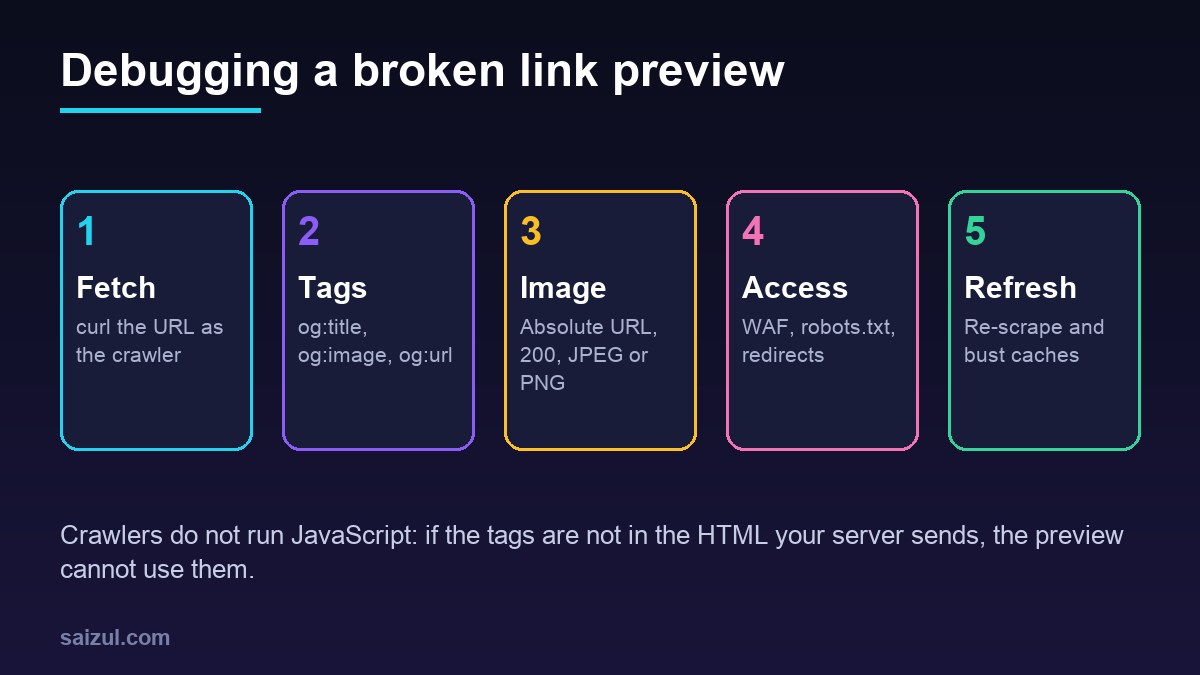
When an Open Graph link preview shows the wrong image, an old title or nothing at all, the cause is almost always one of five things: the tags are not in the HTML the crawler receives, the og:image URL cannot be fetched, a firewall or robots.txt blocks the crawler, two plugins print conflicting tags, or the platform is still showing a cached copy. This guide walks through each check in order, with the commands to see your page exactly as Facebook, LinkedIn, X, Slack, Discord, WhatsApp and Telegram see it, and how to make each platform fetch it again.
From my own work: The hardest preview bug I have traced took an afternoon: the tags were perfect, the debugger said the image was fine, and LinkedIn still showed nothing. The server returned the page to LinkedIn’s crawler, but the image URL went through a hotlink-protection rule that only allowed requests with the site as referer. Fetching the image with the crawler’s user agent and no referer, as shown below, would have found it in a minute.
How Open Graph link previews work
When someone pastes a URL, the platform’s crawler requests the page, reads the <meta> tags in the <head>, downloads the image named in og:image, and stores the result. Open Graph is the vocabulary most platforms read; the protocol lists og:title, og:type, og:image and og:url as the basic properties every page should have (The Open Graph protocol). X reads its own twitter: tags first and falls back to Open Graph for title, description and image (X: About Cards).
Two consequences explain most bugs. Crawlers do not run JavaScript, so tags added by a client-side framework after load are invisible to them. And platforms cache what they fetched, so a fix on your site does not change a preview that already exists until the platform fetches the page again.
The tags a good link preview needs
<head>
  <title>Restic Backups on Ubuntu 24.04</title>
  <meta name="description" content="Encrypted, deduplicated VPS backups with restic, with retention and restore drills.">
  <link rel="canonical" href="https://example.com/restic-backups/">

  <meta property="og:type" content="article">
  <meta property="og:site_name" content="Example Blog">
  <meta property="og:title" content="Restic Backups on Ubuntu 24.04">
  <meta property="og:description" content="Encrypted, deduplicated VPS backups with restic, with retention and restore drills.">
  <meta property="og:url" content="https://example.com/restic-backups/">
  <meta property="og:image" content="https://example.com/images/restic-backups-1200x630.jpg">
  <meta property="og:image:width" content="1200">
  <meta property="og:image:height" content="630">
  <meta property="og:image:alt" content="Diagram of a nightly restic backup routine">

  <meta name="twitter:card" content="summary_large_image">
</head>og:urlshould match the canonical URL. Platforms use it to group shares of the same page, and a wrong value can make them fetch a different page.og:imagemust be an absolutehttps://URL. A relative path such as/images/cover.jpgis a common cause of missing images.og:image:widthandog:image:heightlet some platforms render the preview on the first share instead of waiting until the image has been processed.twitter:cardset tosummary_large_imagegives the wide image layout on X; without it you get the small square card or none.
Use property= for og: tags and name= for twitter: tags, as in the example. Keep these tags in the server-rendered HTML near the top of the <head>. They are separate from structured data: the JSON-LD schema markup guide covers what search engines read for rich results.
Step 1: fetch the page as the crawler
Do not trust view source in your browser: you are logged in, your browser has cookies, and your security rules treat you differently from a bot. Fetch the page the way each crawler does, and print only the tags that matter:
URL='https://example.com/restic-backups/'

for UA in
  'facebookexternalhit/1.1 (+http://www.facebook.com/externalhit_uatext.php)'
  'LinkedInBot/1.0 (compatible; Mozilla/5.0; Apache-HttpClient +http://www.linkedin.com)'
  'Twitterbot/1.0'
  'Slackbot-LinkExpanding 1.0 (+https://api.slack.com/robots)'
  'Mozilla/5.0 (compatible; Discordbot/2.0; +https://discordapp.com)'
  'WhatsApp/2.23.20.0'
  'TelegramBot (like TwitterBot)'
do
  echo "== $UA"
  curl -sL -A "$UA" -o /tmp/preview.html -w 'status=%{http_code} final=%{url_effective}n' "$URL"
  grep -oiE '<meta[^>]+(property|name)="(og|twitter):[^"]+"[^>]*>' /tmp/preview.html | head -12
done
For every crawler you should see status=200, the final URL you expect and the full set of tags. Typical findings at this step:
- 403, 429 or 503: a firewall, bot protection or rate limit is blocking the crawler. See step 3.
- 200 but no tags: the tags are injected by JavaScript, or the crawler received a different page, such as a cookie consent wall or a login page.
- The final URL is different: a redirect chain, for example from
httptohttpsto a trailing-slash version. Keep redirects short and makeog:urlthe final address. The 301 redirects guide covers clean redirect rules. - The same tag twice: two plugins are printing tags. See step 4.
Step 2: check that og:image can be fetched
Most broken previews are broken images. Request the image itself with a crawler user agent and no referer:
IMG='https://example.com/images/restic-backups-1200x630.jpg'
curl -sIL -A 'facebookexternalhit/1.1' "$IMG" | grep -iE '^(HTTP|content-type|content-length|location)'

# check the real pixel size
curl -sL "$IMG" -o /tmp/og.jpg && python3 -c "from PIL import Image; print(Image.open('/tmp/og.jpg').size)"
What to look for:
- Status 200 and a
content-typeofimage/jpegorimage/png. An HTML error page served at the image URL will not render. - Size: 1200 by 630 pixels, a 1.91:1 ratio, is the safe choice across Facebook, LinkedIn, X and Slack. Meta recommends at least 1200 by 630 for large previews and requires at least 200 by 200 for any image (Meta: Sharing for Webmasters).
- File size: keep it small, ideally a few hundred kilobytes. Large images slow down the first fetch and some messaging apps skip them.
- Format: JPEG or PNG works everywhere. If your site serves WebP or AVIF automatically, make sure the
og:imageURL still returns JPEG or PNG to crawlers; the WebP and AVIF conversion guide explains how those rewrites decide what to serve. - Hotlink protection: rules that require your own domain as referer block crawlers, which send none.
Step 3: unblock preview crawlers
Security layers are the second most common cause. Check three places:
- WAF and bot protection: managed challenges, JavaScript challenges and aggressive bot modes can stop preview crawlers, which cannot solve them. In Cloudflare, look at Security Events filtered by the crawler’s user agent, and add a skip rule for preview bots on the paths you want shared if needed. The Cloudflare WAF rules guide for WordPress shows how to write such exceptions safely.
- robots.txt: some crawlers, including X’s Twitterbot, respect robots.txt. A rule such as
Disallow: /wp-content/uploads/hides every image you host there. See the robots.txt guide for safe patterns. - Geo blocking and rate limits: crawlers run from their operators’ data centres, often in another country. A country block or a strict rate limit on your origin can block them intermittently, which looks like a random preview failure.
# Nginx: did the crawlers reach you, and what did they get?
sudo grep -E 'facebookexternalhit|LinkedInBot|Twitterbot|Slackbot|Discordbot|WhatsApp|TelegramBot'
  /var/log/nginx/access.log | awk '{print $9, $7}' | sort | uniq -c | sort -rn | head
If a crawler never appears in your access log, the request was stopped before it reached the server, usually at the CDN or firewall.
Step 4: duplicate and wrong tags in WordPress
On WordPress, Open Graph tags normally come from an SEO plugin such as Yoast SEO or Rank Math. Problems start when a theme, a social sharing plugin or a Jetpack module prints a second set. Platforms then pick one, and not always the one you expect.
# count each og tag; anything above 1 (except og:image variants on purpose) is a conflict
curl -sL -A 'facebookexternalhit/1.1' https://example.com/restic-backups/
  | grep -oiE '(property|name)="(og|twitter):[a-z:_]+"' | sort | uniq -c | sort -rn
Fix it by keeping a single source: disable Open Graph output in the theme or the extra plugin and let the SEO plugin own it. Then check the image it chose. Without a featured image or a social image set on the post, plugins fall back to a site-wide default, which is why every post can end up sharing the same logo. Also check that your page cache was purged after the change; a cached page keeps the old tags, and the crawler receives that cached copy.
Step 5: make each platform fetch the page again
Once the page and image are right, each platform needs to update its cached copy:
| Platform | Crawler | How to refresh |
|---|---|---|
| Facebook, Messenger | facebookexternalhit |
Sharing Debugger, then Scrape Again |
LinkedInBot |
Post Inspector, inspect the URL | |
| X | Twitterbot |
No public validator; compose a post to preview, or share a URL with a query string |
| Slack | Slackbot-LinkExpanding |
Caches for a period; test with a changed URL |
| Discord | Discordbot |
Test with a changed URL |
| Telegram | TelegramBot |
Send the URL to the official @WebpageBot |
WhatsApp |
Caches per URL; test with a changed URL |
Meta’s Sharing Debugger shows the exact tags and warnings its crawler found, which makes it the best first diagnostic even if you care about another platform. LinkedIn’s Post Inspector does the same for LinkedIn and refreshes its cache as a side effect. Slack documents its crawler and the tags it reads on its Slackbot page.
A changed URL is a fresh cache key for every platform. Adding ?v=2 to a shared link, or giving the image a new file name such as cover-v2.jpg, forces a new fetch. Changing the image file name is the more reliable fix for an outdated image, because several platforms cache images separately from pages.
A small Open Graph checker in Python
For checking many URLs, for example after a migration, this script uses only the standard library and prints the tags each page sends to a crawler:
#!/usr/bin/env python3
# og_check.py  -  usage: python3 og_check.py https://example.com/post/ [...]
import sys, urllib.request
from html.parser import HTMLParser

UA = "facebookexternalhit/1.1 (+http://www.facebook.com/externalhit_uatext.php)"
WANTED = ("og:title", "og:description", "og:url", "og:image", "twitter:card")

class Meta(HTMLParser):
    def __init__(self):
        super().__init__(); self.tags = {}
    def handle_starttag(self, tag, attrs):
        if tag != "meta":
            return
        a = dict(attrs)
        key = a.get("property") or a.get("name")
        if key and key.startswith(("og:", "twitter:")):
            self.tags.setdefault(key, []).append(a.get("content", ""))

for url in sys.argv[1:]:
    req = urllib.request.Request(url, headers={"User-Agent": UA})
    try:
        with urllib.request.urlopen(req, timeout=15) as r:
            p = Meta(); p.feed(r.read(2_000_000).decode("utf-8", "replace"))
            print(f"n{url}  ->  {r.status} {r.url}")
    except Exception as e:
        print(f"n{url}  ->  ERROR {e}"); continue
    for k in WANTED:
        v = p.tags.get(k)
        flag = "MISSING" if not v else ("DUPLICATE" if len(v) > 1 else "ok")
        print(f"  {k:16} {flag:9} {v[0] if v else ''}")
    img = (p.tags.get("og:image") or [""])[0]
    if img and not img.startswith("https://"):
        print("  og:image is not an absolute https URL")
Open Graph link preview checklist
og:title,og:description,og:url,og:imageandtwitter:cardin the server-rendered<head>, once each.og:urlequal to the canonical URL, with no long redirect chain.og:imageabsolute, HTTPS, 1200 by 630, JPEG or PNG, small file, status 200 for crawlers without a referer.- Preview crawlers not challenged by the WAF, not blocked by robots.txt, country rules or rate limits.
- Page cache purged after tag changes; a new image file name when the image changes.
- Facebook Sharing Debugger and LinkedIn Post Inspector checked after publishing important pages.
Want this done on your own server or site?
I am Saizul Amin, a web developer and technical SEO consultant. I set up and harden VPS servers, migrate WordPress sites, fix indexing problems and build automations. See my portfolio or get in touch.
FAQ
Why is my link preview showing an old image?
The platform cached the earlier version. Re-scrape the URL in the Facebook Sharing Debugger or LinkedIn Post Inspector, and give the new image a different file name so caches that store images separately pick it up.
What size should an og:image be?
1200 by 630 pixels, a 1.91:1 ratio, works well on Facebook, LinkedIn, X and Slack. Use JPEG or PNG and keep the file small. Meta requires at least 200 by 200 pixels.
Do I need twitter: tags if I have Open Graph tags?
You need twitter:card to choose the card type, usually summary_large_image. For title, description and image, X falls back to the Open Graph tags, so you do not have to duplicate them.
Why does the preview work on Facebook but not on LinkedIn or WhatsApp?
Each platform uses its own crawler, cache and limits. Fetch the page and the image with that platform’s user agent; differences usually come from bot protection, image size or a cached older version.
Can JavaScript add Open Graph tags?
Not reliably. Preview crawlers read the HTML the server returns and do not run JavaScript. Render the tags on the server, or pre-render pages if you use a client-side framework.
Sources
- The Open Graph protocol
- Meta for Developers: A Guide to Sharing for Webmasters
- X Developer Platform: About Cards
- LinkedIn Post Inspector
- Slack API: Slackbot and link unfurling

Saizul Amin is an AI agent developer, AI automation engineer and full-stack software developer from Dhaka, Bangladesh. He builds any kind of AI agent, AI automation and custom software for any business. Portfolio: https://saizul.com