

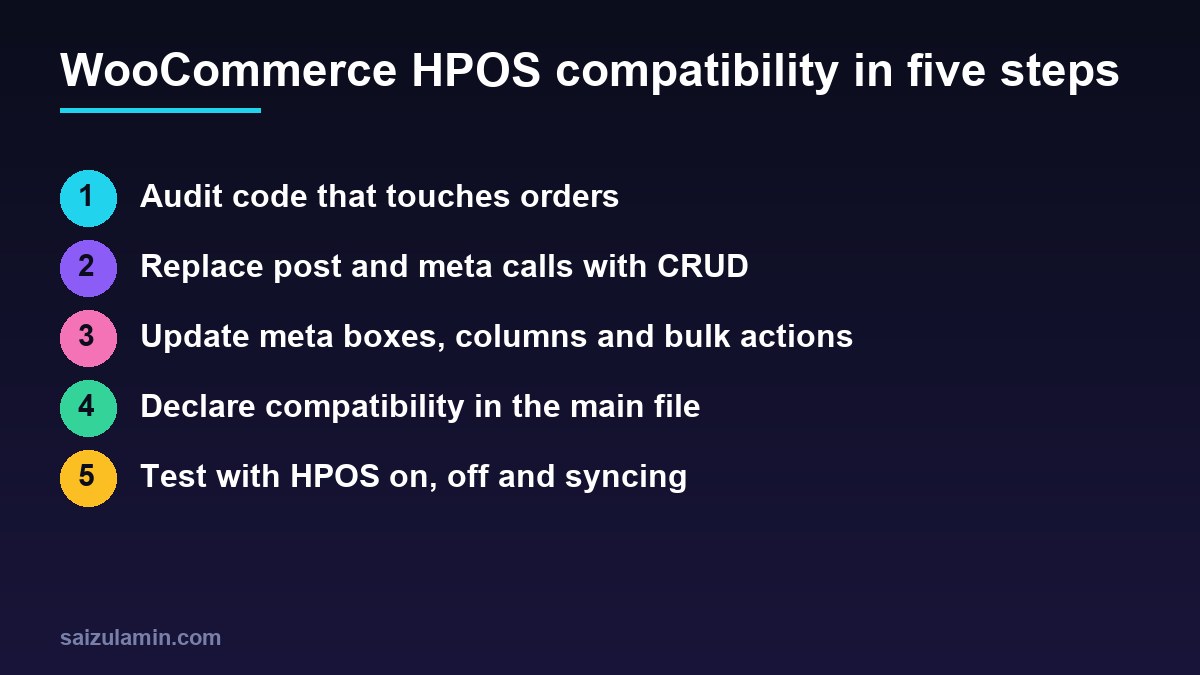
WooCommerce HPOS compatibility is no longer optional for plugins that touch orders. High-Performance Order Storage moves orders out of wp_posts and wp_postmeta into dedicated tables, and it is the default for new stores since WooCommerce 8.2. Code that reads orders with get_post_meta() or hooks into the old order screen silently stops working on those stores, and WooCommerce warns merchants about plugins that are not marked compatible. This guide walks through the full upgrade: declaring compatibility, auditing your code, replacing post functions with the CRUD API, updating meta boxes, list columns and bulk actions, querying orders, handling direct SQL, and testing both storage modes with WP-CLI.
From my own work: When I audit WooCommerce plugins for HPOS, the order data calls are rarely the hard part, because most of them map one to one onto the order object. What gets missed is the admin side: a custom column registered only on the old
shop_orderscreen, or a meta box that expects aWP_Post. They fail quietly, so the merchant just sees an empty column.
What HPOS changes for plugin developers
With HPOS, orders are stored in dedicated tables, and the old posts tables become a backup that is updated only when compatibility mode (synchronisation) is on. Reading the old tables directly may return an outdated order, and writing to them may update data that WooCommerce never reads (WooCommerce: HPOS recipe book).
| Data | Legacy storage | HPOS table |
|---|---|---|
| Core order fields: status, totals, currency, customer | wp_posts plus many wp_postmeta rows |
wp_wc_orders |
| Billing and shipping addresses | wp_postmeta |
wp_wc_order_addresses |
| Operational data: cart hash, order key, flags | wp_postmeta |
wp_wc_order_operational_data |
| Custom and extension meta | wp_postmeta |
wp_wc_orders_meta |
| Order admin screen | edit.php?post_type=shop_order |
admin.php?page=wc-orders |
The fix in almost every case is the same: stop treating orders as posts and use the WooCommerce CRUD API, which has existed since WooCommerce 3.0 and works with both storage modes.
Step 1: declare WooCommerce HPOS compatibility
Once your code is updated, declare compatibility from the main plugin file. WooCommerce uses this declaration to warn merchants who try to enable HPOS while an incompatible plugin is active (WooCommerce: declaring compatibility).
<?php
/**
 * Plugin Name: Order Notes Exporter
 * Version: 2.1.0
 * Requires Plugins: woocommerce
 * WC requires at least: 9.0
 * WC tested up to: 11.3
 */

add_action( 'before_woocommerce_init', function () {
    if ( class_exists( AutomatticWooCommerceUtilitiesFeaturesUtil::class ) ) {
        AutomatticWooCommerceUtilitiesFeaturesUtil::declare_compatibility(
            'custom_order_tables',
            __FILE__,
            true   // false if you know the plugin is not compatible yet
        );
    }
} );
Two details: the declaration must run on before_woocommerce_init, and __FILE__ must be the main plugin file. If the code lives in an included file, pass 'my-plugin/my-plugin.php' instead. WooCommerce only shows compatibility information for plugins that have a WC tested up to header, so keep that header current. Declare false honestly while you are still working; a wrong true is worse than an honest warning.
Step 2: audit the code for post and meta calls
WooCommerce publishes a regular expression of functions that need review. Most matches will be false positives, such as post meta on products or pages; you are looking for the ones that touch orders (WooCommerce: auditing the code base).
grep -rnE --include='*.php' --exclude-dir={vendor,node_modules}
 'wpdb|get_post|get_post_field|get_post_status|get_post_type|get_post_type_object|get_posts|metadata_exists|get_post_meta|get_metadata|get_metadata_raw|get_metadata_default|get_metadata_by_mid|wp_insert_post|add_metadata|add_post_meta|wp_update_post|update_post_meta|update_metadata|update_metadata_by_mid|delete_metadata|delete_post_meta|delete_metadata_by_mid|delete_post_meta_by_key|wp_delete_post|wp_trash_post|wp_untrash_post|wp_transition_post_status|clean_post_cache|update_post_caches|update_postmeta_cache|post_exists|wp_count_post|shop_order'
 . > hpos-audit.txt
wc -l hpos-audit.txt
Also search for the old admin screen hooks, which matter just as much:
grep -rnE --include='*.php' --exclude-dir=vendor
 'manage_edit-shop_order_columns|manage_shop_order_posts_custom_column|bulk_actions-edit-shop_order|handle_bulk_actions-edit-shop_order|add_meta_boxes_shop_order|post_type=shop_order' .
Step 3: replace post functions with the CRUD API
| Legacy call on an order | HPOS-compatible replacement |
|---|---|
get_post( $id ) |
wc_get_order( $id ) |
get_post_meta( $id, '_key', true ) |
$order->get_meta( '_key' ) |
update_post_meta( $id, '_key', $v ) |
$order->update_meta_data( '_key', $v ); $order->save(); |
delete_post_meta( $id, '_key' ) |
$order->delete_meta_data( '_key' ); $order->save(); |
get_post_meta( $id, '_billing_email', true ) |
$order->get_billing_email() |
get_post_status( $id ) |
$order->get_status() (without the wc- prefix) |
'shop_order' === get_post_type( $id ) |
OrderUtil::is_order( $id, wc_get_order_types() ) |
get_posts( [ 'post_type' => 'shop_order' ] ) |
wc_get_orders( [ ... ] ) |
wp_insert_post() for orders |
wc_create_order() or new WC_Order() |
wp_delete_post( $id ) |
$order->delete( true ) |
<?php
use AutomatticWooCommerceUtilitiesOrderUtil;

// Before: breaks when HPOS is authoritative
function oe_mark_exported_legacy( $order_id ) {
    if ( 'shop_order' !== get_post_type( $order_id ) ) {
        return;
    }
    update_post_meta( $order_id, '_oe_exported', time() );
}

// After: works with both storage modes
function oe_mark_exported( $order_id ) {
    if ( ! OrderUtil::is_order( $order_id, wc_get_order_types() ) ) {
        return;
    }
    $order = wc_get_order( $order_id );
    if ( ! $order ) {
        return;
    }
    $order->update_meta_data( '_oe_exported', time() );
    $order->add_order_note( __( 'Order exported.', 'order-exporter' ) );
    $order->save();   // one save after all changes; save() is relatively expensive
}
Prefer the typed getters, such as get_billing_email() or get_total(), over reading internal meta keys. Under HPOS those values are columns in their own tables, not meta, so get_meta( '_billing_email' ) will not find them.
Step 4: meta boxes, list columns and bulk actions
The HPOS order screens are new pages, not the WordPress post editor, so hooks keyed to shop_order do not fire there. For meta boxes, register on the right screen ID and accept either a WP_Post or a WC_Order (WooCommerce: order administration screens):
<?php
use AutomatticWooCommerceInternalDataStoresOrdersCustomOrdersTableController;

add_action( 'add_meta_boxes', function () {
    $screen = class_exists( CustomOrdersTableController::class )
        && wc_get_container()->get( CustomOrdersTableController::class )->custom_orders_table_usage_is_enabled()
        ? wc_get_page_screen_id( 'shop-order' )
        : 'shop_order';

    add_meta_box( 'oe-export', __( 'Export', 'order-exporter' ), 'oe_render_box', $screen, 'side', 'high' );
} );

function oe_render_box( $post_or_order ) {
    $order = $post_or_order instanceof WP_Post ? wc_get_order( $post_or_order->ID ) : $post_or_order;
    if ( ! $order ) {
        return;
    }
    $ts = (int) $order->get_meta( '_oe_exported' );
    echo $ts ? esc_html( sprintf( __( 'Exported %s', 'order-exporter' ), wp_date( 'Y-m-d H:i', $ts ) ) )
             : esc_html__( 'Not exported yet', 'order-exporter' );
}
List table columns and bulk actions have separate hooks for each screen. Register both, so the plugin works whichever storage the store uses:
<?php
// Columns: legacy screen passes a post ID, the HPOS screen passes a WC_Order
function oe_add_column( $columns ) {
$columns['oe_exported'] = __( 'Exported', 'order-exporter' );
return $columns;
}
add_filter( 'manage_edit-shop_order_columns', 'oe_add_column' );
add_filter( 'manage_woocommerce_page_wc-orders_columns', 'oe_add_column' );
function oe_render_column( $column, $order_or_id ) {
if ( 'oe_exported' !== $column ) {
return;
}
$order = $order_or_id instanceof WC_Order ? $order_or_id : wc_get_order( $order_or_id );
echo $order && $order->get_meta( '_oe_exported' ) ? '✓' : '–';
}
add_action( 'manage_shop_order_posts_custom_column', 'oe_render_column', 10, 2 );
add_action( 'manage_woocommerce_page_wc-orders_custom_column', 'oe_render_column', 10, 2 );
// Bulk actions
function oe_bulk_action( $actions ) {
$actions['oe_export'] = __( 'Export selected', 'order-exporter' );
return $actions;
}
add_filter( 'bulk_actions-edit-shop_order', 'oe_bulk_action' );
add_filter( 'bulk_actions-woocommerce_page_wc-orders', 'oe_bulk_action' );
function oe_handle_bulk( $redirect, $action, $ids ) {
if ( 'oe_export' !== $action ) {
return $redirect;
}
foreach ( array_map( 'absint', $ids ) as $id ) {
oe_mark_exported( $id );
}
return add_query_arg( 'oe_exported', count( $ids ), $redirect );
}
add_filter( 'handle_bulk_actions-edit-shop_order', 'oe_handle_bulk', 10, 3 );
add_filter( 'handle_bulk_actions-woocommerce_page_wc-orders', 'oe_handle_bulk', 10, 3 );Links into the admin need the same care: build order edit links with $order->get_edit_order_url() instead of get_edit_post_link() or a hard-coded post.php?post= URL.
Step 5: query orders with wc_get_orders
Replace WP_Query and get_posts() on orders with wc_get_orders(). With HPOS, it supports meta_query, field_query for order fields such as totals, and date_query, with the same syntax as WP_Query (WooCommerce: order querying APIs):
<?php
// Completed or processing orders from the last 30 days that were not exported yet
$orders = wc_get_orders( array(
    'status'     => array( 'wc-completed', 'wc-processing' ),
    'limit'      => 100,
    'orderby'    => 'date',
    'order'      => 'ASC',
    'date_query' => array(
        array( 'column' => 'date_created_gmt', 'after' => '30 days ago' ),
    ),
    'meta_query' => array(
        array( 'key' => '_oe_exported', 'compare' => 'NOT EXISTS' ),
    ),
    'return'     => 'ids',
) );

// Orders where the total or the shipping total is below 5 (HPOS only)
$small = wc_get_orders( array(
    'field_query' => array(
        'relation' => 'OR',
        array( 'field' => 'total', 'value' => '5.0', 'compare' => '<' ),
        array( 'field' => 'shipping_total', 'value' => '5.0', 'compare' => '<' ),
    ),
) );
Large exports should run in batches through Action Scheduler rather than in one request; the Action Scheduler troubleshooting guide covers what to watch when those queues grow.
When you really need direct SQL
Sometimes a report needs raw SQL for speed. Check which storage is active and query the matching tables, using the table name helpers instead of hard-coded prefixes (WooCommerce: detecting HPOS):
<?php
use AutomatticWooCommerceUtilitiesOrderUtil;
use AutomatticWooCommerceInternalDataStoresOrdersOrdersTableDataStore;

global $wpdb;
if ( OrderUtil::custom_orders_table_usage_is_enabled() ) {
    $table = OrdersTableDataStore::get_orders_table_name();   // e.g. wp_wc_orders
    $sql   = "SELECT DATE(date_created_gmt) d, COUNT(*) n, SUM(total_amount) revenue
              FROM {$table}
              WHERE type = 'shop_order' AND status IN ('wc-completed','wc-processing')
                AND date_created_gmt >= %s
              GROUP BY d ORDER BY d";
} else {
    $sql = "SELECT DATE(p.post_date_gmt) d, COUNT(*) n, SUM(pm.meta_value) revenue
            FROM {$wpdb->posts} p
            JOIN {$wpdb->postmeta} pm ON pm.post_id = p.ID AND pm.meta_key = '_order_total'
            WHERE p.post_type = 'shop_order' AND p.post_status IN ('wc-completed','wc-processing')
              AND p.post_date_gmt >= %s
            GROUP BY d ORDER BY d";
}
$rows = $wpdb->get_results( $wpdb->prepare( $sql, gmdate( 'Y-m-d', strtotime( '-30 days' ) ) ) );
Classes under Internal are not part of the public API and can change, so keep direct SQL to a minimum and check it on each WooCommerce major release. If a query is slow, the slow query log guide shows how to find it.
Step 6: test WooCommerce HPOS compatibility in both modes
Test with HPOS on, with HPOS off, and with compatibility mode syncing. WooCommerce ships WP-CLI commands for exactly this (WooCommerce: HPOS CLI tools). A disposable environment with @wordpress/env keeps it repeatable:
// .wp-env.json
{
  "core": null,
  "phpVersion": "8.3",
  "plugins": [
    "https://downloads.wordpress.org/plugin/woocommerce.latest-stable.zip",
    "."
  ]
}
npx @wordpress/env start
WP="npx @wordpress/env run cli wp"
$WP wc hpos status # HPOS enabled? compatibility mode? unsynced orders
$WP wc hpos enable --with-sync # HPOS authoritative, posts tables kept in sync
# ... run your tests: create orders, export, check columns and meta boxes ...
$WP wc hpos sync # sync anything pending
$WP wc hpos verify_data # compare both stores order by order
$WP wc hpos disable # back to posts storage
# ... run the same tests again ...A short manual pass on each mode is worth it even with automated tests: open the orders list, check your column and bulk action, open an order, check your meta box, save the order, and confirm the meta value with wp wc hpos diff <order-id> when sync is on. Add both modes to your CI matrix as in the GitHub Actions CI guide for WordPress plugins, and use the Docker local development setup if you prefer containers you control.
WooCommerce HPOS compatibility checklist
- No
get_post_meta,update_post_meta,get_postorWP_Queryon orders; CRUD methods andwc_get_orders()instead. - Typed getters for core fields,
get_metaonly for your own keys, onesave()per change set. - Meta boxes registered on
wc_get_page_screen_id( 'shop-order' )and accepting a post or an order. - Columns and bulk actions hooked for both
edit-shop_orderandwoocommerce_page_wc-orders. - Direct SQL behind
OrderUtil::custom_orders_table_usage_is_enabled(). declare_compatibility( 'custom_order_tables', __FILE__, true )onbefore_woocommerce_init, with a currentWC tested up toheader.- Tested with HPOS on, off and syncing, using
wp wc hposcommands.
Want this done on your own server or site?
I am Saizul Amin, a web developer and technical SEO consultant. I set up and harden VPS servers, migrate WordPress sites, fix indexing problems and build automations. See my portfolio or get in touch.
FAQ
What is WooCommerce HPOS?
High-Performance Order Storage is the WooCommerce feature that stores orders in dedicated database tables such as wp_wc_orders instead of WordPress posts and post meta. It is enabled by default for new stores since WooCommerce 8.2.
How do I declare HPOS compatibility in my plugin?
Hook into before_woocommerce_init and call FeaturesUtil::declare_compatibility with custom_order_tables, the main plugin file and true. Pass false instead if the plugin is not compatible yet, so merchants are warned.
Does get_post_meta still work on WooCommerce orders?
Not reliably. With HPOS active, the posts tables are only a backup, so values may be outdated or missing. Load the order with wc_get_order and use get_meta, the typed getters and update_meta_data followed by save.
Why is my custom order column missing after enabling HPOS?
The HPOS orders screen uses different hooks. Register the column with manage_woocommerce_page_wc-orders_columns and render it with manage_woocommerce_page_wc-orders_custom_column, which passes a WC_Order object.
How can I test my plugin with HPOS on and off?
Use WP-CLI: wp wc hpos enable with the with-sync flag to switch HPOS on, wp wc hpos sync and verify_data to check data, and wp wc hpos disable to switch back. Run the same tests in both modes.
Sources
- WooCommerce Developer Docs: HPOS extension recipe book
- WooCommerce Developer Docs: High-Performance Order Storage
- WooCommerce Developer Docs: HPOS order querying APIs
- WooCommerce Developer Docs: HPOS CLI tools
- WooCommerce: High-Performance Order Storage (merchant guide)

Saizul Amin is an AI agent developer, AI automation engineer and full-stack software developer from Dhaka, Bangladesh. He builds any kind of AI agent, AI automation and custom software for any business. Portfolio: https://saizul.com