

Dockerfile security best practices decide most of what an attacker can do with your container before it ever runs: which packages are inside, which user the process runs as, and whether a token or .env file is sitting in an image layer for anyone with pull access. Runtime hardening matters too, but it cannot remove a compiler, a shell full of tools or a leaked secret that the build baked in. This guide walks through a production Dockerfile for a Node.js 26 app line by line: a pinned base image, a multi-stage build, a non-root user, BuildKit secrets for private registries, .dockerignore, health checks, and a GitHub Actions job that lints with hadolint and fails on serious vulnerabilities with Trivy.
From my own work: The most common finding when I review client images is a private registry token passed as a build argument. It works, the build is green, and the token sits in the image history for anyone who can pull the image. Switching to a secret mount is a two-line change, which is why it is the first thing I check.
What a Dockerfile can get wrong
| Risk | How it happens | Dockerfile fix |
|---|---|---|
| Leaked credentials | ARG NPM_TOKEN, ENV, or COPY .env |
RUN --mount=type=secret and .dockerignore |
| Root process | No USER instruction |
Create or use an unprivileged user; files owned by root, read-only to the app |
| Large attack surface | Full OS image, compilers and package caches in the final stage | Slim or minimal base, multi-stage build, --no-install-recommends |
| Unexpected base changes | Floating tags such as latest |
Pin by digest and update it with a bot |
| Known vulnerabilities | Old base images and dependencies | Rebuild regularly; scan in CI and fail on fixable HIGH and CRITICAL |
| Unclean shutdown | Shell-form CMD swallowing signals |
Exec-form CMD, or an init process |
Step 1: choose a small base image and pin it by digest
Docker’s best practices recommend choosing a trusted, minimal base image and pinning it to a digest when you need reproducible builds, because a tag can be moved to a different image at any time (Docker: building best practices). Look up the current digest, then pin both the readable tag and the digest:
docker buildx imagetools inspect node:26-trixie-slim | grep -m1 Digest
# Digest:    sha256:<64 hex characters>

# in the Dockerfile
FROM node:26-trixie-slim@sha256:<digest> AS base
A pinned digest never changes, so it will also never receive security fixes on its own. Let Dependabot or Renovate open pull requests when the tag moves; Dependabot’s docker ecosystem updates digests as well as tags:
# .github/dependabot.yml
version: 2
updates:
  - package-ecosystem: docker
    directory: /
    schedule:
      interval: weekly
Step 2: a multi-stage Dockerfile with a non-root user
The build stage has the full toolchain and dev dependencies; the runtime stage receives only the built output and production dependencies. Every comment explains a security decision.
# syntax=docker/dockerfile:1
ARG NODE_IMAGE=node:26-trixie-slim@sha256:<digest>

# ---- dependencies (production only) ----
FROM ${NODE_IMAGE} AS deps
WORKDIR /app
COPY package.json package-lock.json ./
# Private registry token is mounted for this RUN only and never stored in a layer
RUN --mount=type=secret,id=npmrc,target=/root/.npmrc
    --mount=type=cache,target=/root/.npm
    npm ci --omit=dev --ignore-scripts

# ---- build ----
FROM ${NODE_IMAGE} AS build
WORKDIR /app
COPY package.json package-lock.json ./
RUN --mount=type=secret,id=npmrc,target=/root/.npmrc
    --mount=type=cache,target=/root/.npm
    npm ci
COPY . .
RUN npm run build

# ---- runtime ----
FROM ${NODE_IMAGE} AS runtime
ENV NODE_ENV=production
WORKDIR /app

# Only the OS packages the app needs at runtime; no recommends, no package lists
RUN apt-get update
 && apt-get install -y --no-install-recommends tini ca-certificates
 && rm -rf /var/lib/apt/lists/*

# Files owned by root and not writable by the app user
COPY --from=deps  /app/node_modules ./node_modules
COPY --from=build /app/dist         ./dist
COPY package.json ./

# The official node image ships an unprivileged "node" user (uid 1000)
USER node
EXPOSE 3000
HEALTHCHECK --interval=30s --timeout=3s --start-period=20s --retries=3
  CMD ["node", "dist/healthcheck.js"]
ENTRYPOINT ["/usr/bin/tini", "--"]
CMD ["node", "dist/server.js"]
A few details are easy to miss:
--ignore-scriptsin the production dependency stage stops package install scripts from running. Remove it only if a dependency genuinely needs a build step, and then review that dependency.- Files stay owned by root. Copying without
--chownmeans thenodeuser can read the code but not modify it. If the app needs a writable directory, create just that one, for exampleRUN mkdir /app/tmp && chown node:node /app/tmpbeforeUSER node. - Exec-form
CMDandtinimake sureSIGTERMreaches Node and zombie processes are reaped, so deploys stop containers cleanly.docker run --initis an alternative to installingtini. - The health check uses Node, so you do not need to install
curljust to probe the app.
For an even smaller runtime stage, a distroless or similar minimal image with no shell or package manager removes most post-exploitation tools; the trade-off is that you cannot open a shell to debug inside it. The Node.js Docker image maintainers document further image-specific advice in their best practices file (docker-node best practices).
Step 3: pass secrets with BuildKit, never ARG or ENV
Build arguments and environment variables are recorded in the image metadata and history. A secret mount exposes a file or environment variable to a single RUN instruction and leaves nothing in the image (Docker: build secrets):
# from a file
docker build --secret id=npmrc,src=$HOME/.npmrc -t myapp:dev .

# from an environment variable (for example in CI)
export NPM_RC="//registry.npmjs.org/:_authToken=${NPM_TOKEN}"
docker build --secret id=npmrc,env=NPM_RC -t myapp:dev .

# check that nothing leaked into the history
docker history --no-trunc myapp:dev | grep -iE 'token|password|secret' || echo "history clean"
Runtime secrets such as database passwords belong in the orchestrator, for example Docker Compose or Swarm secrets, or environment variables injected at deploy time, never in the image. The Docker Compose production checklist covers that side.
Step 4: .dockerignore keeps the build context clean
Everything in the build context can end up in an image through a broad COPY . .. A strict .dockerignore keeps secrets and junk out and makes builds faster:
# .dockerignore
.git
.github
.env
.env.*
*.pem
*.key
npm-debug.log*
node_modules
dist
coverage
Dockerfile*
docker-compose*.yml
.dockerignore
If you prefer an allow-list, start with * and re-include what the build needs with lines such as !src, !package.json and !package-lock.json.
Step 5: lint the Dockerfile with build checks and hadolint
BuildKit has built-in build checks. docker build --check . evaluates the Dockerfile without building it and reports problems such as secrets passed in ARG or ENV (the SecretsUsedInArgOrEnv check) and shell-form commands (Docker: build checks). Hadolint adds a wider rule set, including ShellCheck for RUN lines (hadolint):
docker build --check .

docker run --rm -i hadolint/hadolint:v2.15.1 < Dockerfile

# .hadolint.yaml: make warnings fail and trust only your registries
failure-threshold: warning
trustedRegistries:
  - docker.io
  - ghcr.io
Step 6: scan the image with Trivy
Trivy scans the OS packages and application dependencies in an image for known vulnerabilities, and can also look for secrets and misconfigurations (Trivy docs). Failing only on fixable HIGH and CRITICAL findings keeps the gate strict without blocking on issues nobody can fix yet:
docker run --rm -v /var/run/docker.sock:/var/run/docker.sock
  aquasec/trivy:0.76.2 image
  --scanners vuln,secret
  --severity HIGH,CRITICAL --ignore-unfixed --exit-code 1
  myapp:dev
Step 7: enforce it in GitHub Actions
# .github/workflows/image.yml
name: Container image
on:
  pull_request:
  push:
    branches: [main]
permissions:
  contents: read
jobs:
  image:
    runs-on: ubuntu-latest
    steps:
      - uses: actions/checkout@v7
      - name: Hadolint
        run: docker run --rm -i hadolint/hadolint:v2.15.1 < Dockerfile
      - uses: docker/setup-buildx-action@v4
      - name: Build check
        run: docker build --check .
      - name: Build image
        uses: docker/build-push-action@v7
        with:
          context: .
          load: true
          tags: myapp:ci
          secrets: |
            npmrc=${{ secrets.NPMRC }}
      - name: Trivy scan
        run: |
          docker run --rm -v /var/run/docker.sock:/var/run/docker.sock
            aquasec/trivy:0.76.2 image --scanners vuln,secret
            --severity HIGH,CRITICAL --ignore-unfixed --exit-code 1 myapp:ci
When you push images, add provenance: mode=max and sbom: true to the build step so the registry stores build provenance and a software bill of materials next to the image. Rebuild on a schedule even without code changes, because base images receive security fixes, and clean up old images and build cache on build hosts as shown in the Docker disk cleanup guide.
Build-time and runtime hardening work together. Once the image is clean, run it with a read-only root filesystem, dropped capabilities and no-new-privileges, as covered in the Docker runtime hardening guide, and keep it behind a proxy rather than publishing ports directly, as in the Nginx reverse proxy guide for Docker apps.
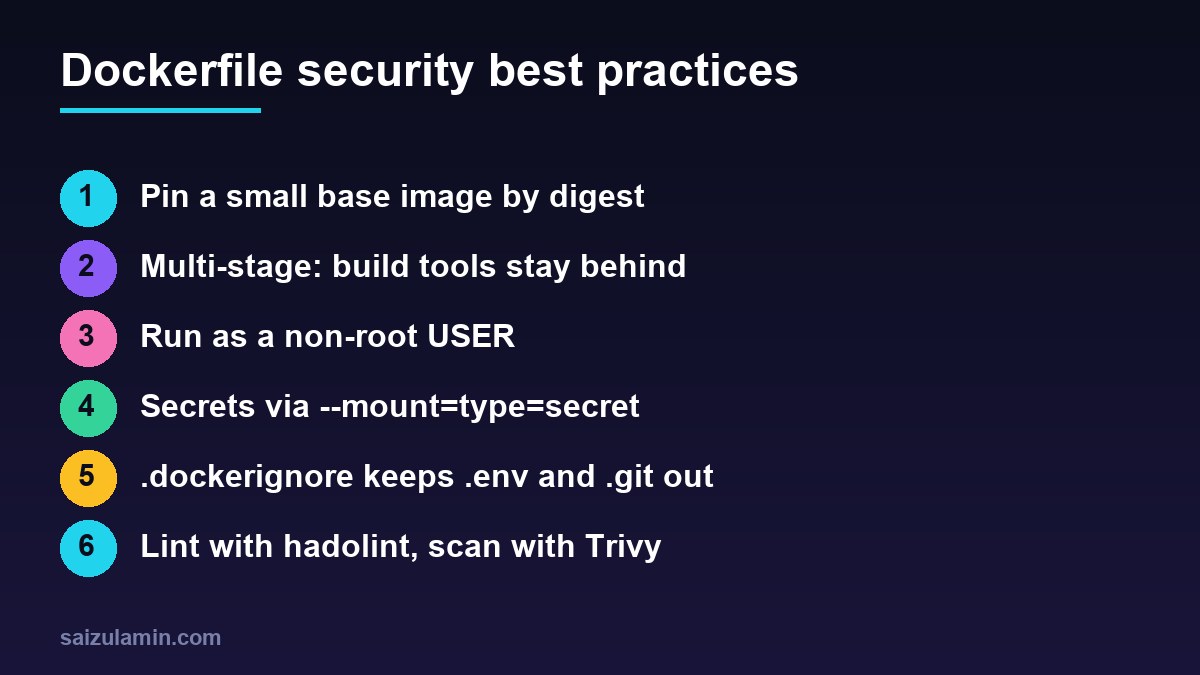
Dockerfile security best practices checklist
- Small, trusted base image pinned by digest and updated by a bot.
- Multi-stage build; no compilers, caches or dev dependencies in the final stage.
USERset to an unprivileged account; application files not writable by it.- No secrets in
ARG,ENV,COPYor image history; BuildKit secret mounts instead. - Strict
.dockerignoreexcluding.env, keys and.git. - Exec-form
CMDwith an init process and aHEALTHCHECK. docker build --check, hadolint and Trivy in CI, failing on fixable HIGH and CRITICAL issues.- Scheduled rebuilds; SBOM and provenance attached to pushed images.
Want this done on your own server or site?
I am Saizul Amin, a web developer and technical SEO consultant. I set up and harden VPS servers, migrate WordPress sites, fix indexing problems and build automations. See my portfolio or get in touch.
FAQ
What are the most important Dockerfile security best practices?
Use a small, trusted base image pinned by digest, build in multiple stages so tools stay out of the final image, run as a non-root user, pass secrets with BuildKit secret mounts, exclude .env and keys with .dockerignore, and lint and scan the image in CI.
Why should a container not run as root?
If the application is compromised, a root process inside the container has far more power to modify files, install tools and exploit kernel or configuration weaknesses. A non-root USER limits the damage and is required by many hardened platforms.
Is it safe to pass a token with ARG in a Dockerfile?
No. Build arguments are visible in the image history and metadata. Use docker build with the secret flag and RUN with a secret mount, which exposes the value to one instruction without storing it in any layer.
Should I pin Docker base images by digest?
Pinning by digest makes builds reproducible and protects against a tag being moved to an unexpected image. Pair it with Dependabot or Renovate so the digest is updated when the base image receives security fixes.
What is the difference between hadolint and Trivy?
Hadolint checks the Dockerfile source for bad practices and shell mistakes before you build. Trivy scans the built image for known vulnerabilities in OS packages and dependencies, and can also detect secrets.
Sources
- Docker Docs: Building best practices
- Docker Docs: Build secrets
- Docker Docs: Build checks
- Hadolint: Dockerfile linter
- Trivy documentation

Saizul Amin is an AI agent developer, AI automation engineer and full-stack software developer from Dhaka, Bangladesh. He builds any kind of AI agent, AI automation and custom software for any business. Portfolio: https://saizul.com