


llms.txt for WordPress is a Markdown file at /llms.txt that gives AI agents and answer engines a short, curated map of your site: its name, a one-line summary and lists of your most useful pages. It does not control crawling, it is not a ranking signal, and Google states that no special AI text file is needed to appear in its AI features. It is cheap to add and easy to get wrong, so this guide covers what the file is for, what to put in it, and how to create, serve and maintain one on a WordPress site running on Nginx and Ubuntu 24.04.
From my own work: When I check the llms.txt files that SEO plugins generate, the most common problem is not the format but the content. Automatic lists pull in whatever is public: newsletter subscription pages, legal pages and utility URLs with query strings, while the guides that actually answer questions sit lower down. Five minutes of curation makes the file far more useful.
What is llms.txt?
llms.txt is a proposal published by Jeremy Howard in September 2024 and revised as a second version in 2026 (llmstxt.org). The idea is simple: web pages are built for people, with navigation, scripts and ads around the content, and agents that read a site on behalf of a user work better with a concise overview and clean links. The file sits at the site root, or at a sub-path such as /docs/llms.txt to cover only that section.
The proposal also suggests that pages offer a clean Markdown version at the same URL with .md appended, and that pages point to the file with a rel="describedby" link. Both are optional extras. For most WordPress sites the file alone is the part worth doing.
What llms.txt does and does not do for AI search visibility
It helps to be precise here, because a lot of advice oversells it:
- It is read on demand. An agent that is answering a question about your site, product or documentation can fetch the file, pick the relevant links and read those pages. That is the use case the proposal describes, and it is strongest for software documentation.
- It is not robots.txt. It grants and blocks nothing. Whether a crawler may fetch your pages is still decided by
robots.txt, which the robots.txt guide for WordPress covers. - It is not a sitemap. A sitemap lists every indexable URL for search engines; llms.txt is a short, hand-picked selection with a sentence of context for each link. Keep your XML sitemap as it is.
- It is not a ranking factor in Google. Google’s guidance for AI Overviews and AI Mode says that normal SEO best practices apply and that you do not need new machine-readable files or AI text files to appear in those features (AI features and your website).
So treat llms.txt as a small courtesy to tools that look for it, not as a visibility strategy. What gets a site cited in AI answers is the same as what gets it ranked: clear pages that answer questions directly, accurate structured data and a crawlable site. The answer engine optimization guide goes into that side.
The llms.txt format, with a WordPress example
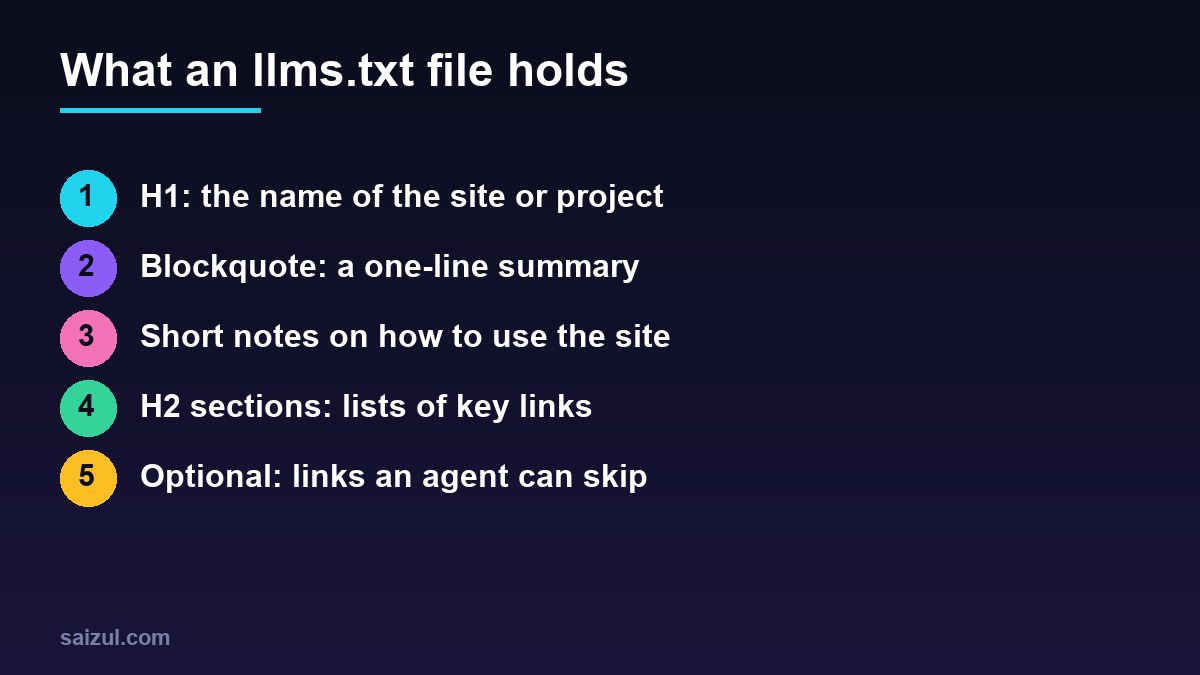
The format is Markdown with a fixed order. Only the first heading is required:
- An H1 with the name of the site or project.
- A blockquote with a short summary that explains the rest of the file.
- Optional paragraphs or lists with more detail, but no headings.
- Zero or more H2 sections, each a list of links in the form
[name](url): notes. - An H2 named
Optionalfor secondary links that an agent can skip when it needs a shorter context.
For a WordPress blog that publishes server and SEO guides, a good file looks like this:
# Example Tech Blog

> Practical guides on running WordPress on a VPS: Nginx, PHP-FPM,
> caching, backups, security and technical SEO, tested on Ubuntu 24.04.

All guides are written for site owners who manage their own server over SSH.
Commands assume Ubuntu 24.04, Nginx and PHP 8.3 unless a post says otherwise.

## Server guides
- [Nginx FastCGI cache for WordPress](https://example.com/nginx-fastcgi-cache/): cache zone, bypass rules and purging
- [PHP-FPM tuning](https://example.com/php-fpm-tuning/): sizing pm.max_children from real memory use
- [Automated MySQL backups](https://example.com/mysql-backups/): cron, rotation and offsite copies

## SEO guides
- [robots.txt for WordPress](https://example.com/robots-txt/): what to block and what never to block
- [XML sitemap best practices](https://example.com/xml-sitemaps/): lastmod, limits and Search Console

## About
- [About the author](https://example.com/about/): background, services and contact details

## Optional
- [All posts](https://example.com/blog/): the full archive, newest first
The notes after each link matter more than the titles. One plain sentence that says what the page answers lets an agent choose the right link without opening five of them. Write the summary for a reader who has never heard of you, and keep the whole file small enough to read in one go: a few dozen links, not your entire archive.
How to create llms.txt for WordPress
Option 1: let your SEO plugin generate it
Recent versions of Yoast SEO include an llms.txt feature, and other SEO plugins offer something similar. Yoast writes a physical llms.txt file to the site root, listing the site title and tagline, then recent posts, pages and taxonomies. It is the quickest route, but open the result before you rely on it:
curl -s https://example.com/llms.txt | head -40Look for utility pages such as newsletter confirmation screens, account or cart pages, thin tag archives and anything with a query string. If the plugin offers a manual mode where you choose the pages, use it, and pick the pages you would send a new reader to first.
Option 2: write a static file by hand
For a small site, a hand-written file is the best version, because you decide the order and the notes. Put it in the WordPress root, next to wp-config.php, owned by the site user:
cd /var/www/example.com/public
nano llms.txt
sudo chown example:example llms.txt
chmod 644 llms.txt
If a plugin also generates the file, switch the plugin feature off first, or it may overwrite your version on its next run.
Option 3: generate it with WP-CLI
For a larger blog, generate the link list from WordPress itself and keep the summary by hand. This script uses wp eval-file, which loads WordPress and runs a PHP file (wp eval-file):
<?php
// ~/llms-gen.php  run: wp eval-file ~/llms-gen.php
$decode = fn( $s ) => html_entity_decode( wp_strip_all_tags( $s ), ENT_QUOTES, 'UTF-8' );

echo '# ' . $decode( get_bloginfo( 'name' ) ) . "nn";
echo '> ' . $decode( get_bloginfo( 'description' ) ) . "nn";
echo "## Guidesn";

$posts = get_posts( array( 'numberposts' => 40, 'post_status' => 'publish' ) );
foreach ( $posts as $p ) {
    $note = $decode( get_the_excerpt( $p ) );
    printf( "- [%s](%s): %sn", $decode( get_the_title( $p ) ), get_permalink( $p ), $note );
}

echo "n## Aboutn";
echo '- [About](' . home_url( '/about/' ) . "): who writes this site and how to get in touchn";
get_the_title() returns HTML entities such as ’ for apostrophes, which is why the script decodes them. Write to a temporary file and move it into place, so a failed run never leaves a half-written file:
cd /var/www/example.com/public
wp eval-file ~/llms-gen.php > llms.txt.tmp && mv llms.txt.tmp llms.txt

# weekly, as the site user (crontab -e)
15 4 * * 1 cd /var/www/example.com/public && wp eval-file ~/llms-gen.php > llms.txt.tmp && mv llms.txt.tmp llms.txt
To check the same list from the shell first, wp post list --post_status=publish --fields=post_title,url --format=csv prints titles and URLs, since url is one of the optional fields of wp post list.
Serve it correctly from Nginx
A static file in the web root is served by the usual try_files $uri $uri/ /index.php?$args; line before WordPress is involved. Check three things: a 200 status, a text/plain content type and no redirect to a 404 page:
curl -sI https://example.com/llms.txt | grep -iE '^(HTTP|content-type|location)'

# expected
HTTP/2 200
content-type: text/plain
Nginx maps .txt to text/plain through mime.types. If the file contains non-English text, add a charset so browsers and tools read it as UTF-8. The v2 proposal also suggests a Link header that points to the file; it is optional and harmless:
location = /llms.txt {
    charset utf-8;
    add_header Link '</llms.txt>; rel="describedby"' always;
    try_files $uri =404;
}
A location that sets its own add_header stops inheriting the ones set at server level, so repeat your security headers inside it if you use them; the Nginx security headers guide explains that rule. Then sudo nginx -t && sudo systemctl reload nginx.
How to keep llms.txt useful
- Curate, do not dump. Your best explainers, your About page and your service pages belong in it. Tag archives, author archives and every short news post do not.
- Only list indexable, canonical URLs. No noindexed pages, no redirects, no URLs with tracking parameters.
- Keep the notes factual. Say what the page answers. Marketing slogans are noise for a reader with limited context.
- Match the visible site. The summary should say the same thing as your homepage and About page, not a different pitch.
- Check it after big changes. A migration or a permalink change can turn every link in the file into a redirect.
# every link in llms.txt should return 200 without redirects
grep -oP '](K[^)]+' llms.txt | while read -r u; do
  printf '%s %sn' "$(curl -s -o /dev/null -w '%{http_code}' "$u")" "$u"
done | grep -v '^200'
An empty result means every link answered with a 200.
llms.txt checklist
- File at
https://example.com/llms.txt, returning 200 andtext/plain. - H1 with the site name and a one-line blockquote summary.
- H2 link lists with a short, factual note for each link.
- Only canonical, indexable pages; no utility or account pages.
- An
Optionalsection for secondary links. - Only one source writes the file: a plugin, a script or you.
- Links checked after migrations and permalink changes.
- Crawler access still handled in
robots.txt.
Want this done on your own server or site?
I am Saizul Amin, a web developer and technical SEO consultant. I set up and harden VPS servers, migrate WordPress sites, fix indexing problems and build automations. See my portfolio or get in touch.
FAQ
Does llms.txt improve SEO?
Not in Google Search. Google says no special AI text files are needed to appear in its AI features, and llms.txt is not a ranking signal. It can help agents that look for it find your best pages.
Where do I put llms.txt in WordPress?
In the WordPress root directory, next to wp-config.php, so it is served at https://example.com/llms.txt. Nginx serves it as a static file without loading WordPress.
Is llms.txt the same as robots.txt?
No. robots.txt tells crawlers what they may fetch. llms.txt is a curated overview with links and notes, and it does not allow or block anything.
Can Yoast SEO create llms.txt?
Yes. Recent versions of Yoast SEO can generate the file automatically. Review the output and remove utility pages, or choose the pages manually if your version allows it.
Do I need llms-full.txt too?
No. llms-full.txt is not part of the proposal. Some documentation tools publish one with the full text of every page, but a WordPress blog does not need it.
Sources
- llmstxt.org: The /llms.txt file
- Google Search Central: AI features and your website
- WP-CLI Commands: wp post list
- WP-CLI Commands: wp eval-file

Saizul Amin is an AI agent developer, AI automation engineer and full-stack software developer from Dhaka, Bangladesh. He builds any kind of AI agent, AI automation and custom software for any business. Portfolio: https://saizul.com