


Changing a WordPress domain is mostly one command: wp search-replace. It walks through the database, replaces the old URL, and repairs PHP serialized data that a plain SQL REPLACE() would break. It also does exactly what you tell it, so a search string that is too short changes email addresses, a missing flag leaves plugin tables untouched, and some URLs are stored in forms it cannot match at all. This guide is the careful version for a real domain change: what to back up, how to read a dry run, which variants to replace, and how to prove nothing old is left.
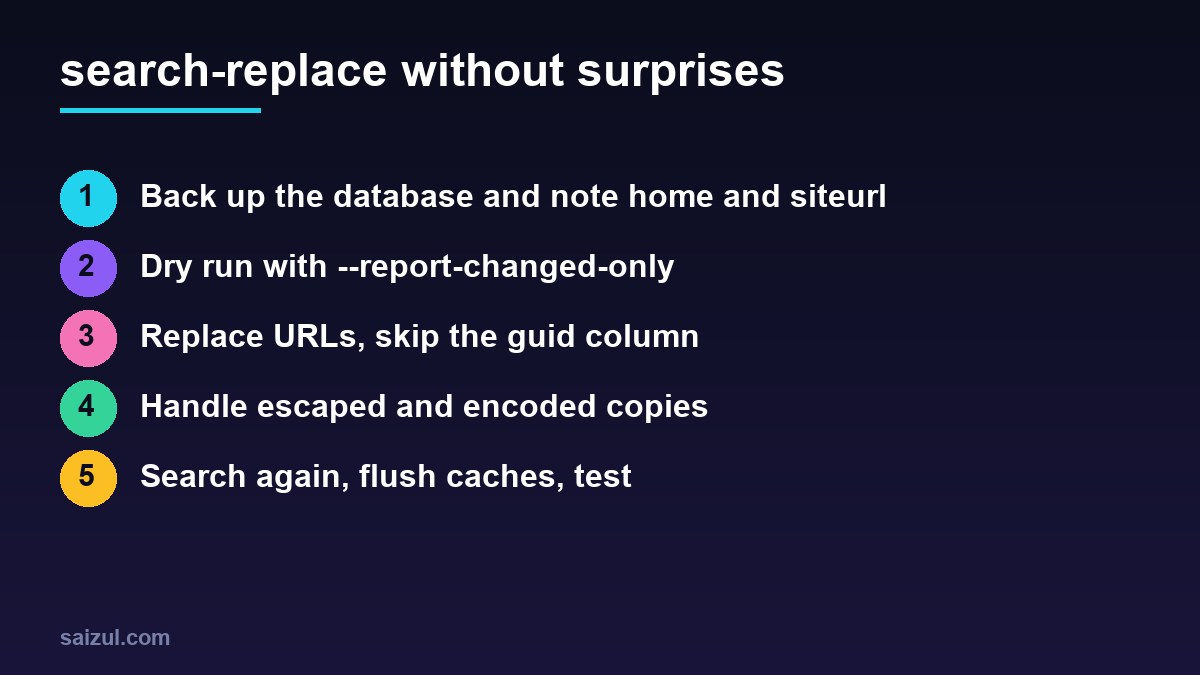
From my own work: I run search-replace on every migration and every staging refresh, always as the site user and always with a dry run first. The broken sites I have repaired after someone else did it had one of three problems: a REPLACE() in phpMyAdmin that corrupted serialized widgets, a bare domain that rewrote every customer email address, or page builder content still pointing at the old domain.
What search-replace does
By default the command searches the tables registered with WordPress’s $wpdb object. It uses fast SQL where it can and switches to PHP for columns that contain serialized data, unserializing each value, replacing the string and serializing it again with the correct lengths. It never changes primary keys, and it skips tables without a primary key (wp search-replace). That is why it is safe for serialized data and SQL is not: in a value such as s:19:"https://old.example" the number is the string length, and a different length makes PHP discard the whole value.
The WordPress handbook gives the same advice: use WP-CLI or a tool that understands serialization, and do not change the guid column in wp_posts (Moving WordPress). Feed readers use the GUID to tell new posts from old ones; it is an identifier that only looks like a URL.
Before you replace anything
cd /var/www/example.com/public           # run as the site user, not root
wp option get home
wp option get siteurl
wp db export ~/before-domain-change-$(date +%F).sql
wp db prefix
Write down the exact home and siteurl values, including the protocol and whether they use www. They tell you what the database actually contains, which is often not what you assume: an old site may have http://www.old.example in the options and https://old.example in recent posts. Keep the export somewhere outside the web root; it is your undo button. If the site is busy, put it in maintenance mode first so nobody writes new content with old URLs halfway through.
Dry run and read the report
wp search-replace '//old.example' '//new.example'
  --all-tables-with-prefix --skip-columns=guid
  --report-changed-only --dry-run
The report lists each table and column with the number of replacements that would be made. Read it before you remove --dry-run:
- Zero everywhere means the search string does not match what is stored. Check it against
wp option get home. - Big numbers in
wp_postmetaandwp_optionsare normal: page builders, SEO plugins and theme settings store full URLs. - Hits in
wp_users,wp_commentsor order tables deserve a look. If you searched forold.examplewithout slashes, these are probably email addresses such asshop@old.example. - Tables you do not recognise belong to plugins.
--all-tables-with-prefixincludes them even if the plugin never registered them with$wpdb; without it they are silently skipped.
Searching for //old.example rather than the bare domain is deliberate. It matches http://, https:// and protocol-relative URLs, but not email addresses. It also matches the start of //old.example.net or //old.examples.com if such domains appear on the site, so glance at the dry run for those. To see the actual changes, add --log to the dry run; it prints each old and new value with some context and is slow on big databases, so limit it to one or two tables.
Replace in the right order
Handle every variant the database contains, from the most specific to the least. For a move from www.old.example over HTTP to new.example over HTTPS:
ARGS='--all-tables-with-prefix --skip-columns=guid --report-changed-only'

wp search-replace '//www.old.example' '//new.example' $ARGS
wp search-replace '//old.example'     '//new.example' $ARGS
wp search-replace 'http://new.example' 'https://new.example' $ARGS

wp option get home        # should now be https://new.example
Each command first runs with --dry-run in practice; they are shown without it here to keep the block short. The third command only touches the new domain, so it cannot damage anything that was correct before. If you do want email addresses changed as well, run a separate, explicit replacement such as '@old.example' '@new.example' and check the users and orders it lists.
The copies search-replace cannot see
search-replace matches strings exactly, and some plugins store URLs in other forms. After the main replacement, search for the escaped variants:
- JSON with escaped slashes. Page builders that save layouts as JSON in post meta, Elementor among them, store
https://old.example. Elementor also has its own Tools → Replace URL screen, which regenerates its CSS files afterwards; use it, or replace the escaped string with WP-CLI and then regenerate the CSS. - URL-encoded values. Share links, redirects and some form settings contain
https%3A%2F%2Fold.example. - Hard-coded files. Theme files,
wp-config.phpconstants such asWP_HOME, cached CSS and the uploads folder are not in the database. Search them withgrep -rl 'old.example' wp-content/themes wp-config.php.
# single quotes keep the backslashes literal
wp search-replace 'https://old.example' 'https://new.example' --all-tables-with-prefix --dry-run
wp search-replace 'https%3A%2F%2Fold.example' 'https%3A%2F%2Fnew.example' --all-tables-with-prefix --dry-run
For unusual serialized data, such as objects nested inside arrays, add --precise, which forces PHP processing for every column. It is slower, and on a large database that is a fair trade for certainty (wp search-replace).
Safer alternatives on a live site
On a busy shop you may not want to change the live database at all until the moment of the switch. Two options help. --export=new-domain.sql writes the transformed database to a file and leaves the original untouched, so you can import it on the new server. And you can restrict a run to named tables, for example wp search-replace '//old.example' '//new.example' wp_posts wp_postmeta --dry-run, to fix only content after a partial migration.
Multisite needs --network to cover every site’s tables, and the domain also lives in wp_blogs and wp_site. Use --url= to tell WP-CLI which site to load; the handbook example shows the full command for a network.
Verify, flush and test
wp db search 'old.example' --all-tables-with-prefix --stats
wp cache flush
wp rewrite flush
wp transient delete --all
wp db search lists every remaining match and the --stats flag shows how many tables and rows it checked (wp db search). What is left should be explainable: GUIDs, email addresses you chose to keep, or log tables. Then flush the object cache, so Redis does not serve old options, and purge the page cache and CDN. Click through the site logged out, check images, menus, forms and the checkout, and look at the browser console for mixed content warnings.
For a domain change, the database is half the job. The old domain needs 301 redirects to the same paths on the new one, and Search Console needs a change of address, as covered in the website migration SEO checklist. For a move to a new server at the same time, follow migrating WordPress to a VPS, and for staging copies see a staging site with WP-CLI.
Want this done on your own server or site?
I am Saizul Amin, a web developer and technical SEO consultant. I set up and harden VPS servers, migrate WordPress sites, fix indexing problems and build automations. See my portfolio or get in touch.
FAQ
Is wp search-replace safe for serialized data?
Yes. It detects serialized values, unserializes them, replaces the string and serializes them again with correct lengths. A plain SQL REPLACE() does not, and can break widgets and settings.
Should I skip the guid column?
Yes. WordPress says not to change GUIDs; feed readers use them to recognise posts. Add –skip-columns=guid to every domain replacement.
Why does search-replace find nothing?
The search string does not match what is stored. Compare it with wp option get home, including protocol and www, and check for escaped forms such as https:// in page builder data.
Sources
- WP-CLI Commands: wp search-replace
- WP-CLI Commands: wp db search
- WordPress Advanced Administration: Moving WordPress

Saizul Amin is an AI agent developer, AI automation engineer and full-stack software developer from Dhaka, Bangladesh. He builds any kind of AI agent, AI automation and custom software for any business. Portfolio: https://saizul.com