

wp-config.php is the most valuable file in a WordPress install. It holds the database password, the keys and salts that sign every login cookie, and constants that decide whether an administrator can install code from the dashboard. Anyone who can read it can usually take over the site; anyone who can write to it already has. This is the hardening pass I apply on every server, in the order I do it, with commands you can check as you go.
From my own work: On my VPS every site runs under its own system user with its own PHP-FPM pool. The leak I have actually seen in the wild was never wp-config.php itself; it was a wp-config.php.bak or an editor swap file left in the web root and served as plain text.
1. Permissions and ownership
The WordPress hardening guide recommends that only you and the web server can read the file, which generally means mode 400 or 440. Which one fits depends on who PHP runs as:
cd /var/www/example.com
stat -c '%a %U:%G %n' wp-config.php

# PHP-FPM pool runs as the site user (one user per site)
sudo chown siteuser:siteuser wp-config.php
sudo chmod 600 wp-config.php     # 400 if nothing should ever write to it

# file owned by a deploy user, PHP reads it through the group
sudo chown deploy:www-data wp-config.php
sudo chmod 440 wp-config.php
Mode 600 lets the owner change the file, which tools such as wp config set and some caching plugins need. Mode 400 or 440 is stricter, but then every change goes through a deliberate chmod. Whatever you pick, the file must never be world-readable: on shared servers other accounts could read your database password.
2. Deny web access, including backup copies
A request for /wp-config.php is normally executed by PHP and returns an empty page, so the file itself is rarely exposed. The real risk is a copy with another extension, which the web server sends as text. Block both in the Nginx server block, above the location ~ .php$ block, because Nginx uses the first regex location that matches:
location ~* /wp-config.php { deny all; }
location ~* .(bak|old|orig|save|swp|swo|sql|log)$|~$ { deny all; }
On Apache, the hardening guide uses <Files "wp-config.php"> Require all denied </Files> at the top of .htaccess. Then test from outside:
curl -s -o /dev/null -w '%{http_code}n' https://example.com/wp-config.php       # 403
curl -s -o /dev/null -w '%{http_code}n' https://example.com/wp-config.php.bak   # 403
curl -s -o /dev/null -w '%{http_code}n' https://example.com/wp-content/debug.log # 403
The same guide notes that wp-config.php can live one directory above the WordPress install, where wp-includes resides, and WordPress will still find it. It also notes that people disagree about the benefit. On a server where the web root already contains only WordPress and the rules above are in place, I leave the file where it is.
3. Keys and salts
The eight AUTH_KEY to NONCE_SALT constants sign authentication cookies. If they are weak, copied from a tutorial or possibly leaked, replace them:
wp config shuffle-salts
# or fetch a fresh block to paste by hand
curl -s https://api.wordpress.org/secret-key/1.1/salt/
wp config shuffle-salts rewrites the values in place. Every logged-in user, including you, is signed out, which is exactly what you want after a suspected compromise. Rotate them after removing a former administrator or developer as well.
4. Database credentials
- Give each site its own database user with privileges on its own database only, connecting from
localhost. A shared user means one compromised site exposes all of them. - Do not reuse the database password anywhere else, and never commit
wp-config.phpto Git; commit awp-config-sample.phpor an example file instead. - You can keep the secret out of the web root entirely by passing it through the PHP-FPM pool, which is root-owned:
env[WP_DB_PASSWORD] = ...in the pool file anddefine( 'DB_PASSWORD', getenv( 'WP_DB_PASSWORD' ) );inwp-config.php. WP-CLI does not run through FPM, so it needs the same variable in its own environment. - A custom
$table_prefixis cosmetic. Set it on new installs if you like, but changing it on a live site is risky and gains little.
5. Security constants worth setting
These are documented in Editing wp-config.php. Place them above the /* That's all, stop editing! */ line:
define( 'WP_ENVIRONMENT_TYPE', 'production' );

// no theme/plugin editor in wp-admin
define( 'DISALLOW_FILE_EDIT', true );
// stricter: no installs or updates from wp-admin either
// define( 'DISALLOW_FILE_MODS', true );

define( 'DISALLOW_UNFILTERED_HTML', true );
define( 'FORCE_SSL_ADMIN', true );
define( 'WP_AUTO_UPDATE_CORE', 'minor' );

// errors to a private log, never to the screen
define( 'WP_DEBUG', false );
define( 'WP_DEBUG_LOG', '/var/log/wordpress/example.com-debug.log' );
define( 'WP_DEBUG_DISPLAY', false );- DISALLOW_FILE_EDIT removes the built-in code editor. A stolen admin session can then no longer paste a web shell into
functions.php. The guide is clear that it does not stop file uploads, so it is one layer, not a fix. - DISALLOW_FILE_MODS also disables plugin and theme installs and updates from the dashboard, and covers the editor on its own. Use it when updates come from WP-CLI or a deployment pipeline; otherwise you will simply stop updating.
- DISALLOW_UNFILTERED_HTML stops even administrators and editors from saving raw script tags in content.
- WP_DEBUG_LOG accepts a file path. The default
wp-content/debug.logsits inside the web root, which is why the Nginx rule above blocks.log. The directory must be writable by the PHP user.
6. HTTPS behind a proxy
FORCE_SSL_ADMIN only works if WordPress can tell that a request arrived over HTTPS. With Cloudflare in Full (strict) mode the origin receives HTTPS itself, so nothing else is needed. If a proxy terminates TLS and talks plain HTTP to the origin, add this above the require_once line, and only when the origin cannot be reached except through that proxy, because the header is trivial to forge:
if ( isset( $_SERVER['HTTP_X_FORWARDED_PROTO'] ) && 'https' === $_SERVER['HTTP_X_FORWARDED_PROTO'] ) {
    $_SERVER['HTTPS'] = 'on';
}
Locking the origin to the proxy is covered in UFW firewall setup, and the TLS side in Let’s Encrypt on Nginx.
7. Optional: restrict outgoing HTTP requests
define( 'WP_HTTP_BLOCK_EXTERNAL', true ); makes the WordPress HTTP API refuse every host except your own site, and WP_ACCESSIBLE_HOSTS takes a comma-separated allowlist with wildcard support, for example 'api.wordpress.org,*.wordpress.org'. It limits what injected code can phone home to, but it breaks update checks, licence checks and remote APIs you forget to list. Turn it on only after reviewing which hosts your plugins call.
8. Verify with WP-CLI
wp config get DISALLOW_FILE_EDIT
wp config set DISALLOW_FILE_EDIT true --raw
wp config list --fields=name,value --format=table | grep -v -E 'KEY|SALT'
php -l wp-config.php
--raw writes true as a PHP boolean instead of the string 'true'. The grep keeps keys and salts out of your terminal scrollback. php -l catches a syntax error before it takes the site down. More commands are in the WP-CLI cheat sheet.
Quick checklist
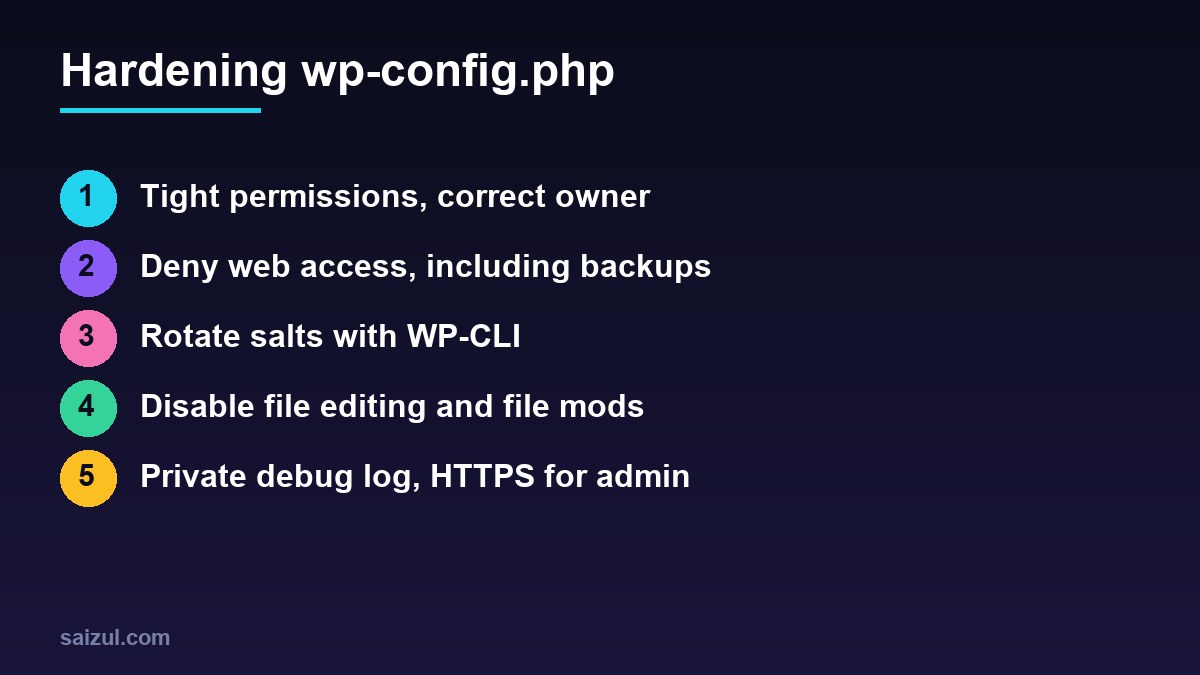
- Mode 600, 440 or 400, never world-readable, correct owner.
- Web access to wp-config.php, backups, dumps and logs returns 403.
- Unique salts, rotated after staff changes or an incident.
- Dedicated database user per site; config not in Git.
- File editor disabled; FILE_MODS disabled if updates are automated.
- Debug output off, log outside the web root, HTTPS enforced for admin.
Pair this with brute-force protection from Fail2ban for WordPress and key-only SSH from SSH key authentication.
Want this done on your own server or site?
I am Saizul Amin, a web developer and technical SEO consultant. I set up and harden VPS servers, migrate WordPress sites, fix indexing problems and build automations. See my portfolio or get in touch.
FAQ
Is it worth moving wp-config.php above the web root?
It is allowed one level up, and it helps if PHP processing ever fails. Correct permissions and a deny rule give most of the benefit; the WordPress documentation itself notes that opinions differ.
Will changing the salts break anything?
No data is lost. All users are logged out and have to sign in again, and some persistent caches of nonces become invalid.
Should I use DISALLOW_FILE_MODS?
Yes if plugin and core updates are handled by WP-CLI, a cron job or a deployment pipeline. If you update from the dashboard, use DISALLOW_FILE_EDIT only.
Sources
- WordPress Developer Resources: Editing wp-config.php
- WordPress Developer Resources: Hardening WordPress
- WP-CLI: wp config shuffle-salts

Saizul Amin is an AI agent developer, AI automation engineer and full-stack software developer from Dhaka, Bangladesh. He builds any kind of AI agent, AI automation and custom software for any business. Portfolio: https://saizul.com