


Every WordPress site on the public internet receives automated login attempts. Each POST to wp-login.php or xmlrpc.php starts a PHP-FPM worker, loads WordPress and checks a password hash, so a few hundred attempts a minute can use up every worker and slow the site for real visitors. A login plugin can count failures, but it runs inside the same PHP process you are trying to protect. Nginx can refuse the excess requests before PHP starts. This guide sets up limit_req for the two WordPress login endpoints on Ubuntu 24.04 with Nginx 1.24 and PHP 8.3, tests it safely, and explains where it stops helping.
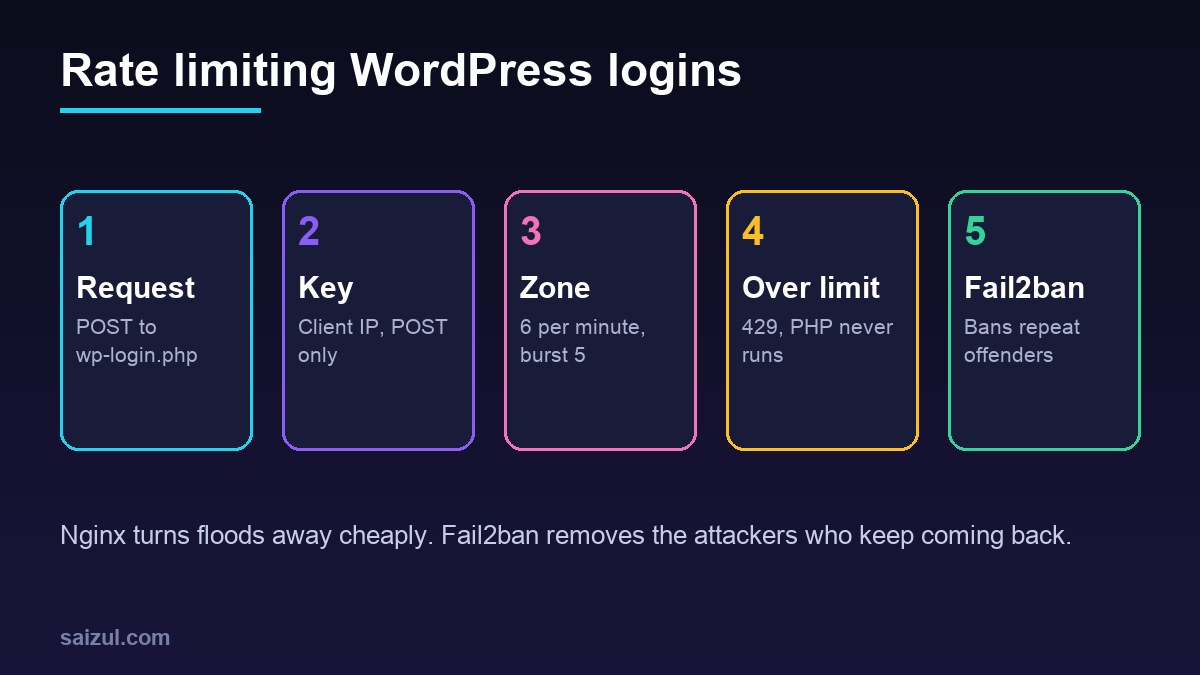
From my own work: On my own VPS the login endpoints are rate limited on every WordPress site, and the effect shows up in the PHP-FPM status page more than anywhere else: during a brute-force wave the active worker count stays flat instead of hitting pm.max_children. The mistake I see most often on servers I take over is an exact-match location for wp-login.php without fastcgi_pass, which serves the PHP source as a download.
How limit_req works
The ngx_http_limit_req_module uses the leaky bucket method. You define a shared memory zone with a key, usually the client IP, and an average rate. Requests above that rate are delayed, and once the queue of excess requests is larger than burst, Nginx rejects the request with an error (limit_req documentation). Three details matter for WordPress:
- Requests with an empty key are not counted. That lets you limit only POST requests, so people can still open the login form, reload it or follow a password reset link.
- The default rejection status is 503. Set
limit_req_status 429so monitoring and logs show “Too Many Requests” instead of an apparent outage. - Zone size. On a 64-bit server each state takes 128 bytes, so one megabyte holds about 8,000 IP addresses and a 10 MB zone about 80,000. When the zone is full, Nginx drops the least recently used entries.
Define the zones
Ubuntu’s /etc/nginx/nginx.conf includes /etc/nginx/conf.d/*.conf inside the http block, which is where limit_req_zone and map must live:
# /etc/nginx/conf.d/wp-ratelimit.conf
# Count only POST requests; GET requests get an empty key and are not limited.
map $request_method $wp_post_key {
    POST     $binary_remote_addr;
    default  "";
}

limit_req_zone $wp_post_key        zone=wp_login:10m  rate=6r/m;
limit_req_zone $binary_remote_addr zone=wp_xmlrpc:10m rate=2r/m;

limit_req_status 429;
6r/m means one request every ten seconds on average. A person typing a password makes one POST, two with a second factor, so this rate never touches real logins. The XML-RPC zone counts every method, because legitimate XML-RPC clients are rare and attackers use system.multicall to try many passwords in a single request.
Apply the limits to the login endpoints
Add two exact-match locations to the HTTPS server block of each site. An exact match (location =) wins over the usual location ~ .php$ regex, so each one must pass the request to PHP-FPM itself:
server {
    # ... listen, server_name, root, the rest of the site

    location = /wp-login.php {
        limit_req zone=wp_login burst=5 nodelay;
        include snippets/fastcgi-php.conf;
        fastcgi_pass unix:/run/php/php8.3-fpm.sock;
    }

    location = /xmlrpc.php {
        limit_req zone=wp_xmlrpc burst=3 nodelay;
        include snippets/fastcgi-php.conf;
        fastcgi_pass unix:/run/php/php8.3-fpm.sock;
    }

    location ~ .php$ {
        include snippets/fastcgi-php.conf;
        fastcgi_pass unix:/run/php/php8.3-fpm.sock;
    }
}
Copy the fastcgi_pass line from your existing PHP location. If the site uses its own pool socket, such as /run/php/php8.3-fpm-example.sock, use that. Without these two lines Nginx treats wp-login.php as a static file and sends the PHP source to the browser.
burst=5 nodelay allows a short run of up to five extra requests to pass immediately, then rejects anything beyond the rate until the bucket drains. Without nodelay, Nginx would hold the extra requests and release them slowly, which keeps connections open for attackers. The WordPress handbook shows the same pattern with a looser 10 per minute and a burst of 20 (WordPress brute force guide); start there if your users share an office IP.
Rate limit or block XML-RPC?
If nothing on the site uses XML-RPC, blocking it is simpler than limiting it. The block editor, the REST API and application passwords do not need it. Jetpack, some mobile apps and older remote publishing tools do, so check before you switch it off:
location = /xmlrpc.php {
    deny all;
    access_log off;
    log_not_found off;
}
The rule returns 403 without starting PHP. Keep the rate-limited version for sites that need XML-RPC, and add a WAF rule in front if the volume is high; see Cloudflare WAF custom rules for WordPress.
Behind Cloudflare or another proxy
If the site is proxied, $binary_remote_addr is the proxy’s address, and a single Cloudflare edge IP would carry many visitors into the same bucket. Restore the visitor address first with the real IP module, which Ubuntu’s Nginx package includes (realip module):
# /etc/nginx/conf.d/cloudflare-realip.conf
set_real_ip_from 173.245.48.0/20;
# ... one line for every IPv4 and IPv6 range published at cloudflare.com/ips
real_ip_header CF-Connecting-IP;
Only trust ranges that really belong to your proxy, and refresh the list from time to time. The same real IP setup is what Fail2ban needs, so it is covered in more detail in Fail2ban for WordPress on Nginx.
Dry run, reload and test
On a busy site, start in dry run mode. Nginx counts excess requests as usual but does not reject them:
# temporarily, inside the location blocks
limit_req_dry_run on;

sudo nginx -t && sudo systemctl reload nginx
sudo grep 'limiting requests' /var/log/nginx/error.log | tail
Log lines with dry run show which clients would have been rejected. If your own office or monitoring service appears, raise the burst for that site. When the log looks right, remove limit_req_dry_run, reload and test from a machine that is not on your allow list:
for i in $(seq 1 10); do
  curl -s -o /dev/null -w '%{http_code}n' -X POST
       -d 'log=nobody&pwd=wrong' https://example.com/wp-login.php
done
# expected: 200 six times (one plus the burst of five), then 429
WordPress answers a failed login with 200, so those are the requests that got through. A plain curl https://example.com/wp-login.php must still return 200 however often you run it, because GET requests are not counted. Rejections are logged at the error level by default. If you lower limit_req_log_level to warn, also lower the error_log level, or the messages disappear.
What rate limiting does not solve
A per-IP limit stops floods from a few addresses. Botnets that try one password per IP per hour stay under any sensible limit, so combine layers: strong passwords and two-factor login for every administrator, Fail2ban to ban addresses that keep failing, and an edge WAF for large waves. WooCommerce stores also accept logins on the My Account page, which posts to that page rather than wp-login.php; protect it at the WAF or with a separate rule. The broader Nginx hardening picture, including general request limits, is in hardening Nginx on Ubuntu 24.04, and response headers are covered in Nginx security headers for WordPress.
Want this done on your own server or site?
I am Saizul Amin, a web developer and technical SEO consultant. I set up and harden VPS servers, migrate WordPress sites, fix indexing problems and build automations. See my portfolio or get in touch.
FAQ
Will Nginx rate limiting lock out real users?
Not with the rates above. A normal login is one or two POST requests, and GET requests to the login page are not counted at all. Shared office IPs are the exception; give them a larger burst.
Should I return 429 or 503 for rate-limited requests?
429 Too Many Requests. It describes what happened, and uptime monitors and log analysis do not mistake it for a server failure. Nginx sends 503 unless you set limit_req_status.
Is rate limiting enough without Fail2ban?
It reduces the load, but it does not stop slow attacks. Fail2ban bans addresses that keep failing over a longer window, so the two work best together.
Sources
- nginx.org: ngx_http_limit_req_module
- nginx.org: ngx_http_realip_module
- WordPress Developer Resources: Brute Force Attacks

Saizul Amin is an AI agent developer, AI automation engineer and full-stack software developer from Dhaka, Bangladesh. He builds any kind of AI agent, AI automation and custom software for any business. Portfolio: https://saizul.com