

Getting a free certificate from Let’s Encrypt takes one Certbot command. Keeping it valid is the part that fails quietly: a renewal that has been broken for weeks shows up only when visitors get a browser warning. Let’s Encrypt certificates are valid for 90 days by default, and Let’s Encrypt shut down its expiry reminder emails in 2025, so automatic renewal plus your own check is now the whole safety net. This guide covers the setup on Ubuntu 24.04 with Nginx, how renewal is wired up, and how to fix the usual errors.
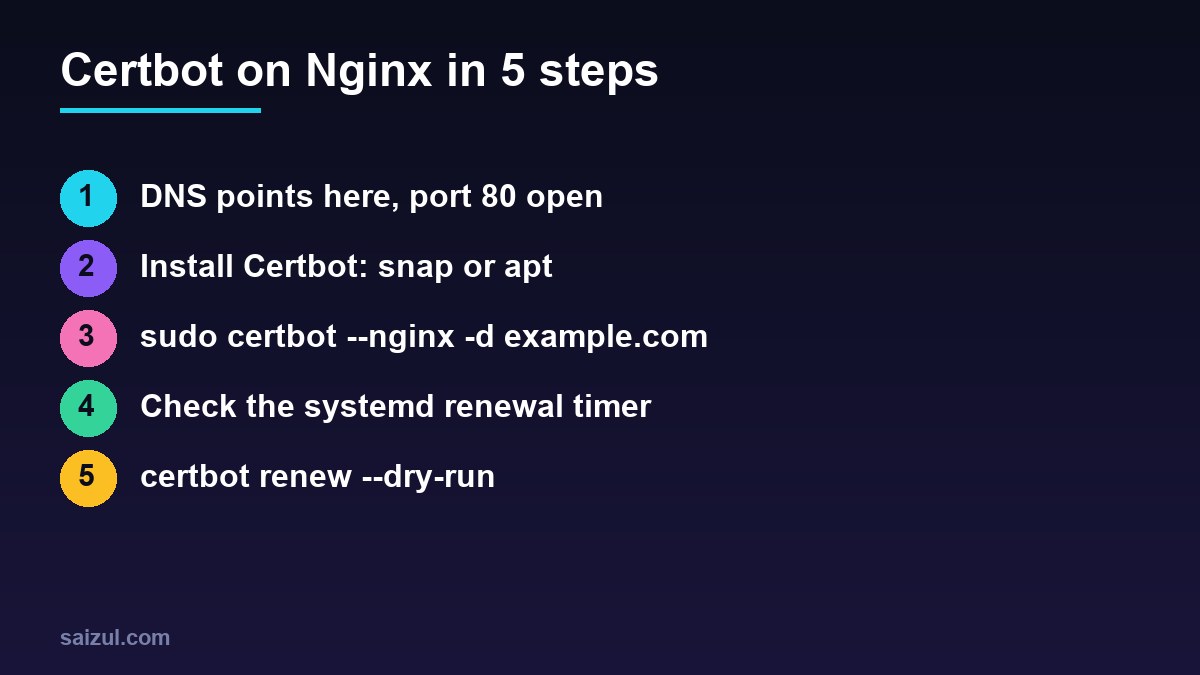
From my own work: On my VPS I run certbot renew –dry-run after every Nginx change that touches a server block, and I keep an external monitor on certificate expiry for each domain. A renewal usually breaks because of something unrelated, such as a new redirect, a firewall rule or a DNS change, not because Certbot itself stopped working.
Before you start
- DNS: the A record, and the AAAA record if you have one, must point to this server. A stale IPv6 address is a common cause of failed validation, because Let’s Encrypt prefers IPv6 when it exists. See DNS records explained.
- Port 80 must be reachable. The default HTTP-01 challenge always starts on port 80 (challenge types). With UFW,
sudo ufw allow 'Nginx Full'opens 80 and 443; see UFW firewall on an Ubuntu VPS. - A server block with the right
server_name. The Nginx plugin finds the block to edit by that name.
Install Certbot: snap or apt
The Certbot project recommends the snap package, which follows upstream releases (official instructions):
sudo apt remove certbot            # only if an apt version is installed
sudo snap install --classic certbot
sudo ln -s /snap/bin/certbot /usr/local/bin/certbot
certbot --version
The Ubuntu package is a valid alternative if you prefer apt-managed software: sudo apt install certbot python3-certbot-nginx. It is older than the snap but receives security updates. Use one or the other. Two installations mean two renewal timers and confusing results.
Issue the certificate
sudo certbot --nginx -d example.com -d www.example.com

# or obtain the certificate but edit the Nginx config yourself
sudo certbot certonly --nginx -d example.com -d www.example.com
The first form asks for an email address and agreement to the terms, proves control of the domain, then edits your server block: it adds listen 443 ssl, the ssl_certificate and ssl_certificate_key lines pointing to /etc/letsencrypt/live/example.com/, an include of Certbot’s TLS options, and a redirect from HTTP to HTTPS. Each line is marked # managed by Certbot.
If you manage Nginx configuration in Git or with your own templates, use certonly and add the two certificate lines yourself. Either way, list every hostname you serve with -d; a certificate for example.com does not cover www.example.com. Run sudo nginx -t afterwards and look at the result with sudo certbot certificates.
How auto-renewal works
Both packages install a systemd timer that runs certbot renew twice a day. That command checks every certificate under /etc/letsencrypt/renewal/ and renews only those that are close to expiry, reusing the options from the original request (Certbot user guide).
systemctl list-timers | grep -i certbot
# snap:  snap.certbot.renew.timer     apt: certbot.timer

sudo certbot renew --dry-run
sudo journalctl -u snap.certbot.renew.service --since '7 days ago'   # apt: -u certbot.service
sudo less /var/log/letsencrypt/letsencrypt.log
--dry-run runs the full renewal against the Let’s Encrypt staging environment without replacing your certificates. If it passes, real renewals will very likely pass too. Run it after any change to Nginx, DNS, the firewall or a CDN in front of the site.
Reloading Nginx after renewal
A renewed certificate is useless until Nginx loads it. When you use the Nginx plugin (--nginx), Certbot reloads Nginx for you. With the webroot or DNS plugins, add a deploy hook, which runs only after a successful renewal:
sudo tee /etc/letsencrypt/renewal-hooks/deploy/reload-nginx.sh >/dev/null <<'EOF'
#!/bin/sh
nginx -t && systemctl reload nginx
EOF
sudo chmod 755 /etc/letsencrypt/renewal-hooks/deploy/reload-nginx.sh
Scripts in that folder run for every certificate. If the same certificate is also used by a mail server or another service, reload it in the same hook. To change how an existing certificate renews, for example moving from the Nginx plugin to webroot, use sudo certbot reconfigure --cert-name example.com instead of editing renewal files by hand.
Cloudflare, wildcards and the DNS challenge
- Proxied through Cloudflare: HTTP-01 usually still works, because Cloudflare passes the request through to your origin. If a firewall rule only allows Cloudflare IPs, that is fine too, since the validation request arrives through Cloudflare. Problems start when a page rule, redirect or WAF rule intercepts
/.well-known/acme-challenge/. - Wildcard certificates (
*.example.com) require the DNS-01 challenge. With the snap, install the provider plugin, for examplesudo snap set certbot trust-plugin-with-root=okandsudo snap install certbot-dns-cloudflare, and give it an API token limited to DNS edits for that zone. - Behind Cloudflare in Full (strict) mode the origin needs a valid certificate. A Let’s Encrypt certificate works, and so does a Cloudflare Origin CA certificate, which does not need renewing for years but is trusted only by Cloudflare.
Common errors and fixes
- Timeout during connect: port 80 is blocked by UFW or the provider’s firewall, or the AAAA record points elsewhere. Test with
curl -I http://example.com/.well-known/acme-challenge/testfrom another machine; a 404 from your server means the path is reachable. - Unauthorized / invalid response: another server block answers for that name, or a redirect sends the challenge somewhere that cannot serve it. Check
sudo nginx -T | grep server_namefor duplicates. - Too many failed authorizations or certificates: you hit a rate limit by retrying. Fix the cause, test with
--dry-run, then wait before the real request. - Renewal passes but browsers show the old certificate: Nginx was not reloaded, or a CDN serves its own certificate. Add the deploy hook above.
For the first-time walkthrough with screenshots, see free SSL with Let’s Encrypt on Nginx. Once certificates renew reliably, add HSTS from Nginx security headers for WordPress and tune TLS with hardening Nginx TLS.
Want this done on your own server or site?
I am Saizul Amin, a web developer and technical SEO consultant. I set up and harden VPS servers, migrate WordPress sites, fix indexing problems and build automations. See my portfolio or get in touch.
FAQ
Does Certbot renew certificates automatically?
Yes. The snap and apt packages both install a systemd timer that runs certbot renew twice a day. Confirm it with systemctl list-timers and certbot renew –dry-run.
Should I install Certbot with snap or apt on Ubuntu 24.04?
The Certbot project recommends snap for the newest release. The Ubuntu apt package also works and gets security updates. Pick one and remove the other.
Do I still get expiry emails from Let’s Encrypt?
No. Let’s Encrypt ended its expiration email service in 2025, so use an external uptime or certificate monitor to warn you if renewal fails.
Sources
- Certbot instructions: Nginx on Linux (snap)
- Certbot User Guide
- Let's Encrypt: Challenge Types
- Let's Encrypt: FAQ

Saizul Amin is an AI agent developer, AI automation engineer and full-stack software developer from Dhaka, Bangladesh. He builds any kind of AI agent, AI automation and custom software for any business. Portfolio: https://saizul.com